







Question: COP 9830- HW4: Another look at HW 1! In Java, Implement a simple weekly payroll program. The input will consist of the employee's full name,
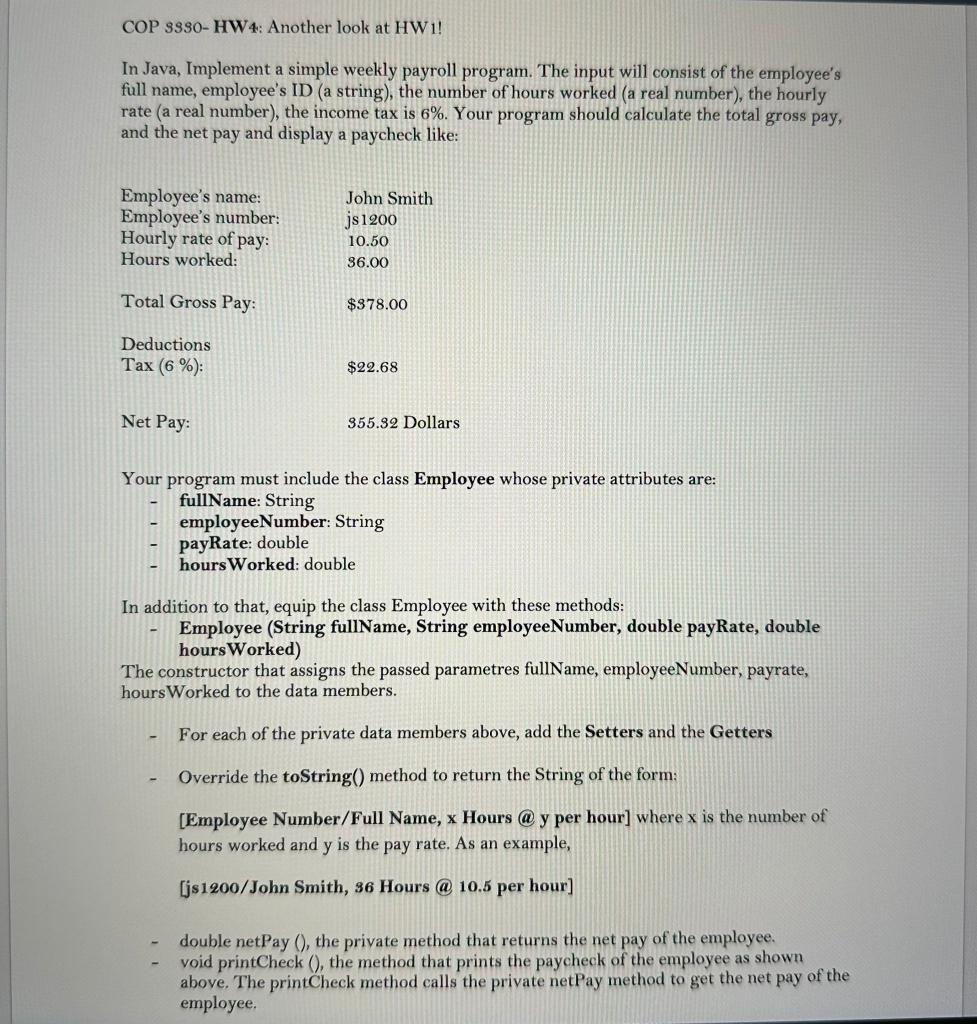
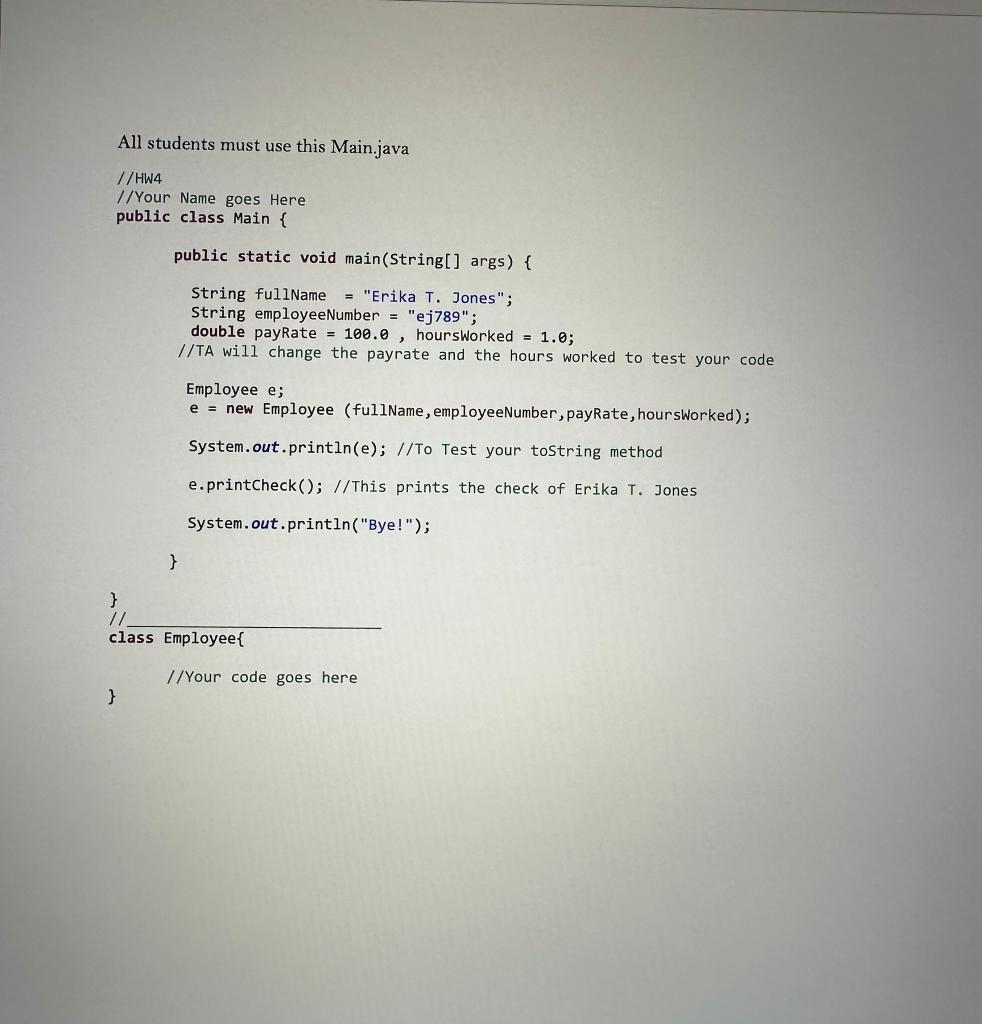
COP 9830- HW4: Another look at HW 1! In Java, Implement a simple weekly payroll program. The input will consist of the employee's full name, employee's ID (a string), the number of hours worked (a real number), the hourly rate (a real number), the income tax is 6%. Your program should calculate the total gross pay, and the net pay and display a paycheck like: Your program must include the class Employee whose private attributes are: - fullName: String - employeeNumber: String - payRate: double - hoursWorked: double In addition to that, equip the class Employee with these methods: - Employee (String fullName, String employeeNumber, double payRate, double hoursWorked) The constructor that assigns the passed parametres fullName, employeeNumber, payrate, hoursWorked to the data members. - For each of the private data members above, add the Setters and the Getters - Override the toString() method to return the String of the form: [Employee Number/Full Name, x Hours @ y per hour] where x is the number of hours worked and y is the pay rate. As an example, [js1200/John Smith, 36 Hours (a) 10.5 per hour] - double netPay (), the private method that returns the net pay of the employee. - void printCheck (), the method that prints the paycheck of the employee as shown above. The printCheck method calls the private netPay method to get the net pay of the employee. All students must use this Main.java //HW4 //Your Name goes Here public class Main \{ public static void main(String[] args) \{ String fullName = "Erika T. Jones"; String employeeNumber = "ej789"; double payRate =100.0, hoursWorked =1.0; // TA will change the payrate and the hours work //TA will change the payrate and the hours worked to test your code Employee e; e = new Employee (fullName, employeeNumber, payRate, hoursWorked); System.out.println(e); //To Test your tostring method e.printCheck(); //This prints the check of Erika T. Jones System.out.println("Bye!"); 3 \} 1/ class Employee\{ //Your code goes here
Step by Step Solution
There are 3 Steps involved in it

Get step-by-step solutions from verified subject matter experts
 Study Help