







Question: copy the text from the script, paste it into a DOC or PDF. if a Q asks to plot or display something to the screan
copy the text from the script, paste it into a DOC or PDF. if a Q asks to plot or display something to the screan include the plot & screan output the code generates.
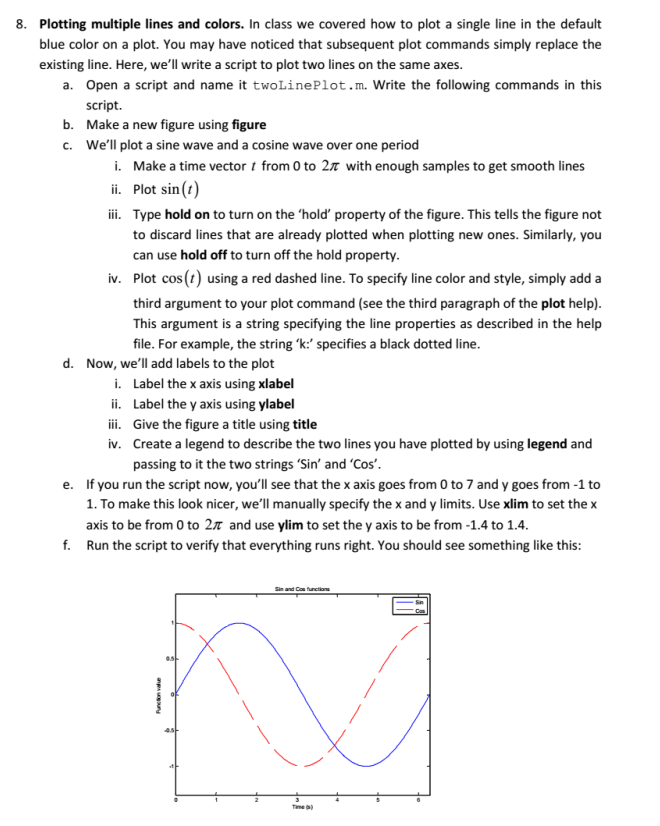
8. Plotting multiple lines and colors. In class we covered how to plot a single line in the default blue color on a plot. You may have noticed that subsequent plot commands simply replace the existing line. Here, we'll write a script to plot two lines on the same axes. a. Open a script and name it twoLinePlot.m. Write the following commands in this script. Make a new figure using figure We'll plot a sine wave and a cosine wave over one period b. c. i. Make a time vector from 0 to 2 with enough samples to get smooth lines i. Plot sin (t) ii. Type hold on to turn on the 'hold' property of the figure. This tells the figure not to discard lines that are already plotted when plotting new ones. Similarly, you can use hold off to turn off the hold property Plot cos(t) using a red dashed line. To specify line color and style, simply add a third argument to your plot command (see the third paragraph of the plot help) This argument is a string specifying the line properties as described in the help file. For example, the string 'k:' specifies a black dotted line iv. d. Now, we'll add labels to the plot i. ii. iii. iv. Label the x axis using xlabel Label the y axis using ylabel Give the figure a title using title Create a legend to describe the two lines you have plotted by using legend and passing to it the two strings 'Sin' and 'Cos'. If you run the script now, you'll see that the x axis goes from 0 to 7 and y goes from -1 to 1. To make this look nicer, we'll manually specify the x and y limits. Use xlim to set the x axis to be from 0 to 2 and use ylim to set the y axis to be from-1.4 to 1.4 Run the script to verify that everything runs right. You should see something like this e. f
Step by Step Solution
There are 3 Steps involved in it

Get step-by-step solutions from verified subject matter experts
 Study Help