







Question: CopyBinaryFile.java is used in order to make the method work, below is the code. If you need any of the code from the lib implemented
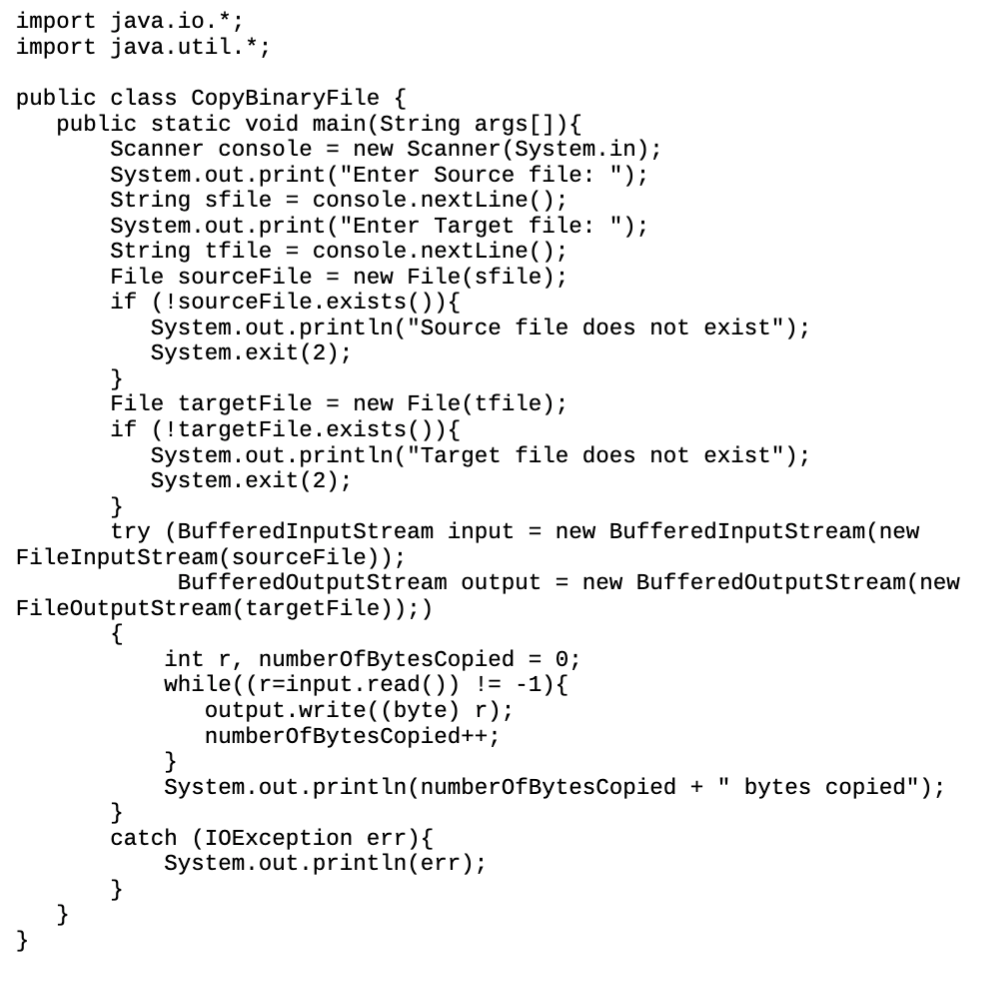
CopyBinaryFile.java is used in order to make the method work, below is the code.
If you need any of the code from the lib implemented for the program: use JavaFXControlsSample from google or let me know and I will upload script.
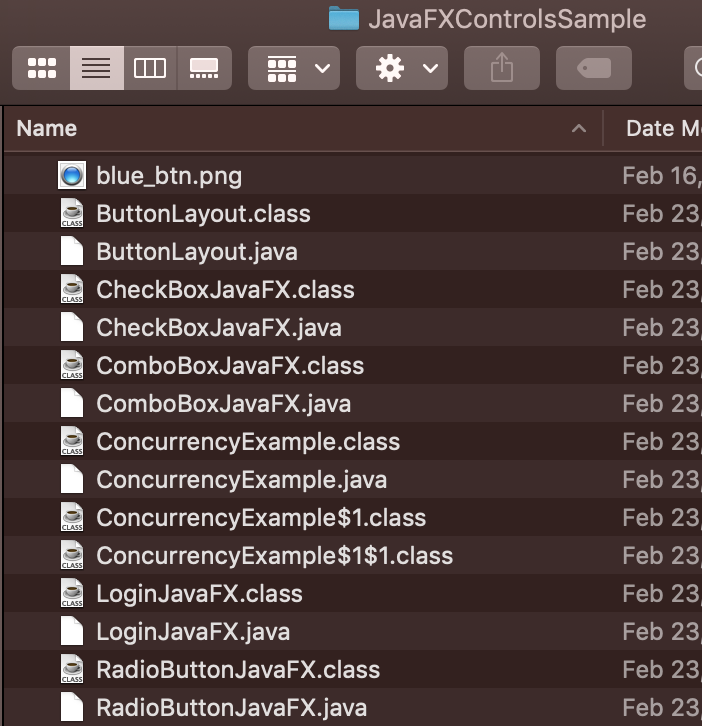
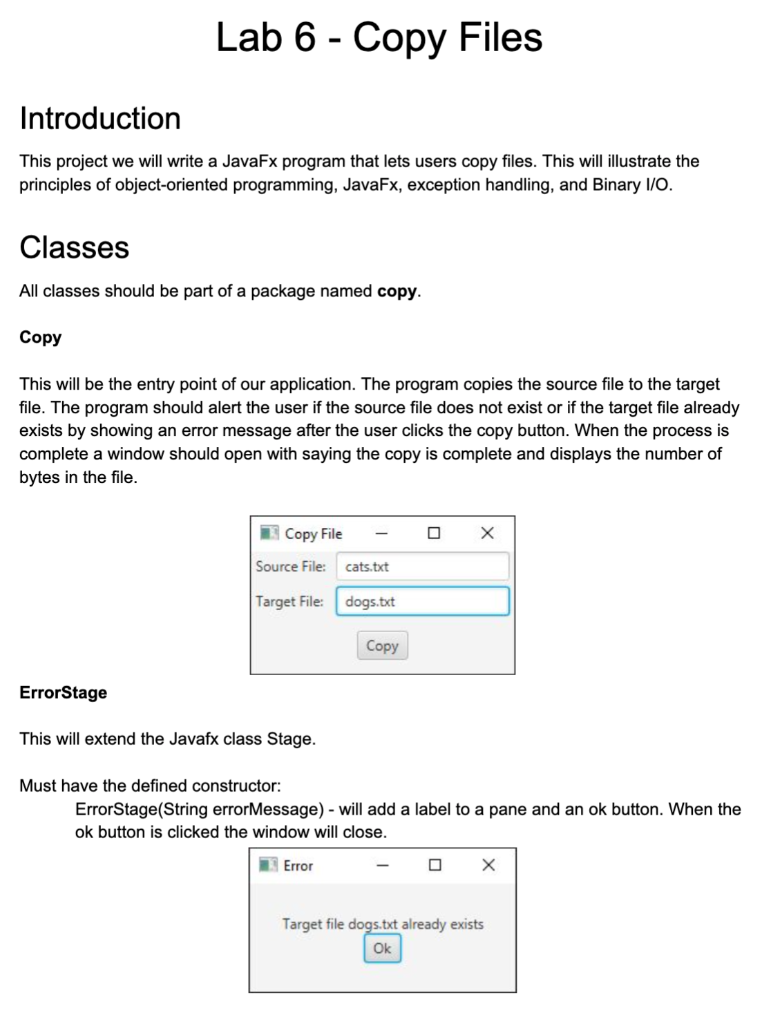
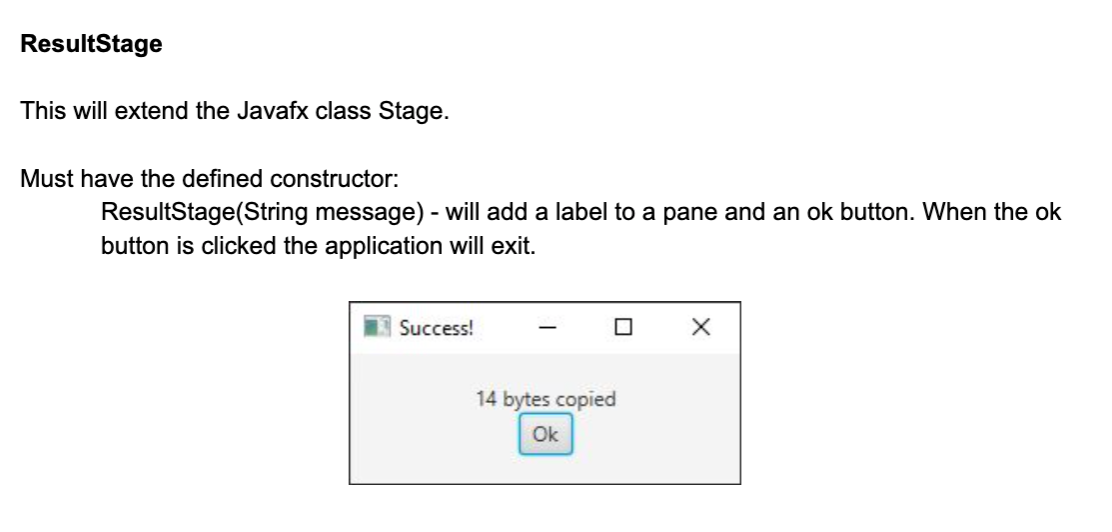
Lab 6 - Copy Files Introduction This project we will write a JavaFx program that lets users copy files. This will illustrate the principles of object-oriented programming, JavaFx, exception handling, and Binary I/O. Classes All classes should be part of a package named copy. Copy This will be the entry point of our application. The program copies the source file to the target file. The program should alert the user if the source file does not exist or if the target file already exists by showing an error message after the user clicks the copy button. When the process is complete a window should open with saying the copy is complete and displays the number of bytes in the file. Copy File Source File: cats.txt Target File: dogs.txt Copy Error Stage This will extend the Javafx class Stage. Must have the defined constructor: ErrorStage(String errorMessage) - will add a label to a pane and an ok button. When the ok button is clicked the window will close. Error Target file dogs.txt already exists Ok ResultStage This will extend the Javafx class Stage. Must have the defined constructor: ResultStage(String message) - will add a label to a pane and an ok button. When the ok button is clicked the application will exit. Success! 14 bytes copied Ok import java.io.*; import java.util.*; public class CopyBinaryFile { public static void main(String args[]){ Scanner console = new Scanner(System.in); System.out.print("Enter Source file: "); String sfile = console.nextLine(); System.out.print("Enter Target file: "); String tfile = console.nextLine(); File sourceFile = new File(sfile); if (!sourceFile.exists()){ System.out.println("Source file does not exist"); System.exit(2); } File targetFile = new File(tfile); if (!targetFile.exists()){ System.out.println("Target file does not exist"); System.exit(2); try (Buffered InputStream input = new Buffered InputStream(new FileInputStream(sourceFile)); BufferedoutputStream output = new BufferedoutputStream(new FileOutputStream(targetFile));) int r, numberOfBytescopied = 0; while((r=input.read()) != -1){ output.write((byte) r); numberOfBytesCopied++; } System.out.println(numberOfBytesCopied + " bytes copied"); catch (IOException err){ System.out.println(err); } } } JavaFXControlsSample Name Date M Feb 16, Feb 23 CLASS Feb 23 Feb 23 CLASS Feb 23 Feb 23 CLASS Feb 23 blue_btn.png ButtonLayout.class ButtonLayout.java CheckBox JavaFX.class CheckBox JavaFX.java ComboBoxJavaFX.class ComboBoxJavaFX.java ConcurrencyExample.class ConcurrencyExample.java ConcurrencyExample $1.class ConcurrencyExample $1$1.class Login JavaFX.class Login JavaFX.java RadioButtonJavaFX.class RadioButtonJavaFX.java Feb 23, CLASS Feb 23 Feb 23 CLASS Feb 23 CLASS Feb 23 CLASS Feb 23 Feb 23 CLASS Feb 23
Step by Step Solution
There are 3 Steps involved in it

Get step-by-step solutions from verified subject matter experts
 Study Help