







Question: Core Services Setup Note: When creating virtual machines, you have 3 options for networking 1 . Bridged - Will use your physical adapter and connect
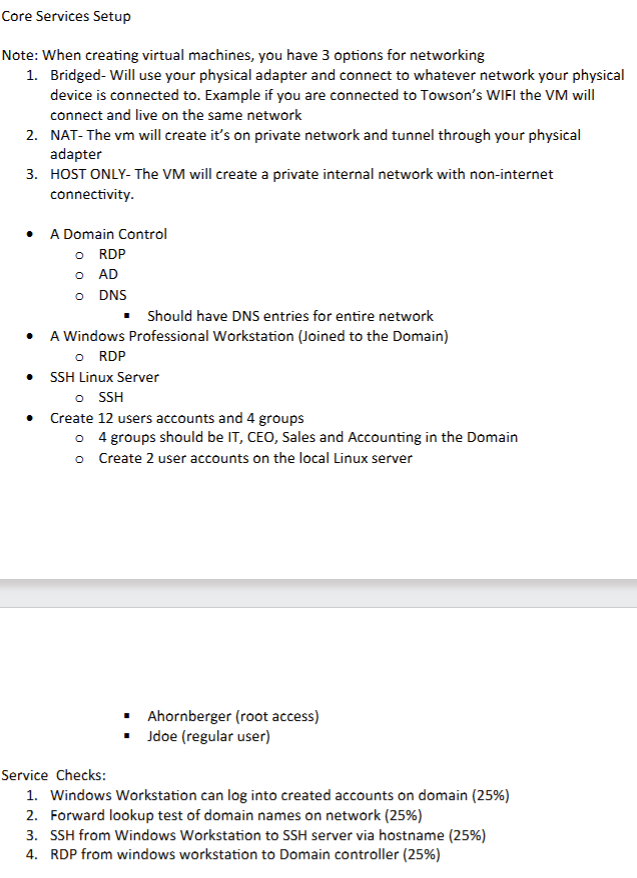
Core Services Setup
Note: When creating virtual machines, you have options for networking
Bridged Will use your physical adapter and connect to whatever network your physical device is connected to Example if you are connected to Towson's WIFI the VM will connect and live on the same network
NAT The vm will create it's on private network and tunnel through your physical adapter
HOST ONLY The VM will create a private internal network with noninternet connectivity.
A Domain Control
RDP
circ AD
DNS
Should have DNS entries for entire network
A Windows Professional Workstation Joined to the Domain
RDP
SSH Linux Server
SSH
Create users accounts and groups
groups should be IT CEO, Sales and Accounting in the Domain
Create user accounts on the local Linux server
Ahornberger root access
Jdoe regular user
Service Checks:
Windows Workstation can log into created accounts on domain
Forward lookup test of domain names on network
SSH from Windows Workstation to SSH server via hostname
RDP from windows workstation to Domain controller
Step by Step Solution
There are 3 Steps involved in it
1 Expert Approved Answer
Step: 1 Unlock

Question Has Been Solved by an Expert!
Get step-by-step solutions from verified subject matter experts
Step: 2 Unlock
Step: 3 Unlock
 Study Help