







Question: Could someone help me understand this input validation and data validation(do not log user input) i really need help if you could explain this to
Could someone help me understand this input validation and data validation(do not log user input) i really need help if you could explain this to me in detail it is an SEI cert oracle coding standard for java.
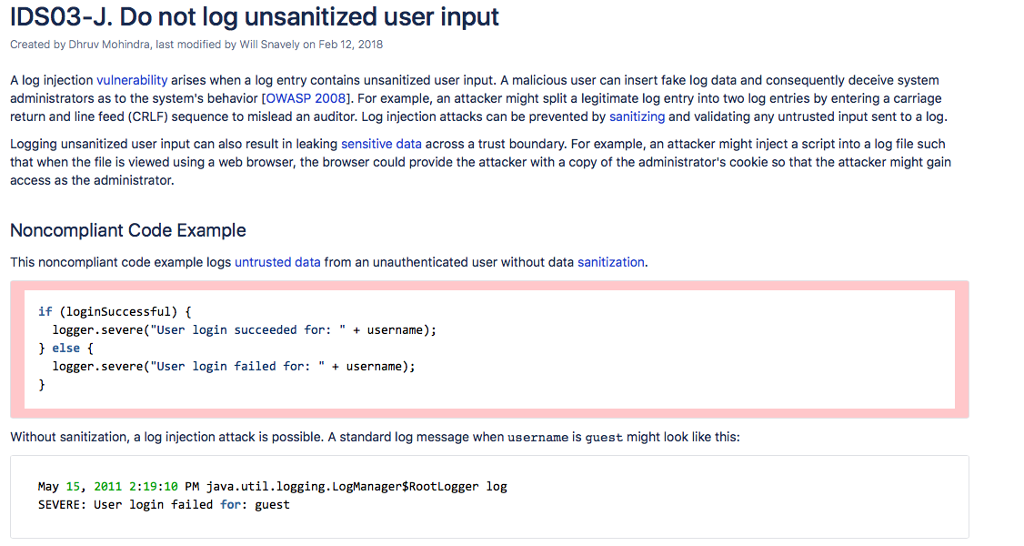
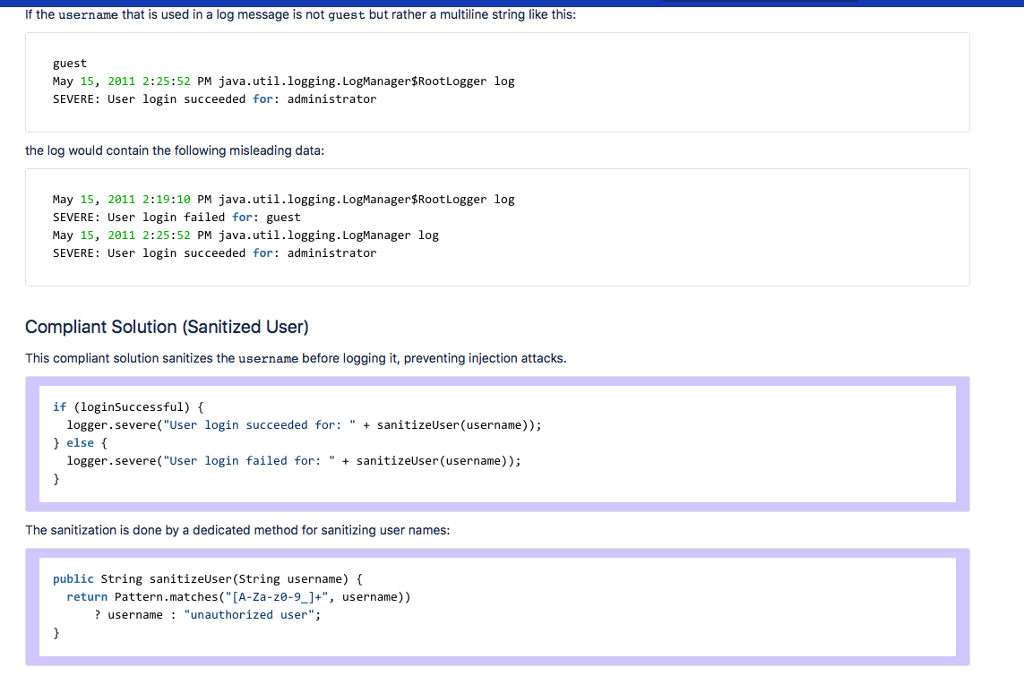
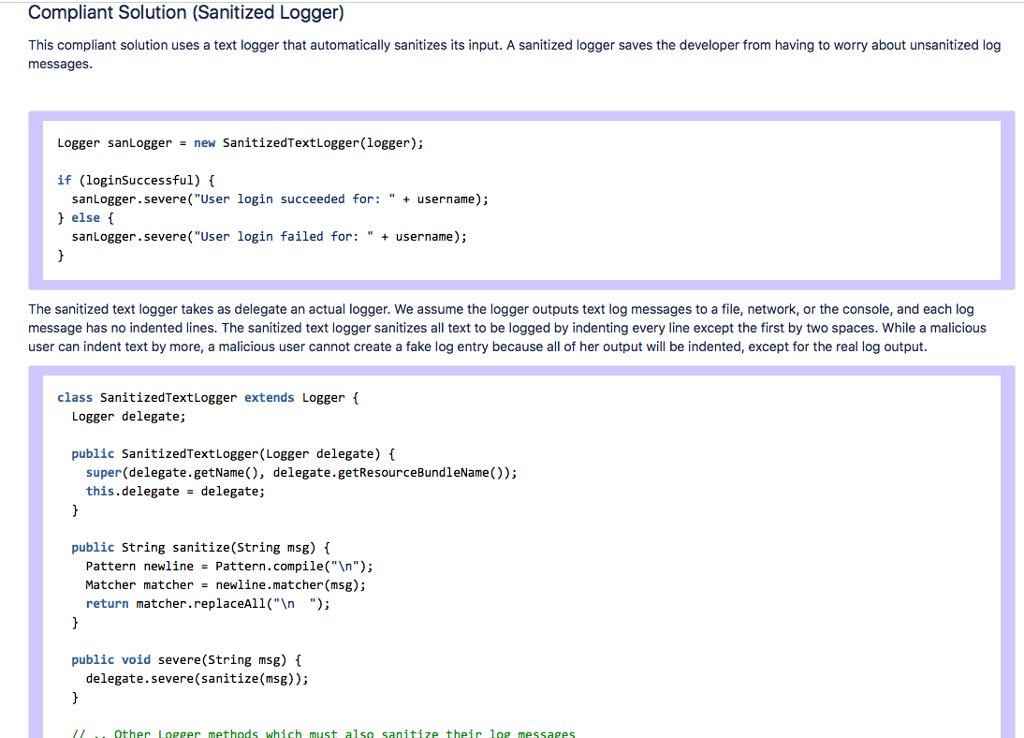
IDSO3-J. Do not log unsanitized user input Created by Dhruv Mohindra, last modified by Will Snavely on Feb 12, 2018 A log injection vulnerability arises when a log entry contains unsanitized user input. A malicious user can insert fake log data and consequently deceive systenm administrators as to the system's behavior [OWASP 2008]. For example, an attacker might split a legitimate log entry into two log entries by entering a carriage return and line feed (CRLF) sequence to mislead an auditor. Log injection attacks can be prevented by sanitizing and validating any untrusted input sent to a log Logging unsanitized user input can also result in leaking sensitive data across a trust boundary. For example, an attacker might inject a script into a log file such that when the file is viewed using a web browser, the browser could provide the attacker with a copy of the administrator's cookie so that the attacker might gain access as the administrator. Noncompliant Code Example This noncompliant code example logs untrusted data from an unauthenticated user without data sanitization. if (loginSuccessful) logger.severe("User login succeeded for: " username); else ( logger.severe("User login failed for:"username); Without sanitization, a log injection attack is possible. A standard log message when username is guest might look like this: May 15, 2011 2:19:10 PM java.util.logging. LogManagersRootLogger log SEVERE: User login failed for: guest
Step by Step Solution
There are 3 Steps involved in it

Get step-by-step solutions from verified subject matter experts
 Study Help