







Question: Could use some help programing in C. The lab can be found at this website. https://ycpcs.github.io/cs101-spring2018/labs/lab18.html Your task is to modify the main function in
Could use some help programing in C. The lab can be found at this website. https://ycpcs.github.io/cs101-spring2018/labs/lab18.html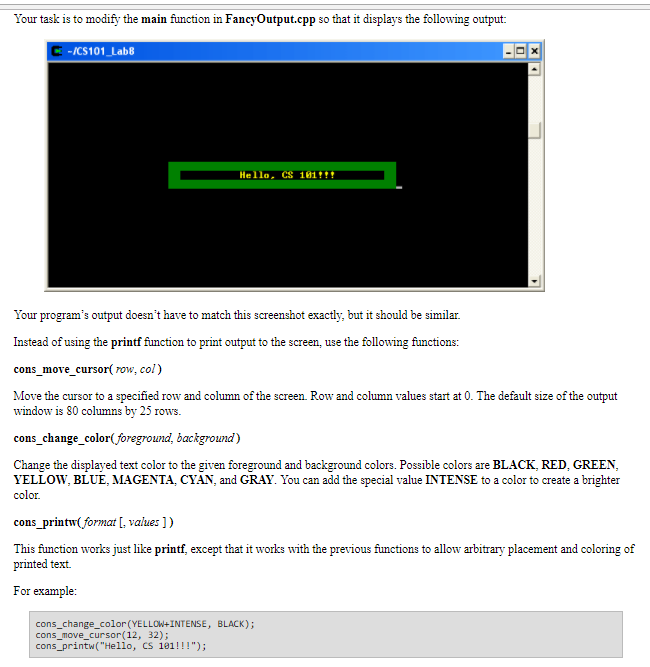
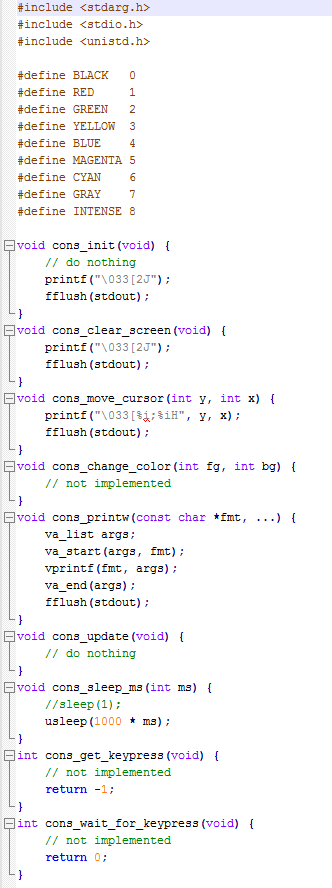
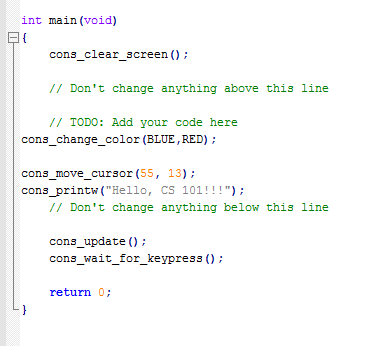
Your task is to modify the main function in FancyOutput.cpp so that it displays the following output: C -ICS101 Lab8 Hello. CS 181 Your program's output doesn't have to match this screenshot exactly, but it should be similar. Instead of using the printf fiunction to print output to the screen, use the following functions: cons_move_cursor( row, col) Move the cursor to a specified row and column of the screen. Row and column values start at O. The default size of the output window is 80 columns by 25 rows. cons_change_color(foreground, backgrouna) Change the displayed text color to the given foreground and background colors. Possible colors are BLACK, RED, GREEN, YELLOW, BLUE, MAGENTA, CYAN, and GRAY. You can add the special value INTENSE to a color to create a brighter color. cons printw format L, values ]) This function works just like printf, except that it works with the previous functions to allow arbitrary placement and coloring of printed text For example: cons_change_color (YELLOW+INTENSE, BLACK); cons_move_cursor (12, 32); cons_printw("Hello, CS 181!!!"; Your task is to modify the main function in FancyOutput.cpp so that it displays the following output: C -ICS101 Lab8 Hello. CS 181 Your program's output doesn't have to match this screenshot exactly, but it should be similar. Instead of using the printf fiunction to print output to the screen, use the following functions: cons_move_cursor( row, col) Move the cursor to a specified row and column of the screen. Row and column values start at O. The default size of the output window is 80 columns by 25 rows. cons_change_color(foreground, backgrouna) Change the displayed text color to the given foreground and background colors. Possible colors are BLACK, RED, GREEN, YELLOW, BLUE, MAGENTA, CYAN, and GRAY. You can add the special value INTENSE to a color to create a brighter color. cons printw format L, values ]) This function works just like printf, except that it works with the previous functions to allow arbitrary placement and coloring of printed text For example: cons_change_color (YELLOW+INTENSE, BLACK); cons_move_cursor (12, 32); cons_printw("Hello, CS 181
Step by Step Solution
There are 3 Steps involved in it

Get step-by-step solutions from verified subject matter experts
 Study Help