







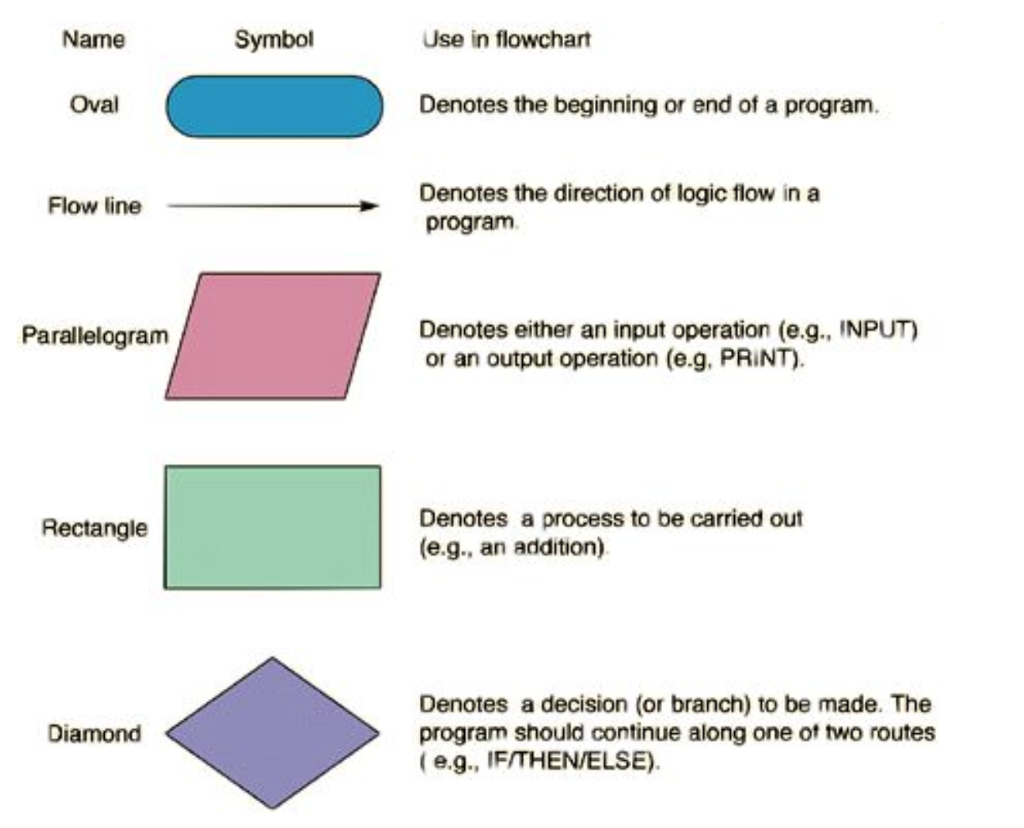
Question: Could you help me draw a flow chart for macro example? I listed the notation the flow chart should be drawn as. This is for
Could you help me draw a flow chart for macro example? I listed the notation the flow chart should be drawn as. This is for (microsoft excel)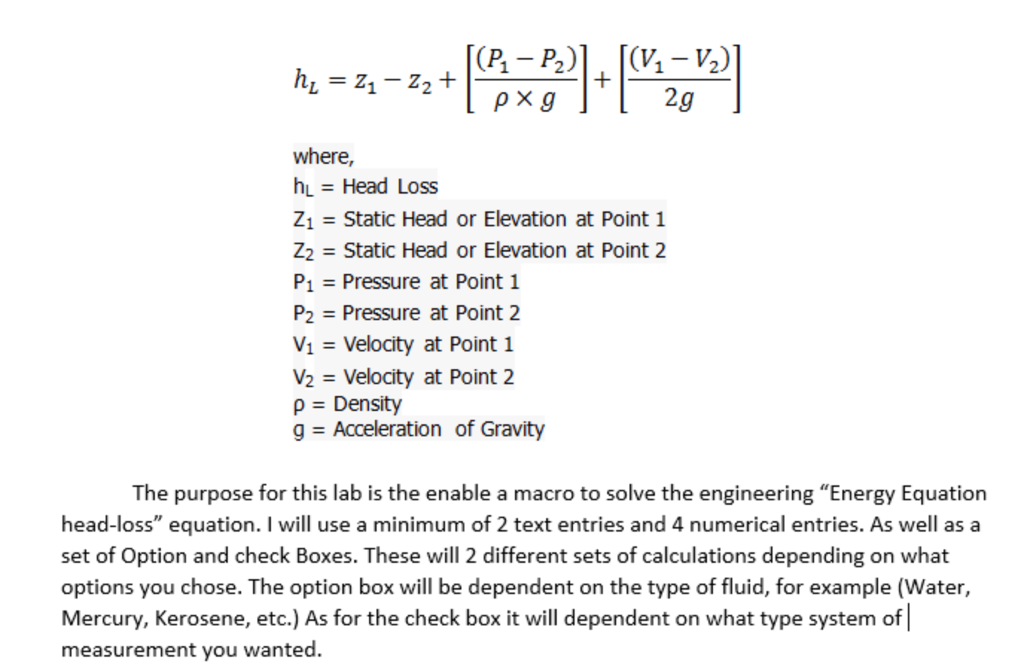
where, hL = Head Loss Z1 Static Head or Elevation at Point 1 Z2 Static Head or Elevation at Point 2 P1 Pressure at Point 1 P2 Pressure at Point 2 V1 Velocity at Point 1 V2 Velocity at Point 2 p - Density g Acceleration of Gravity The purpose for this lab is the enable a macro to solve the engineering "Energy Equation head-loss" equation. I will use a minimum of 2 text entries and 4 numerical entries. As well as a set of Option and check Boxes. These will 2 different sets of calculations depending on what options you chose. The option box will be dependent on the type of fluid, for example (Water, Mercury, Kerosene, etc.) As for the check box it will dependent on what type system of measurement you wanted where, hL = Head Loss Z1 Static Head or Elevation at Point 1 Z2 Static Head or Elevation at Point 2 P1 Pressure at Point 1 P2 Pressure at Point 2 V1 Velocity at Point 1 V2 Velocity at Point 2 p - Density g Acceleration of Gravity The purpose for this lab is the enable a macro to solve the engineering "Energy Equation head-loss" equation. I will use a minimum of 2 text entries and 4 numerical entries. As well as a set of Option and check Boxes. These will 2 different sets of calculations depending on what options you chose. The option box will be dependent on the type of fluid, for example (Water, Mercury, Kerosene, etc.) As for the check box it will dependent on what type system of measurement you wanted
Step by Step Solution
There are 3 Steps involved in it

Get step-by-step solutions from verified subject matter experts
 Study Help