







Question: Could you help me to fix my code? #include #include using namespace std; class Order { public: void SetFoodAndPickup(string newFood, char newPickup); char GetPickup() const;
Could you help me to fix my code?
#include
class Order { public: void SetFoodAndPickup(string newFood, char newPickup); char GetPickup() const; void Print() const; private: string food; char pickup; };
void Order::SetFoodAndPickup(string newFood, char newPickup) { food = newFood; pickup = newPickup; }
char Order::GetPickup() const { return pickup; }
void Order::Print() const { cout
class Deliveries { public: void InputOrders(); void PrintSelectedOrders(); private: vector
void Deliveries::InputOrders() { int orderCount; unsigned int i; Order currOrder; string currFood; char currPickup; cin >> orderCount; for (i = 0; i > currFood; cin >> currPickup; currOrder.SetFoodAndPickup(currFood, currPickup); orderList.push_back(currOrder); } }
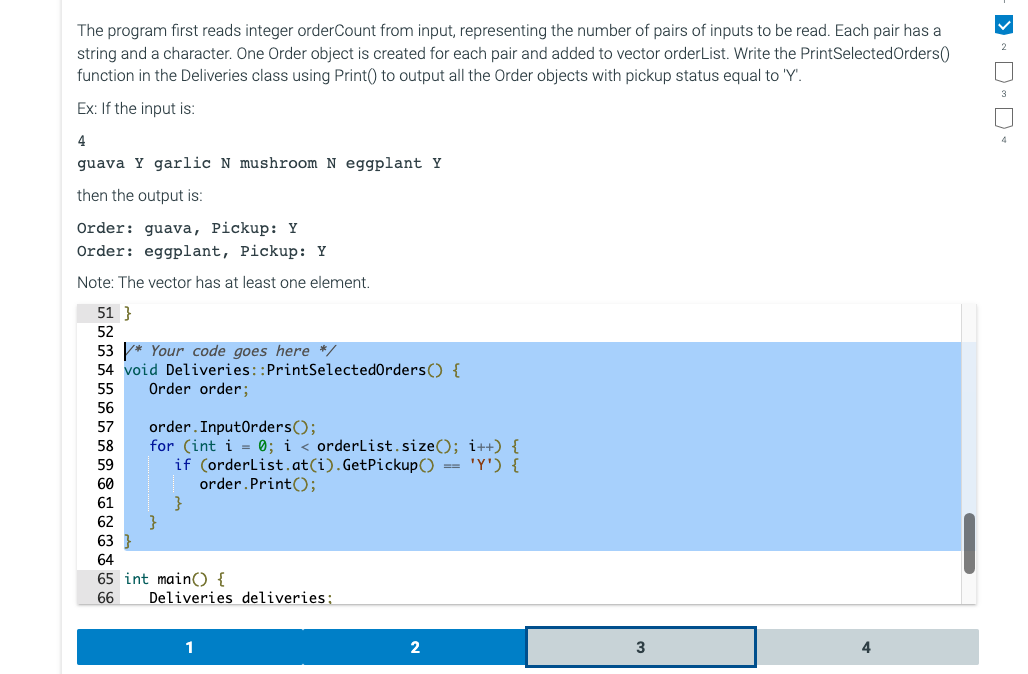
/* Your code goes here */ // void Deliveries::PrintSelectedOrders() { // Order order; // order.InputOrders(); // for (int i = 0; i
//these comments are mine
int main() { Deliveries deliveries; deliveries.InputOrders(); deliveries.PrintSelectedOrders(); return 0; }
These are the test results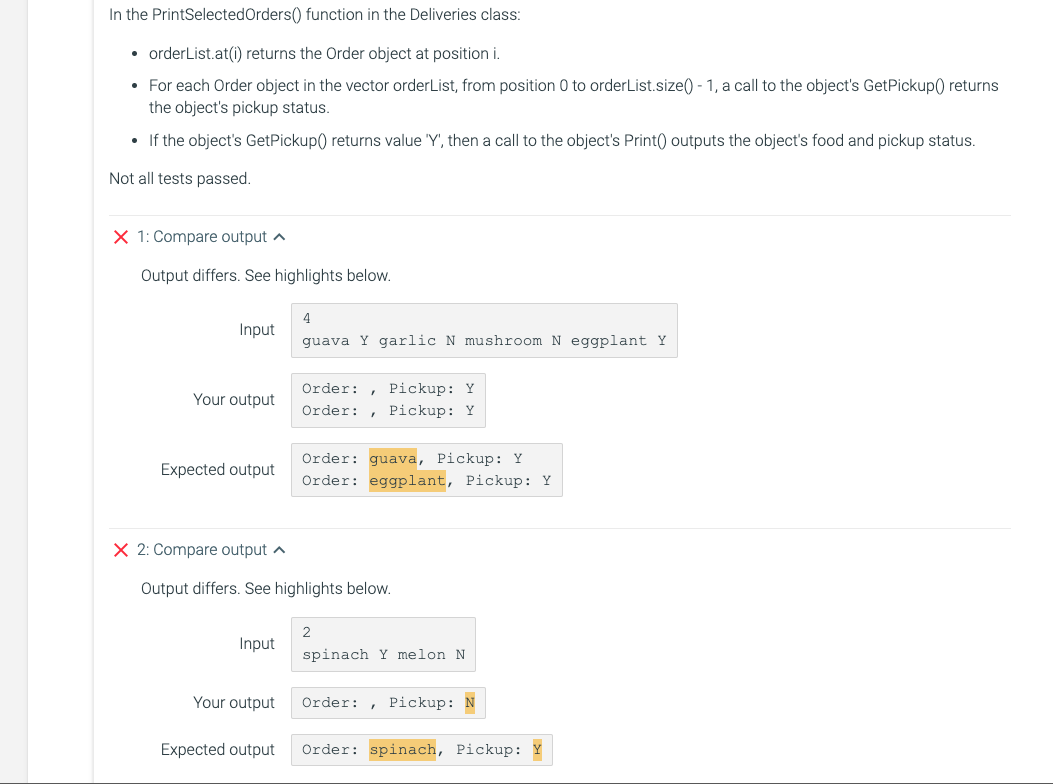
The program first reads integer orderCount from input, representing the number of pairs of inputs to be read. Each pair has a string and a character. One Order object is created for each pair and added to vector orderList. Write the PrintSelectedOrders( function in the Deliveries class using Print() to output all the Order objects with pickup status equal to ' Y '. Ex: If the input is: 4 guava Y garlic N mushroom N eggplant Y then the output is: Order: guava, Pickup: Y Order: eggplant, Pickup: Y Note: The vector has at least one element. In the PrintSelectedOrders() function in the Deliveries class: - orderList.at(i) returns the Order object at position i. - For each Order object in the vector orderList, from position 0 to orderList.size() - 1, a call to the object's GetPickup() returns the object's pickup status. - If the object's GetPickup() returns value 'Y', then a call to the object's Print() outputs the object's food and pickup status. Not all tests passed. 1: Compare output Output differs. See highlights below. Input Your output 2: Compare output Output differs. See highlights below. Input Your output Expected output
Step by Step Solution
There are 3 Steps involved in it

Get step-by-step solutions from verified subject matter experts
 Study Help