





Question: Could you please help me with this assignment please Handy Resources: o Here'sour library's MLA Citation Guide! It includes models for creating both in-text and

Could you please help me with this assignment please
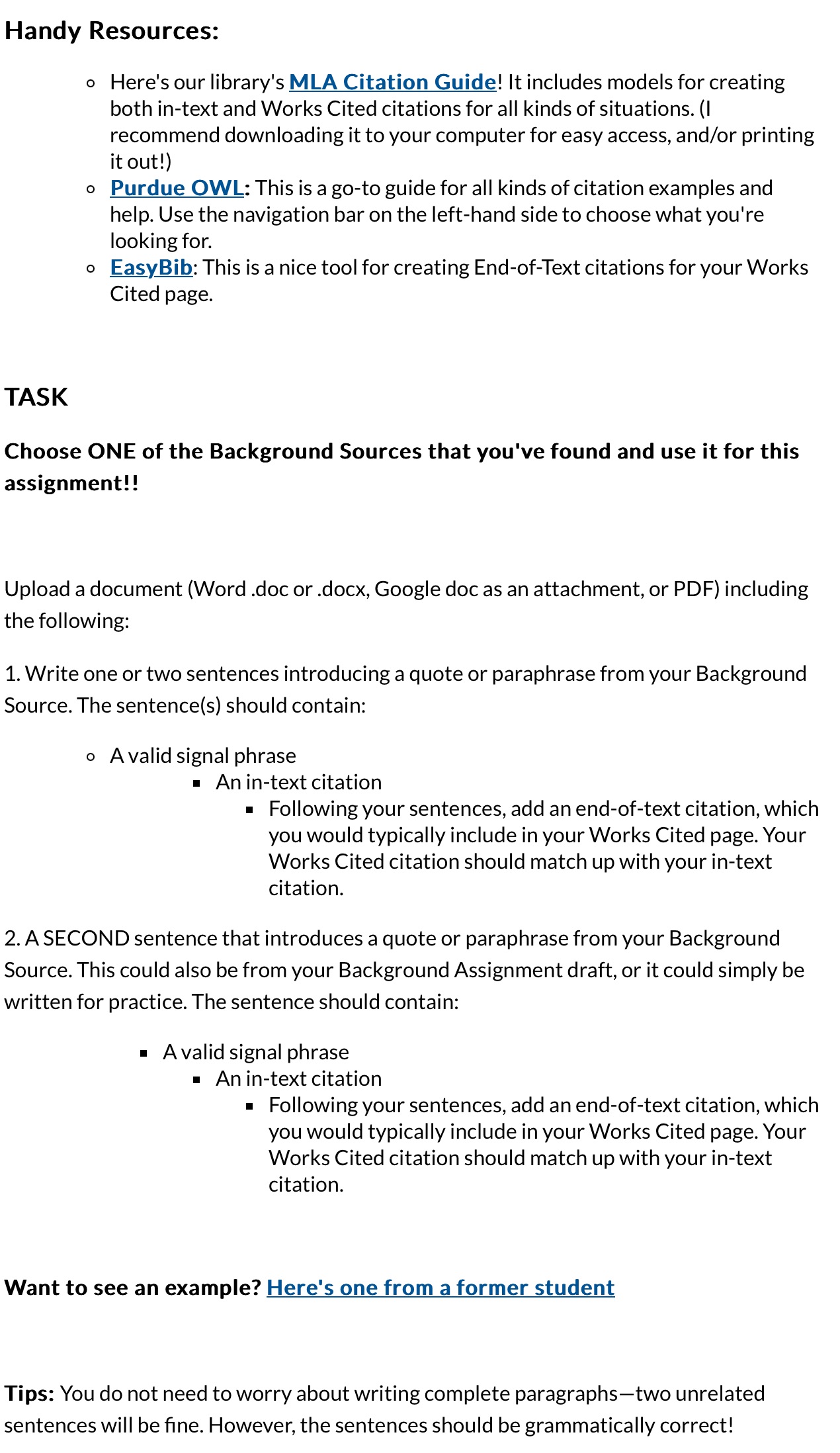
Could you please help me with this assignment
Handy Resources: o Here'sour library's MLA Citation Guide! It includes models for creating both in-text and Works Cited citations for all kinds of situations. (I recommend downloading it to your computer for easy access, and/or printing itout!) o Purdue OWL: Thisis a go-to guide for all kinds of citation examples and help. Use the navigation bar on the left-hand side to choose what you're looking for. o EasyBib: This is a nice tool for creating End-of-Text citations for your Works Cited page. TASK Choose ONE of the Background Sources that you've found and use it for this assignment!! Upload a document (Word .doc or .docx, Google doc as an attachment, or PDF) including the following: 1. Write one or two sentences introducing a quote or paraphrase from your Background Source. The sentence(s) should contain: o Avalid signal phrase = Anin-text citation = Following your sentences, add an end-of-text citation, which you would typically include in your Works Cited page. Your Works Cited citation should match up with your in-text citation. 2. ASECOND sentence that introduces a quote or paraphrase from your Background Source. This could also be from your Background Assignment draft, or it could simply be written for practice. The sentence should contain: = Avalid signal phrase = Anin-text citation = Following your sentences, add an end-of-text citation, which you would typically include in your Works Cited page. Your Works Cited citation should match up with your in-text citation. Want to see an example? Here's one from a former student Tips: You do not need to worry about writing complete paragraphstwo unrelated sentences will be fine. However, the sentences should be grammatically correct

Step by Step Solution

There are 3 Steps involved in it

1 Expert Approved Answer
Step: 1 Unlock blur-text-image

Question Has Been Solved by an Expert!

Get step-by-step solutions from verified subject matter experts

Step: 2 Unlock
Step: 3 Unlock

Students Have Also Explored These Related Business Writing Questions!