







Question: Counting Objects in an Image Instructions You will be designing and implementing a system, in either C or C++, to label and count the number
Counting Objects in an Image
Instructions
You will be designing and implementing a system, in either C or C++, to label and count the number of objects in a given image. Each image consists of a number of pixels, and initially all pixels will have one of two labels, 0 and 1. 0 is considered a background pixel while a 1 represents a pixel that is part of an object. Your system will apply, over multiple iterations, the same label to pixels that are connected to form objects, and then count the number of objects for a given image.
The program must provide the following functionality and adhere to the following constraints:
-Allow the user to input the name of the file describing the image
-This file will be a comma delimited list of pixel labels
-All pixels will be labelled 0 or 1
-You will need to store this information to process the image
Every pixel needs to be examined. One by one, starting at the top left corner, and moving linearly to the bottom right corner
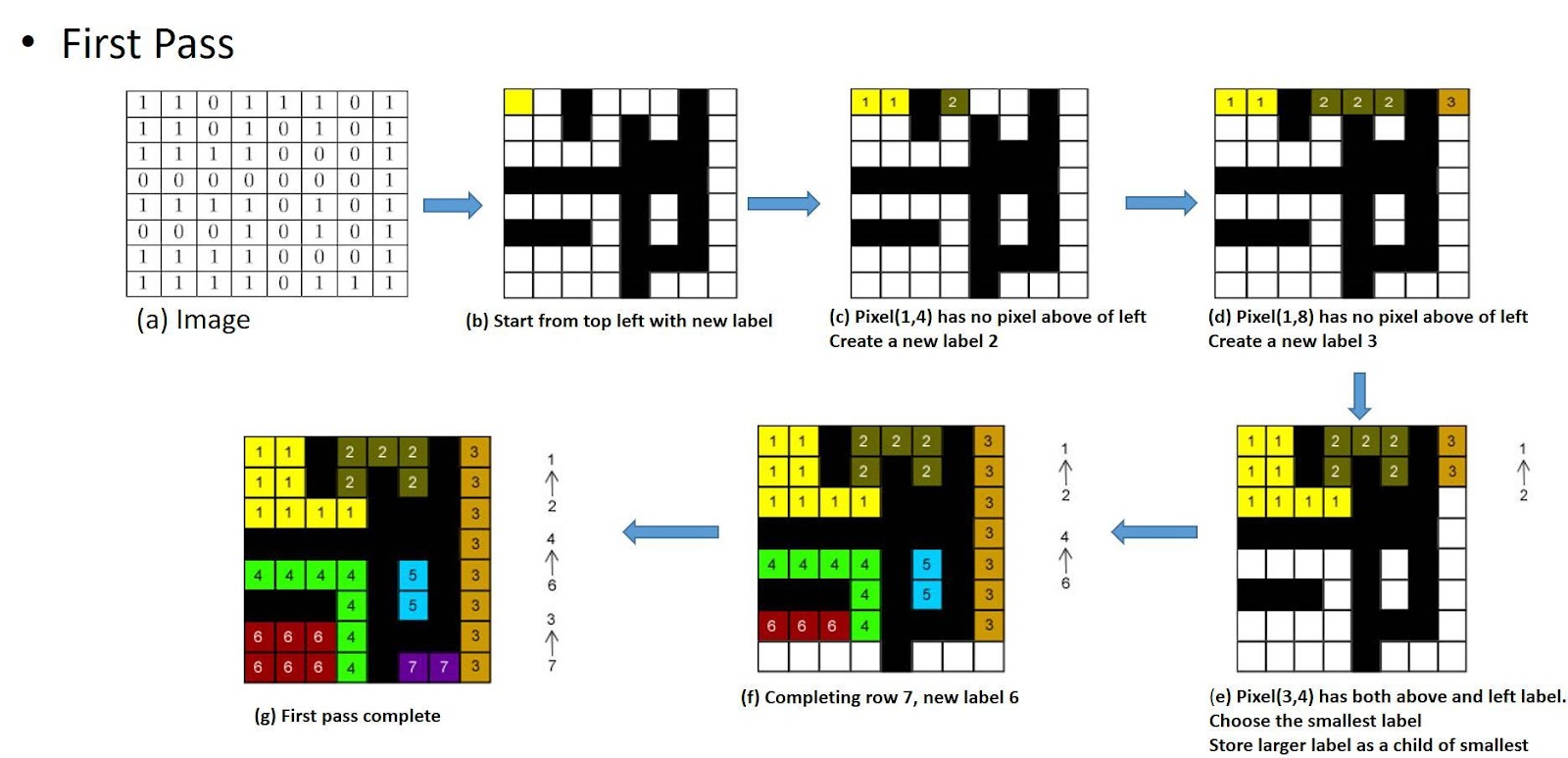
In the first pass:
If a pixel is a background pixel (its label is 0), simply ignore it and move on to the next pixelOtherwise, check the label of the pixel above and to the left of the current pixel if they exist. There may be 3 possible cases:
-Case 1: If the top and left pixels are background pixels or do not exist, create a new label
-Case 2: If one is a background pixel or does not exist and the other has a label, the current pixel will be labeled the same as the labeled pixel
-Case 3: If both the above and left pixels have different labels, assign the current pixel the smallest label and store that there is a relationship between the two labels. This will be used in the second pass.
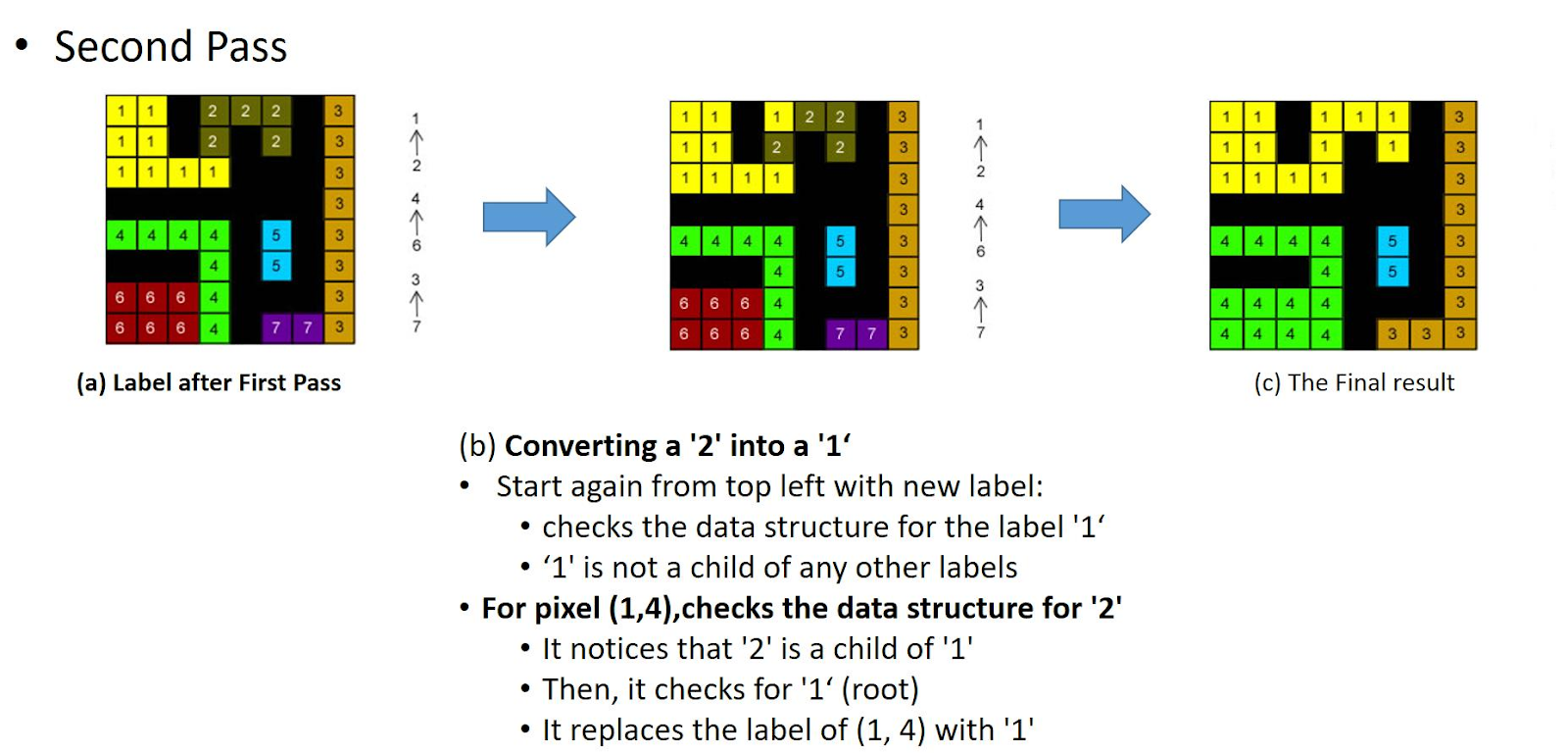
In the second pass:
Consider the information you saved during the first pass for case 3. Any time you find a pixel whose label has a relationship with another label, assign the current pixel the smaller value of the relationship.
After both passes are complete, count the number of unique labels. This represents the number of objects in the image
Output the image with the new labels and the count of the number of objects in the image
Example:
Input Image
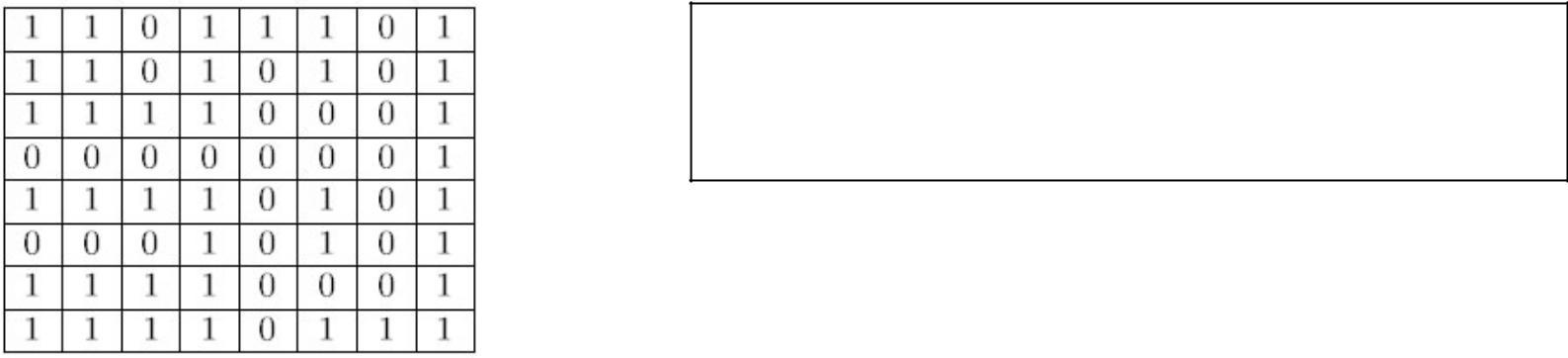
Label 0 indicates a background pixel
Label 1 indicates a pixel that is part of an object
Only consider pixels which have label 1
1010 1 1 10 0 0 1 110 00 1 1100 1 0 0 00 0 1 10 1 1 1010 1 1 10 0 0 1 110 00 1 1100 1 0 0 00 0 1 10 1 1
Step by Step Solution
There are 3 Steps involved in it

Get step-by-step solutions from verified subject matter experts
 Study Help