







Question: Course Assignment A game program Purpose: Reading Java code and identifying the essential components - instance variables, method declarations, local variables Reading and writing Java
Course Assignment A game program
Purpose:
Reading Java code and identifying the essential components - instance variables, method
declarations, local variables
Reading and writing Java code that uses the following concepts:
Writing appropriate documentation
The Game:
Conditions to win as user
Getting as close to a score of 21 as possible
Having 5 cards and a score of 21 or less
Playing procedure
1.
The user told about the game, and invited to play
2.
Four cards are dealt: user, computer, user, computer
3.
Computers cards be hidden, others shown
4.
User choose: hit to have an additional card; sit/stand not to stop taking card
5.
Computer take cards once the user finished (sit/stand)
6.
Computer takes card if their total be less than 16, and user not bust
Detailed explanation
Pontoon is a card game played with three decks of playing cards (i.e. cards of 2-10, Jack,
Queen, King, and Ace from the four suits of Hearts, Diamonds, Spades, and Clubs).
There are two players: the user of the computer, and the computer itself. The object of the
game is to beat the other player by either getting as close to a score of 21 as possible (without
exceeding 21) or by having 5 cards and a score of 21 or less.
Each card has a value: numeric cards have their numeric value, 'face' cards have value 10,
and aces have value 11.
The game is played as follows,
Firstly the user is told about the game and invited to play. If they opt to play then four cards
are dealt. The first card goes to the user, the second to the computer, the third to the user,
and the fourth to the computer. The computer's card remains hidden, all others are shown.
The user can then indicate they wish to have an additional card ("hit"). If they are this card
is also displayed. Additional cards may be taken until either the user's score exceeds 21 (they
"bust"), or they choose not to take another card ("sit"/"stand"). Once the user has finished
taking cards the computer will take cards. The computer will always take a card if their total
is less than 16 (and the user's score doesn't exceed 21).
Requirement:
Files included
- AssigTwo2021.java (The main class/driven class with the main method. Do NOT edit!)
- Decks.java (The class for cards and decks. Do NOT edit! Only for invoke) - Pontoon.java (GUI and action listeners. The GUI is needed if applicable. MUST be edited!)
Detailed requirements:
- Read and understand the given program
- Modify and redefine (if needed) the class Pontoon (or the methods within it), to
organize the game, and interactions with the users
- Must NOT modify the other two source code files (AssigTwo2021.java & Decks.java)
- create and use objects of Decks class. NO duplicate things belong to Decks class
- use the trace(), switch off before submission
- separate methods to implement separate tasks
- instance variables (used more than one method)
- local variables to store data used by just one method
Targets
Stage 1: Complete the program to meet the same functions to targetStage1.jar, including the
GUI, components, contents, event handling, etc.
Stage 2 (optional): Complete the program to meet the same functions to targetStage2.jar,
including the prompt info on console, logics of the program, etc.
Stage 3(optional): complete the program according to the above listed requirements,
improve the GUI, functions and user experiences.
TIPS:
The program is runnable with the provided code. You need to modify the file Pontoon.java
to meet the requirements and accomplish the targets.
Use following commands in console to run a JAR program:
java jar targetStage2.jar
Provided files
targetStage1.jar
targetStage2.jar
AssigTwo2021.java
Decks.java
Pontoon.java
Material directory (for Pontoon)
Submission requirement
- A word file (without anything else)
- Including codes only from Pontoon.java for each stage
- Specify within the word file which stage your submission meets (for each section of
codes) Put the source code of Pontoon.java (for each stage, please mark the stage) into a word file, and
upload the word file (just ONE Word file with your ID, name and the date as the file name, e.g.
// AssigTwo2021
public class AssigTwo2021 { public static void main(String[] args) { Pontoon game;
game = new Pontoon(); game.play(); } }
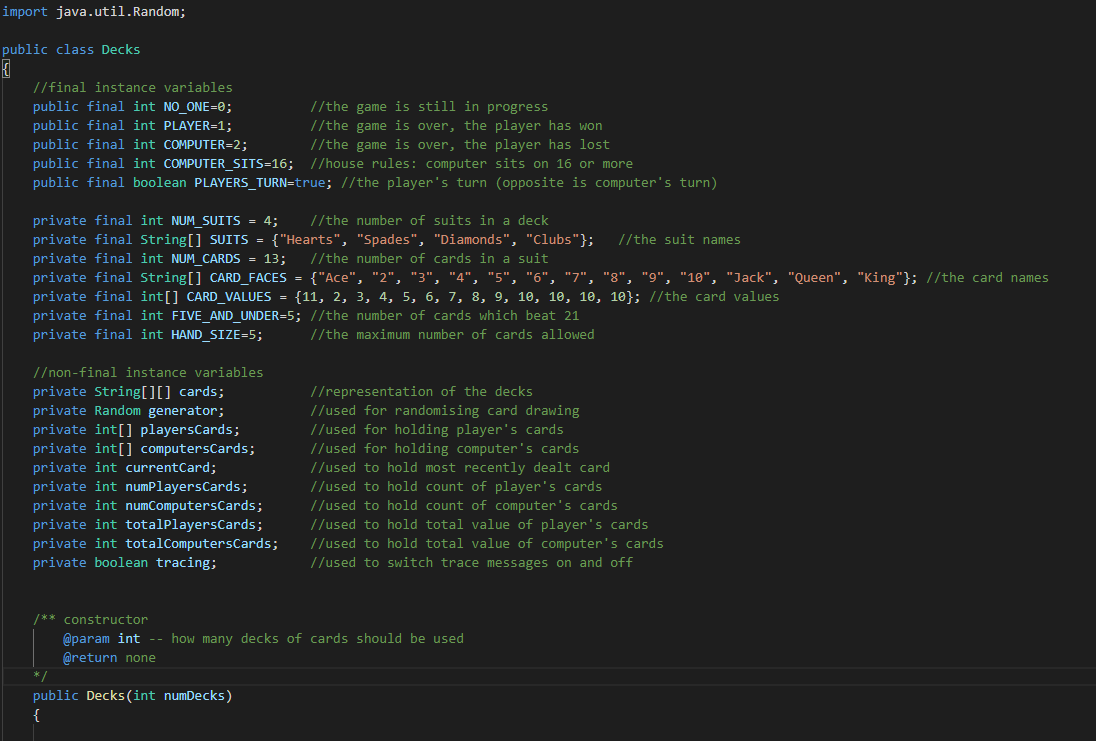
// Decks.java
// Pontoon.java
import java.awt.event.ActionEvent; import java.awt.event.ActionListener; import java.awt.Container; import java.awt.Color; import java.awt.Toolkit; import java.awt.BorderLayout; import java.awt.GridLayout;
import javax.swing.JFrame; import javax.swing.JOptionPane; import javax.swing.JPanel; import javax.swing.JButton; import javax.swing.JLabel; import javax.swing.ImageIcon; import javax.swing.BorderFactory;
public class Pontoon { //final instance variables private final int SCREEN_WIDTH = Toolkit.getDefaultToolkit().getScreenSize().width; //get width of screen private final int SCREEN_HEIGHT = Toolkit.getDefaultToolkit().getScreenSize().height; //get height of screen private final int CLICK_YES = 0; //dialog will return 0 when click yes private final int CLICK_NO = 1; //dialog will return 1 when click no private final int MULTIPLIER = 150; //horizontal gap for each card in a line is 150 pixels private final int NO_ONE = 0; //the game is still in progress private final int PLAYER = 1; //the game is over, the player has won private final int COMPUTER = 2; //the game is over, the player has lost private final int FIVE_AND_UNDER = 5; //the number of cards which beat 21 private final int MAXIMUM_CARDS = 5; //the max number of cards could player have private final Color CORNFLOWERBLUE = new Color(100, 149, 237); //the color used for label private final Color DEEPPINK_4 = new Color(139, 10, 80); //the color used for label
/on-final instance variables private int playersNumberOfCards; //used to hold current player's cards private int computersNumberOfCards; //used to hold current computer's cards private int playersTotalOfCards; //used to hold total value of player's cards private int computersTotalOfCards; //used to hold total value of computer's cards private int numberOfWin; //used to hold how many game user win private int numberOfLose; //used to hold how many game user lose private int numberOfDraw; //used to hold how many game user draw private int numberOfTotal; //used to hold how many game user play private int wantsToPlay; //used to get the selection from user(yeso) private Decks deck; //used to call methods in Decks private JFrame frame; //used to design GUI
//used to add components private JPanel panelNorth; private JPanel panelSouth; private JPanel panelEast; private JPanel panelWest; private JPanel panelCenter; private JPanel panelBackground;
//used to represent user's behavior private JButton buttonStart; private JButton buttonHit; private JButton buttonStand;
private JLabel labelPlayers; //used to show player is user private JLabel labelComputers; //used to show player is computer private JLabel labelPlayersScores; //used to show scores of user private JLabel labelComputersScores; //used to show scores of computer private JLabel labelWin; //used to show item win private JLabel labelNumWin; //used to show the game user win private JLabel labelLose; //used to show item lose private JLabel labelNumLose; //used to show the game user lose private JLabel labelDraw; //used to show the item draw private JLabel labelNumDraw; //used to show the game user draw private JLabel labelTotal; //used to show item total private JLabel labelNumTotal; //used to show the game user play private JLabel labelBackground; //used to add ImageIcon private JLabel[] labelPlayersCards; //used to show player's cards private JLabel[] labelComputersCards; //used to show computer's cards private ImageIcon iconBackground; //used to store background private Container container; //used to get content pane from frame private boolean tracing; //used to switch trace messages on and off /** constructor @param none @return none */
Materials
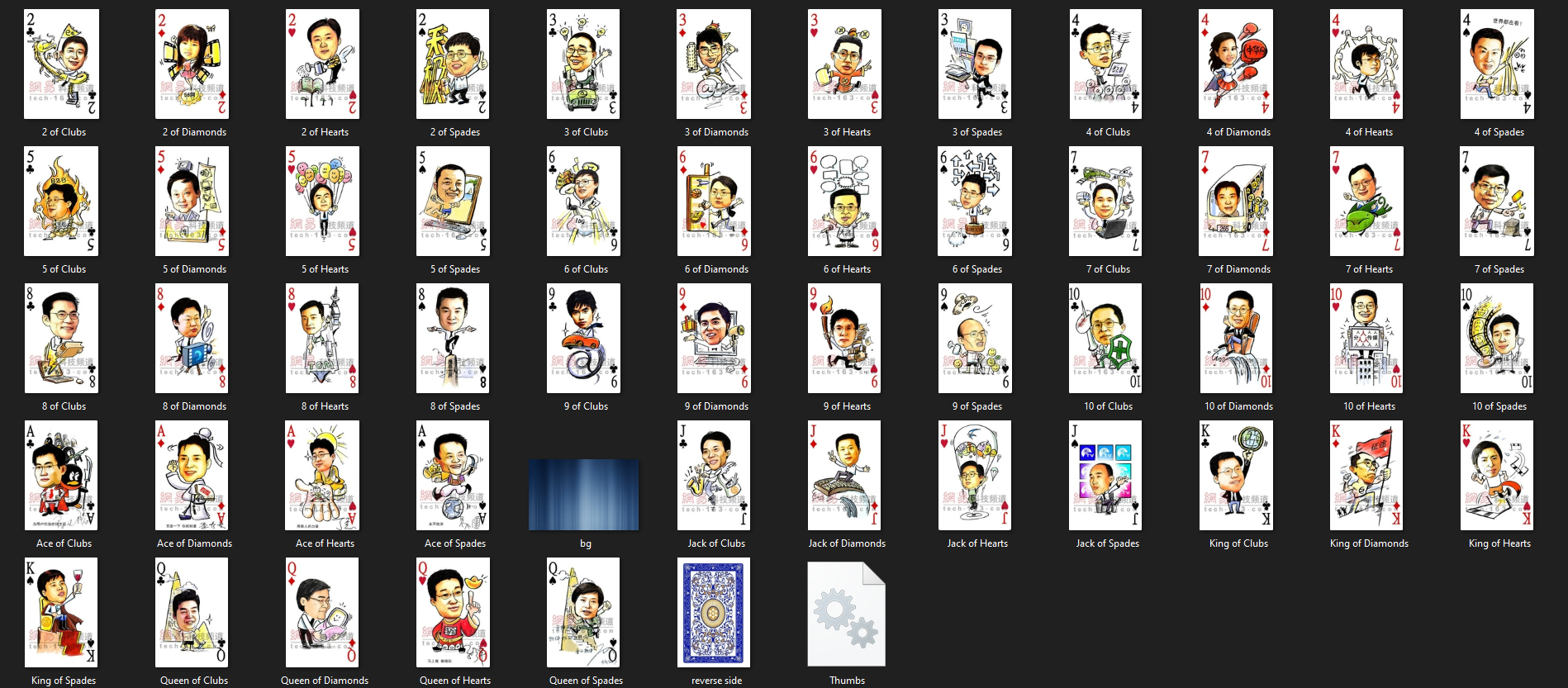
import java.util.Random; public class Decks { //final instance variables public final int NO_ONE=0; //the game is still in progress public final int PLAYER=1; //the game is over, the player has won public final int COMPUTER=2; //the game is over, the player has lost public final int COMPUTER_SITS=16; //house rules: computer sits on 16 or more public final boolean PLAYERS_TURN=true; //the player's turn (opposite is computer's turn) private final int NUM_SUITS = 4; //the number of suits in a deck private final String[] SUITS = {"Hearts", "Spades", "Diamonds", "Clubs"}; //the suit names private final int NUM_CARDS = 13; //the number of cards in a suit private final String[] CARD_FACES = {"Ace", "2", "3", "4", "5", "6", "7", "8", "9", "10", "Jack", "Queen", "King"}; //the card names private final int[] CARD_VALUES = {11, 2, 3, 4, 5, 6, 7, 8, 9, 10, 10, 10, 10}; //the card values private final int FIVE_AND_UNDER=5; //the number of cards which beat 21 private final int HAND_SIZE=5; //the maximum number of cards allowed /on-final instance variables private String[][] cards; private Random generator; private int[] playersCards; private int[] computersCards; private int currentCard; private int numPlayersCards; private int numComputersCards; private int totalPlayersCards; private int totalComputersCards; private boolean tracing; //representation of the decks //used for randomising card drawing //used for holding player's cards // used for holding computer's cards //used to hold most recently dealt card //used to hold count of player's cards //used to hold count of computer's cards //used to hold total value of player's cards //used to hold total value of computer's cards //used to switch trace messages on and off /** constructor @param int -- how many decks of cards should be used @return none */ public Decks(int numDecks) { 4 4 4 OU 06 tech. 16 tec 60 V 163.co T41 to TO tech 1 2 of Clubs 2 of Diamonds 2 of Hearts 2 of Spades 3 of Clubs 3 of Diamonds 3 of Hearts 3 of Spades 4 of Clubs 4 of Diamonds 4 of Hearts 4 of Spades Penees of WA tech.co 2735 och. 5 of Clubs 5 of Diamonds 5 of Hearts 5 of Spades 6 of Clubs 6 of Diamonds 6 of Hearts 6 of Spades 7 of Clubs 7 of Diamonds 7 of Hearts 7 of Spades 19 9 10 10 10 SIG a hl POR tech 6 F 8 of Clubs 8 of Diamonds 8 of Hearts 8 of Spades 9 of Clubs 9 of Diamonds 9 of Hearts 9 of Spades 10 of Clubs 10 of Diamonds 10 of Hearts 10 of Spades 5 89411 tech. 173.co YOU Ace of Clubs Ace of Diamonds Ace of Hearts Ace of Spades bg Jack of Clubs Jack of Diamonds Jack of Hearts Jack of Spades King of Clubs King of Diamonds King of Hearts K Q Q DAR King of Spades Queen of Clubs Queen of Diamonds Queen of Hearts Queen of Spades reverse side Thumbs
Step by Step Solution
There are 3 Steps involved in it

Get step-by-step solutions from verified subject matter experts
 Study Help