







Question: Course Concept(s) Covered . Using Objects Instructions Create a folder called CSC1130_Using Classes_2_yourlastname. Store all of the files for this lab in that folder. Once
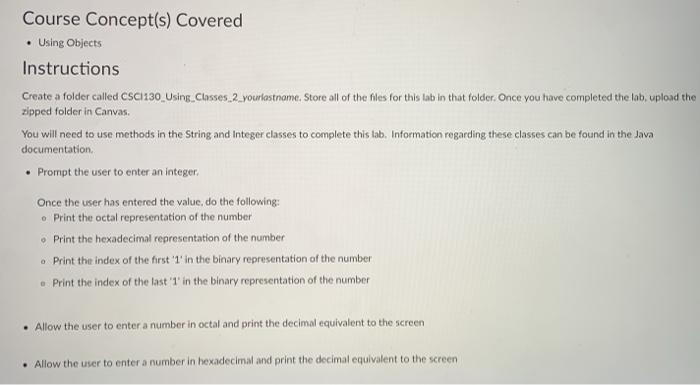
Course Concept(s) Covered . Using Objects Instructions Create a folder called CSC1130_Using Classes_2_yourlastname. Store all of the files for this lab in that folder. Once you have completed the lat, upload the zipped folder in Canvas You will need to use methods in the String and Integer classes to complete this tab, Information regarding these classes can be found in the Java documentation Prompt the user to enter an integer Once the user has entered the value, do the following: . Print the octal representation of the number Print the hexadecimal representation of the number . Print the index of the first in the binary representation of the number Print the index of the last '1' in the binary representation of the number . Allow the user to enter a number in octal and print the decimal equivalent to the screen . Allow the user to enter a number in hexadecimal and print the decimal equivalent to the screen
Step by Step Solution
There are 3 Steps involved in it

Get step-by-step solutions from verified subject matter experts
 Study Help