







Question: course:machine learning python Task 2: Run all the example codes of Meet the Data section at once on the Jupyter notebook as follows: from sklearn.datasets
course:machine learning
python
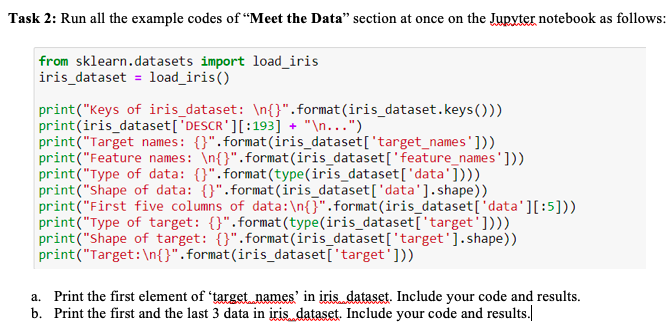
Task 2: Run all the example codes of "Meet the Data" section at once on the Jupyter notebook as follows: from sklearn.datasets import load_iris iris_dataset = load_iris() print("Keys of iris_dataset: {}".format(iris_dataset.keys())) print(iris_dataset['DESCR'][:193] + " ...") print("Target names: {}".Format(iris_dataset['target_names'])) print("Feature names: In{}".format(iris_dataset['feature_names'])) print("type of data: {}".format(type(iris_dataset['data']))) print("Shape of data: {}".Format(iris_dataset['data'].shape)) print("First five columns of data: {}".format(iris_dataset('data'][:5])) print("Type of target: t)".format(type(iris_dataset['target']))) print("shape of target: {}".format(iris_dataset['target'].shape)) print("Target: {}".format(iris_dataset['target'])) a. Print the first element of 'target names' in iris dataset. Include your code and results. b. Print the first and the last 3 data in iris dataset. Include your code and results
Step by Step Solution
There are 3 Steps involved in it

Get step-by-step solutions from verified subject matter experts
 Study Help