







Question: CP2040 Python Data Structures: Dictionary Xtra Problem CP2040 Extra Dictionary Problem - More Challenging Problem 1 Write a python program that would read a file.
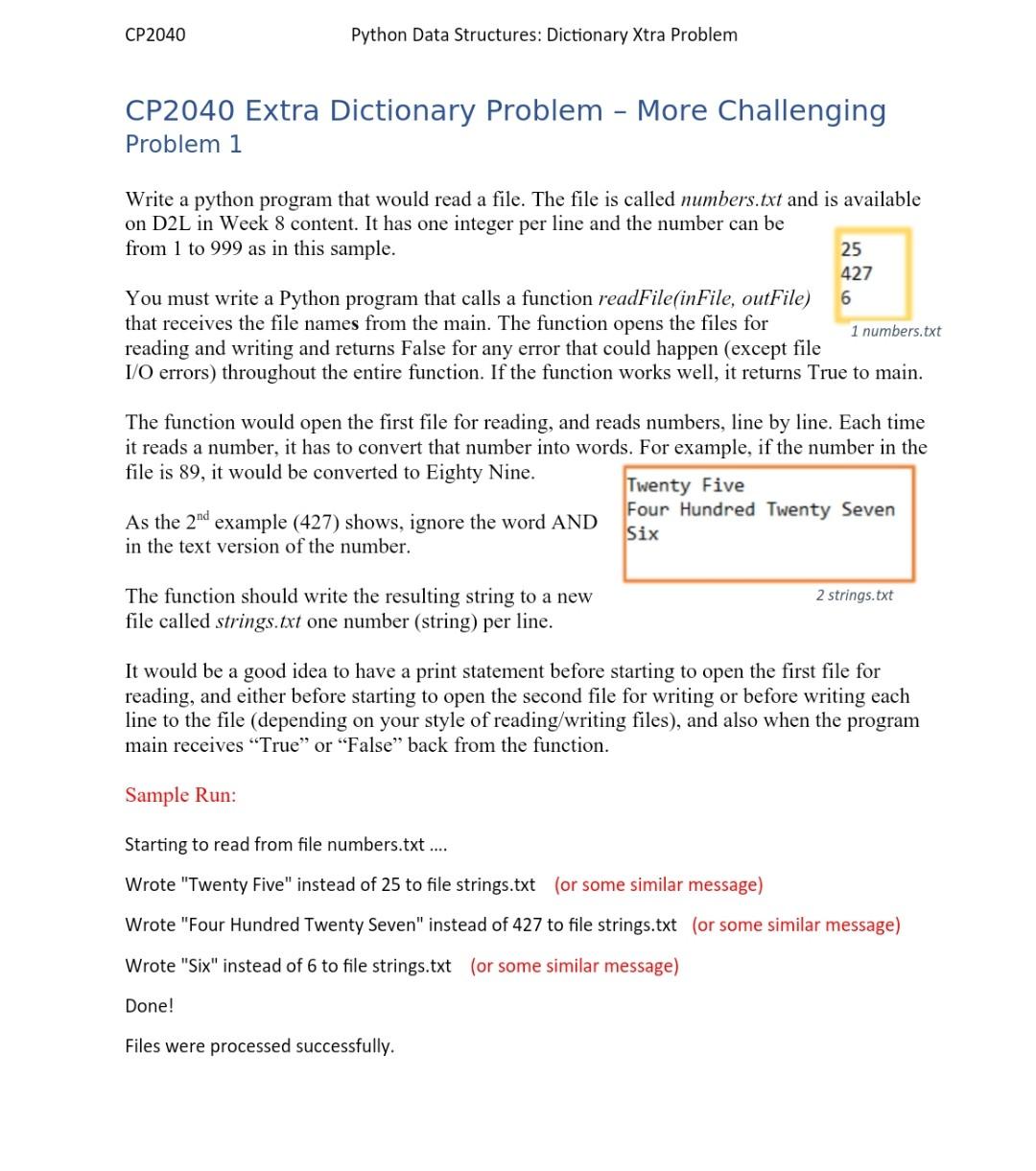
CP2040 Python Data Structures: Dictionary Xtra Problem CP2040 Extra Dictionary Problem - More Challenging Problem 1 Write a python program that would read a file. The file is called numbers.txt and is available on D2L in Week 8 content. It has one integer per line and the number can be from 1 to 999 as in this sample. 25 427 You must write a Python program that calls a function readFile(inFile, outFile) that receives the file names from the main. The function opens the files for 1 numbers.txt reading and writing and returns False for any error that could happen (except file I/O errors) throughout the entire function. If the function works well, it returns True to main. 6 The function would open the first file for reading, and reads numbers, line by line. Each time it reads a number, it has to convert that number into words. For example, if the number in the file is 89, it would be converted to Eighty Nine. Twenty Five As the 2nd example (427) shows, ignore the word AND Four Hundred Twenty Seven in the text version of the number. Six 2 strings.txt The function should write the resulting string to a new file called strings.txt one number (string) per line. It would be a good idea to have a print statement before starting to open the first file for reading, and either before starting to open the second file for writing or before writing each line to the file (depending on your style of reading/writing files), and also when the program main receives "True" or "False" back from the function. Sample Run: Starting to read from file numbers.txt .... Wrote "Twenty Five" instead of 25 to file strings.txt (or some similar message) Wrote "Four Hundred Twenty Seven" instead of 427 to file strings.txt (or some similar message) Wrote "Six" instead of 6 to file strings.txt (or some similar message) Done! Files were processed successfully
Step by Step Solution
There are 3 Steps involved in it

Get step-by-step solutions from verified subject matter experts
 Study Help