







Question: CPP TEMPLATE GIVEN: / / comments #include #include #include #include using namespace std; void get _ input ( int& month, int& day, int& year )
CPP TEMPLATE GIVEN:
comments
#include
#include
#include
#include
using namespace std;
void getinputint& month, int& day, int& year;
postcondition: get the input of a date. If the date is NOT valid, will prompt the user to reenter a valid date
void getinputint& month, int& year;
postcondition: get the input of a month. If the month is NOT valid, will prompt the user to reenter a valid month
void getinputint& year;
postcondition: get the input of a year. If the date is NOT valid, will prompt the user to reenter a valid year.
the year must be later than in order to be valid.
bool isValidint month, int day, int year;
postcondition: return true if the specified date is valid, false otherwise
bool isValidint month, int year;
postcondition: return if the specified month is valid, false othewise
bool isValidint year;
postcondition: return true if the given year is valid. false otherwise.
the given year is valid if it is later than year
void printcalendarint month, int day, int year;
precondition: the date is a valid date
postcondition: print out the day of week for specified date. For example, printcalendar will print out
October is Wednesday
void printcalendarint month, int year;
precondition: the month is a valid month, and the year is a valid year
postcondition: print out the calendar of specified month
void printcalendarint year;
precondition: the year is a valid year
postcondition: print out the calendar of specified year
string monthNameint month;
precondition: the month value is
postcondition: return a string that represents the name of the month. If month is the name is "January" and so on
int daysInMonthint month, int year;
precondition: the month and year are valid
postcondition: return the number of days in the given month in given year
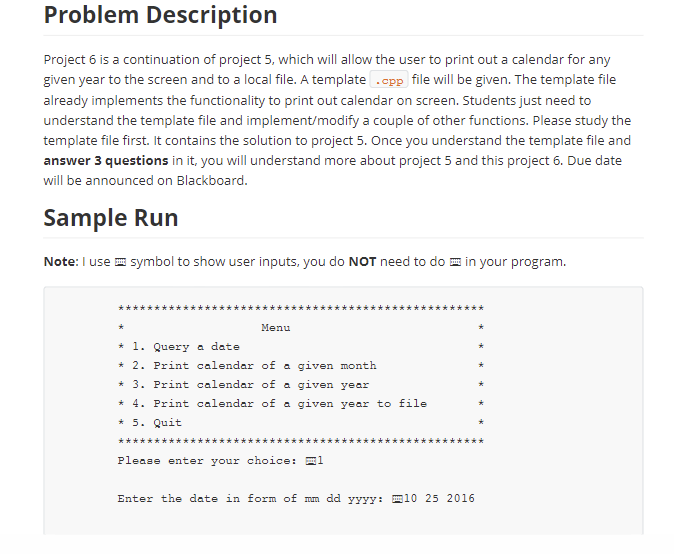
void menu;
postcondition: the menu is displayed for choose
bool isLeapYearint year;
precondition: the year is valid
postcondition: return true if the year is leap year; false otherwise
int getCenturyValueint year;
precondition: the year is valid
postcondition: return the century value of the given year.
int getYearValueint year;
precondition: the year is valide
postcondition: return the year value of the given year.
int getMonthValueint month, int year;
precondition: the month and year are valide
postcondition: return the month value of the given month in given year.
int dayOfWeekint month, int day, int year;
precondition: the date is valid
postcondition: return if the date is Sunday, if the date is Monday and so on
string dayOfWeekint day;
precondition: day has integer value or
postcondition: the name of the day of week is returned as a string.
If day has value then SUNDAY is returned; then MONDAY is returned
and so on
You may have implemented all functions above for project
Implementation all functions above are given in this file
They are the solution for Project and more.
You must implement the functions below. Also, you must change the menu
option accordingly and add one more case in main function
bool printcalendarint year, string fileName;
precondition: year is a leagal year, and fileName is the name of output file
postcondition: if the calendar of the given year is successfully output to the file
with name fileName, return true; false otherwise
void printcalendarint month, int year, ofstream& output;
precondition: month is a legal month in a given legal year and output is an ofstream
that connected to a successfully opened file
postcondition: the calendar of the given month of given year is output to a file
through the output.
int main
char choice;
int day, month, year;
do
systemCLS;
menu; display menu by calling menu function
cout
tPlease enter your choice: ; ask user to enter hisher choice on menu
cinchoice; get user's choice
switchchoice
case : will query a date.
getinputmonth day, year;
printcalendarmonth day, year; print out the day of week of specified date
break;
Step by Step Solution
There are 3 Steps involved in it
1 Expert Approved Answer
Step: 1 Unlock

Question Has Been Solved by an Expert!
Get step-by-step solutions from verified subject matter experts
Step: 2 Unlock
Step: 3 Unlock
 Study Help