







Question: CRASHING create a completed data table and activity log that demonstrates crashing the project to 40 days using the most cost effective means. Use the
CRASHING create a completed data table and activity log that demonstrates crashing the project to 40 days using the most cost effective means. Use the standard methodology.
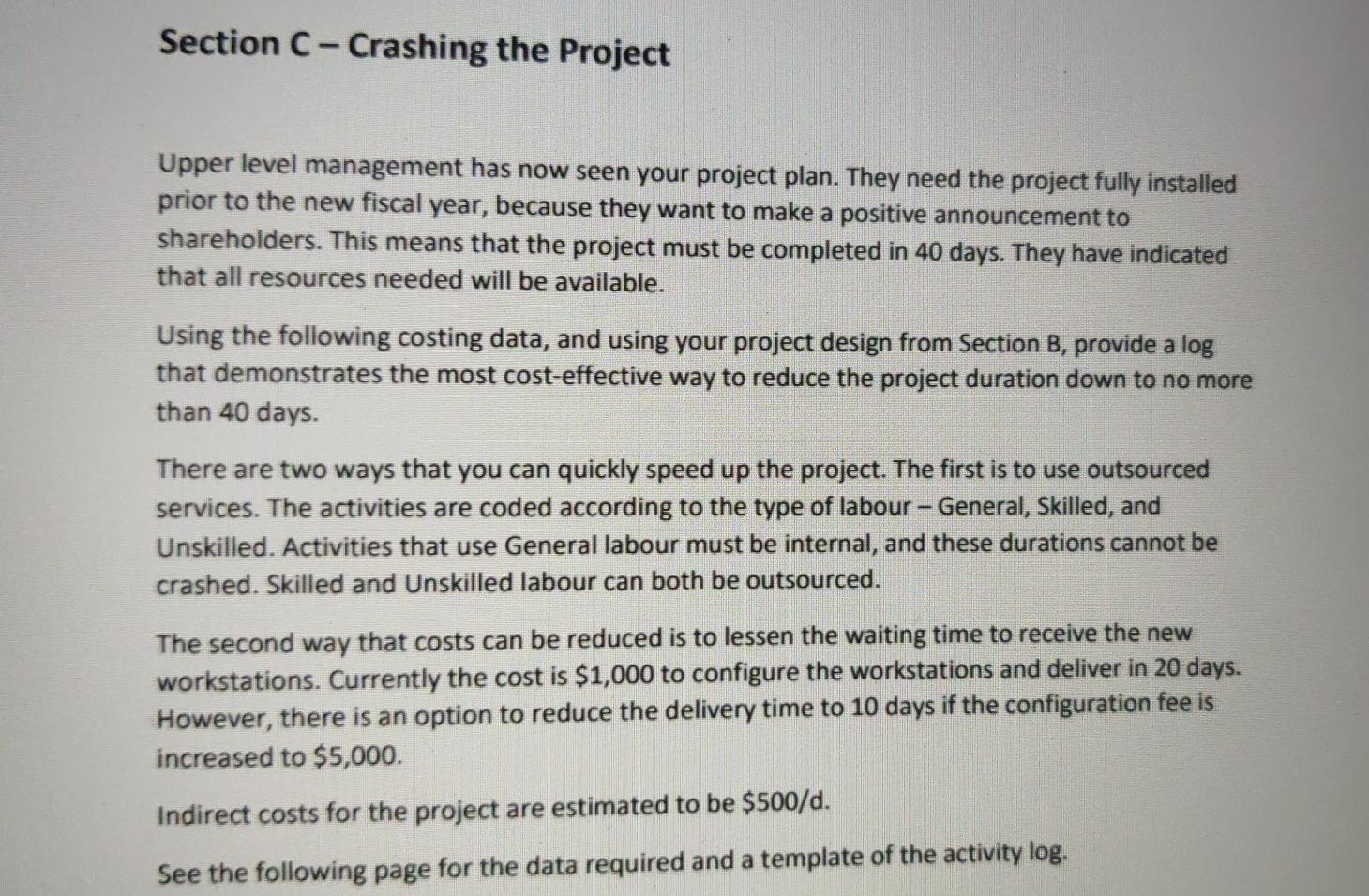
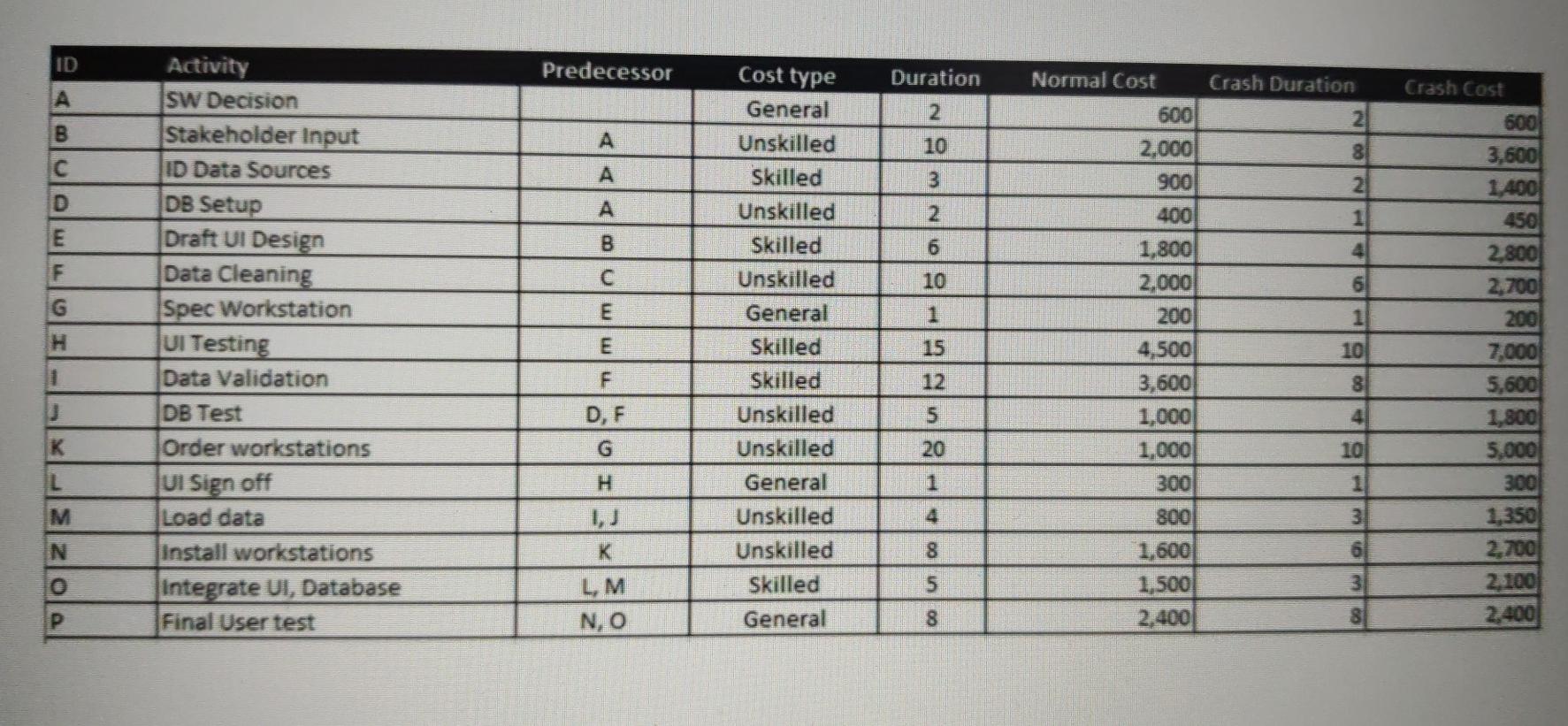
Section C-Crashing the Project Upper level management has now seen your project plan. They need the project fully installed prior to the new fiscal year, because they want to make a positive announcement to shareholders. This means that the project must be completed in 40 days. They have indicated that all resources needed will be available. Using the following costing data, and using your project design from Section B, provide a log that demonstrates the most cost-effective way to reduce the project duration down to no more than 40 days. There are two ways that you can quickly speed up the project. The first is to use outsourced services. The activities are coded according to the type of labour - General, Skilled, and Unskilled. Activities that use General labour must be internal, and these durations cannot be crashed. Skilled and unskilled labour can both be outsourced. The second way that costs can be reduced is to lessen the waiting time to receive the new workstations. Currently the cost is $1,000 to configure the workstations and deliver in 20 days. However, there is an option to reduce the delivery time to 10 days if the configuration fee is increased to $5,000. Indirect costs for the project are estimated to be $500/d. See the following page for the data required and a template of the activity log. ID Predecessor Cost type Duration Crash Cost A B A COLI 10 C 3 A mo 2 B 6 F C 10 G Normal Cost Crash Duration 600 2 2,000 8 900 2 400 1 1,800 2,000 6 200 1 4,500 10 3,600 8 1,000 4 1,000 10 300 1 1 Activity SW Decision Stakeholder Input ID Data Sources DB Setup Draft UI Design Data Cleaning Spec Workstation UI Testing Data Validation DB Test Order workstations UI Sign off Load data Install workstations Integrate VI, Database Final User test H E General Unskilled Skilled Unskilled Skilled Unskilled General Skilled Skilled Unskilled Unskilled General Unskilled Unskilled Skilled General 15 1 F 600 3,600 1,400 450 2.800 2,700 200 7,000 5,600 1,800 5,000 300 1,350 2.700 2,100 2.400 12 5 D, F K 20 L H 1 M 4 800 3 N K 8 OM 5 1,600 1,500 2.400 LM N, O P 8 8Step by Step Solution
There are 3 Steps involved in it
1 Expert Approved Answer
Step: 1 Unlock

Question Has Been Solved by an Expert!
Get step-by-step solutions from verified subject matter experts
Step: 2 Unlock
Step: 3 Unlock
 Study Help