







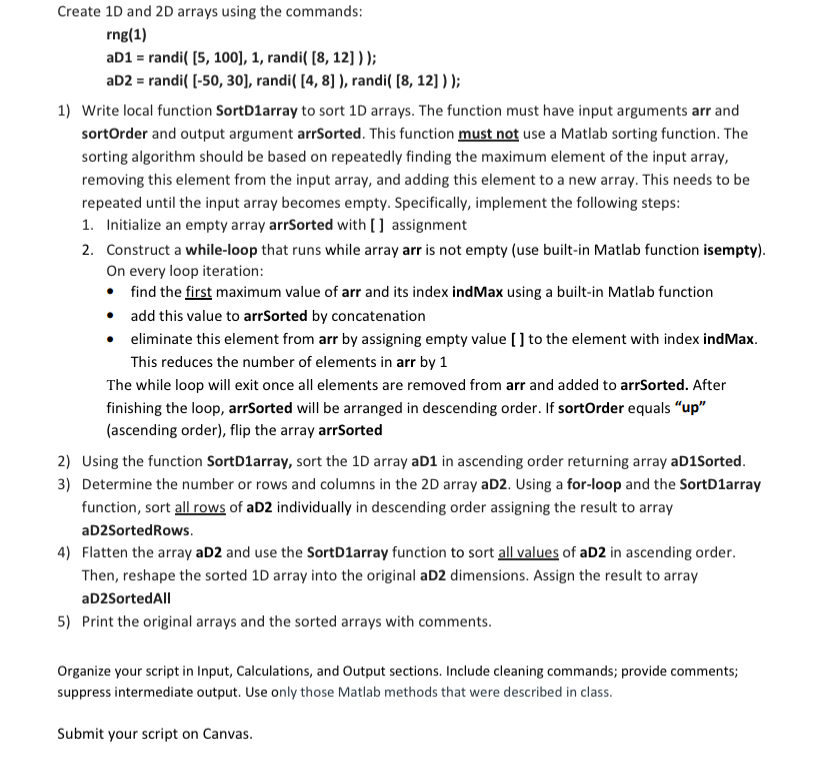
Question: Create 1 D and 2 D arrays using the commands:Write local function SortD 1 array to sort 1 D arrays. The function must have input
Create D and D arrays using the commands:Write local function SortDarray to sort D arrays. The function must have input arguments arr and sortOrder and output argument arrSorted. This function must not use a Matlab sorting function. The sorting algorithm should be based on repeatedly finding the maximum element of the input array, removing this element from the input array, and adding this element to a new array. This needs to be repeated until the input array becomes empty. Specifically, implement the following steps:
Initialize an empty array arrSorted with assignment
Construct a whileloop that runs while array arr is not empty use builtin Matlab function isempty
On every loop iteration:
find the first maximum value of arr and its index indMax using a builtin Matlab function
add this value to arrSorted by concatenation
eliminate this element from arr by assigning empty value to the element with index indMax. This reduces the number of elements in arr by
The while loop will exit once all elements are removed from arr and added to arrSorted. After finishing the loop, arrSorted will be arranged in descending order. If sortOrder equals upascending order flip the array arrSorted
Using the function SortDarray, sort the D array aD in ascending order returning array aDSorted.
Determine the number or rows and columns in the D array aD Using a forloop and the SortDarray function, sort all rows of aD individually in descending order assigning the result to array aDSortedRows.
Flatten the array aD and use the SortDarray function to sort all values of aD in ascending order. Then, reshape the sorted D array into the original aD dimensions. Assign the result to array aDSortedAll
Print the original arrays and the sorted arrays with comments.
Organize your script in Input, Calculations, and Output sections. Include cleaning commands; provide comments; suppress intermediate output. Use only those Matlab methods that were described in class.
Step by Step Solution
There are 3 Steps involved in it
1 Expert Approved Answer
Step: 1 Unlock

Question Has Been Solved by an Expert!
Get step-by-step solutions from verified subject matter experts
Step: 2 Unlock
Step: 3 Unlock
 Study Help