







Question: create a Bash script. Your team has just pushed a new project into production and you do not have any real-world monitoring set up yet.
create a \"Bash\" script.
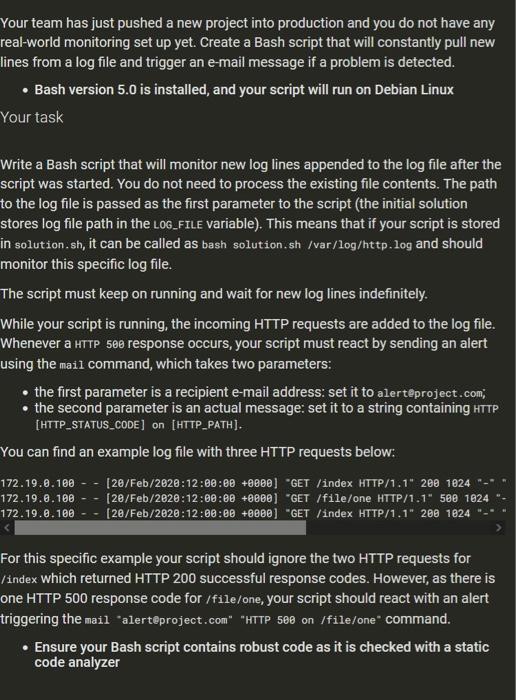
Your team has just pushed a new project into production and you do not have any real-world monitoring set up yet. Create a Bash script that will constantly pull new lines from a log file and trigger an e-mail message if a problem is detected. Bash version 5.0 is installed, and your script will run on Debian Linux Your task Write a Bash script that will monitor new log lines appended to the log file after the script was started. You do not need to process the existing file contents. The path to the log file is passed as the first parameter to the script (the initial solution stores log file path in the LOG_FILE variable). This means that if your script is stored in solution.sh, it can be called as bash solution.sh /var/log/http.log and should monitor this specific log file. The script must keep on running and wait for new log lines indefinitely. While your script is running, the incoming HTTP requests are added to the log file. Whenever a HTTP 500 response occurs, your script must react by sending an alert using the mail command, which takes two parameters: the first parameter is a recipient e-mail address: set it to alerteproject.com the second parameter is an actual message: set it to a string containing HTTP [HTTP_STATUS_CODE] on [HTTP_PATH). You can find an example log file with three HTTP requests below: 172.19.0.100 - - 172.19.0.100 - 172.19.2.100 [20/Feb/2020:12:00:00 +0800] "GET /index HTTP/1.1" 200 1024 [28/Feb/2020:12:00:08 +0000) "GET /file/one HTTP/1.1" 580 1024 [28/Feb/2020:12:00:00 +8800] "GET /index HTTP/1.1" 200 1824 For this specific example your script should ignore the two HTTP requests for /index which returned HTTP 200 successful response codes. However, as there is one HTTP 500 response code for /file/one, your script should react with an alert triggering the mail 'alert@project.com" "HTTP see on /file/one command. Ensure your Bash script contains robust code as is checked with a static code analyzer
Step by Step Solution
There are 3 Steps involved in it

Get step-by-step solutions from verified subject matter experts
 Study Help