







Question: Create a basic structure of an HTML document. - Add four headings Things I do in my free time, Favorite Foods, Places I want to
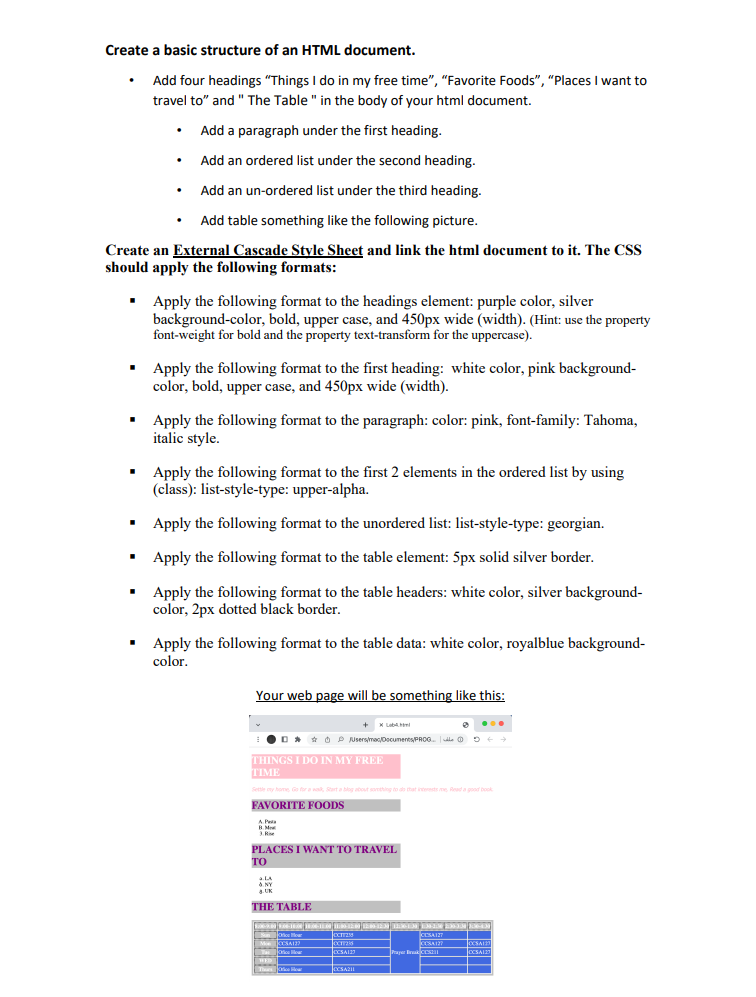
Create a basic structure of an HTML document. - Add four headings "Things I do in my free time", "Favorite Foods", "Places I want to travel to" and "The Table " in the body of your html document. - Add a paragraph under the first heading. - Add an ordered list under the second heading. - Add an un-ordered list under the third heading. - Add table something like the following picture. Create an External Cascade Stvle Sheet and link the html document to it. The CSS should apply the following formats: - Apply the following format to the headings element: purple color, silver background-color, bold, upper case, and 450px wide (width). (Hint: use the property font-weight for bold and the property text-transform for the uppercase). - Apply the following format to the first heading: white color, pink backgroundcolor, bold, upper case, and 450px wide (width). - Apply the following format to the paragraph: color: pink, font-family: Tahoma, italic style. - Apply the following format to the first 2 elements in the ordered list by using (class): list-style-type: upper-alpha. - Apply the following format to the unordered list: list-style-type: georgian. - Apply the following format to the table element: 5px solid silver border. - Apply the following format to the table headers: white color, silver backgroundcolor, 2px dotted black border. - Apply the following format to the table data: white color, royalblue backgroundcolor
Step by Step Solution
There are 3 Steps involved in it

Get step-by-step solutions from verified subject matter experts
 Study Help