







Question: Create a Business Card project 1. Using the BlueJ integrated development environment (IDE), create a Business Card project within your 162 project organizer at location
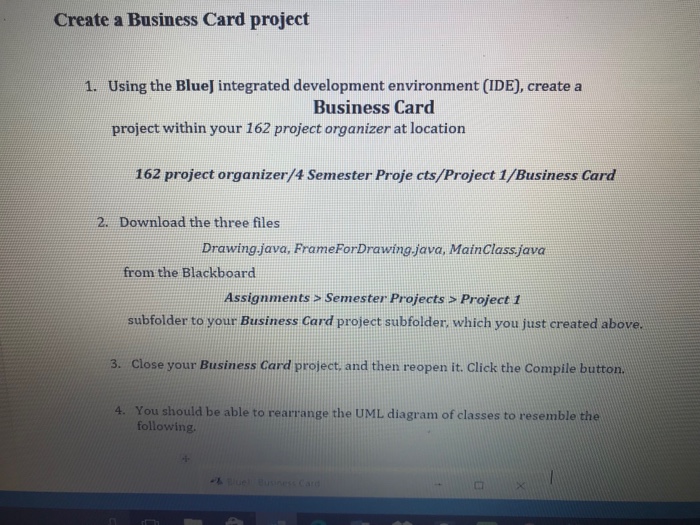
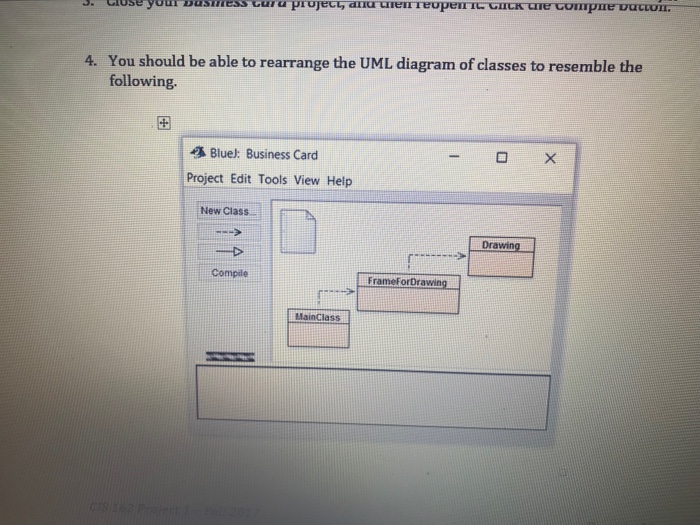
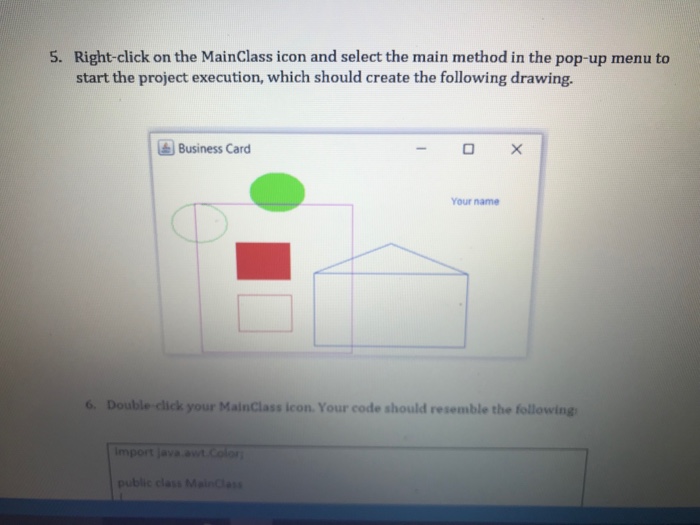
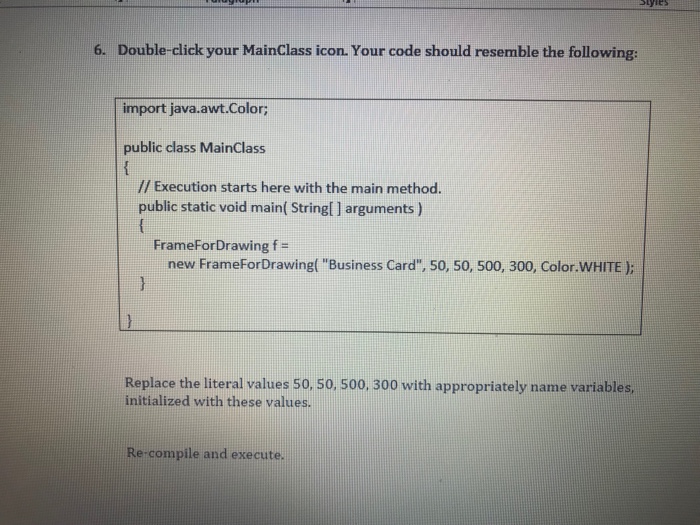
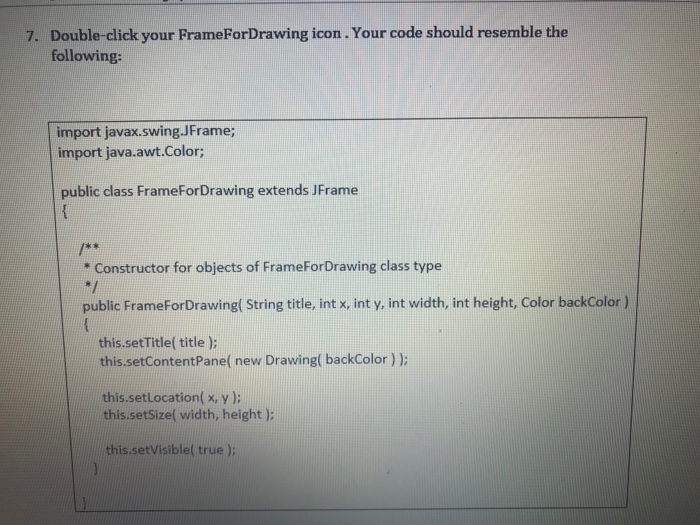
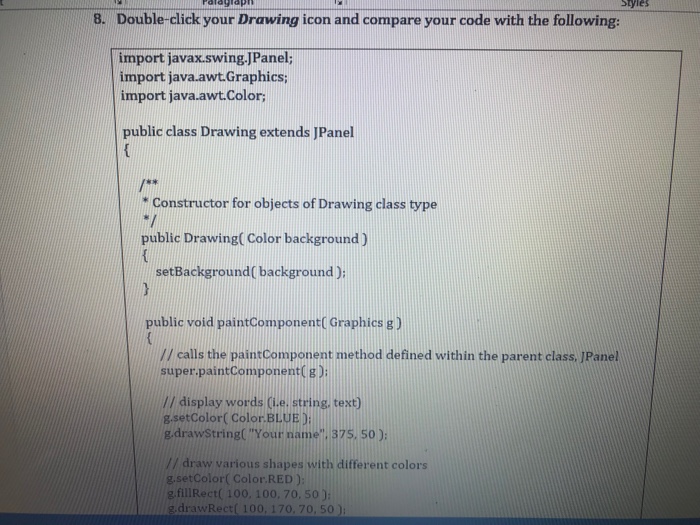
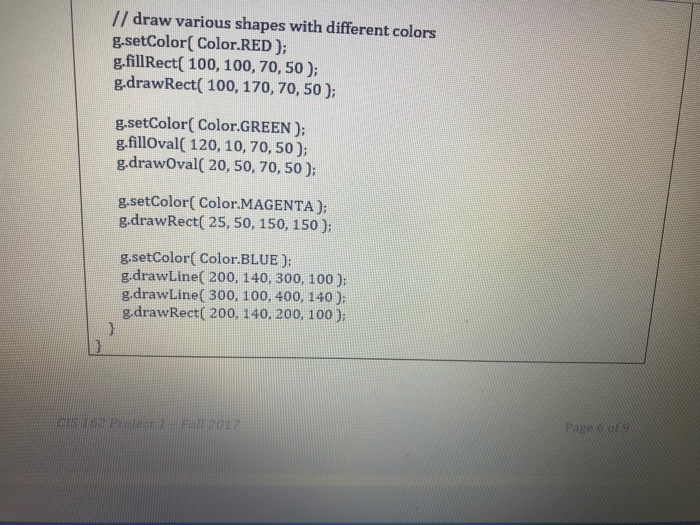
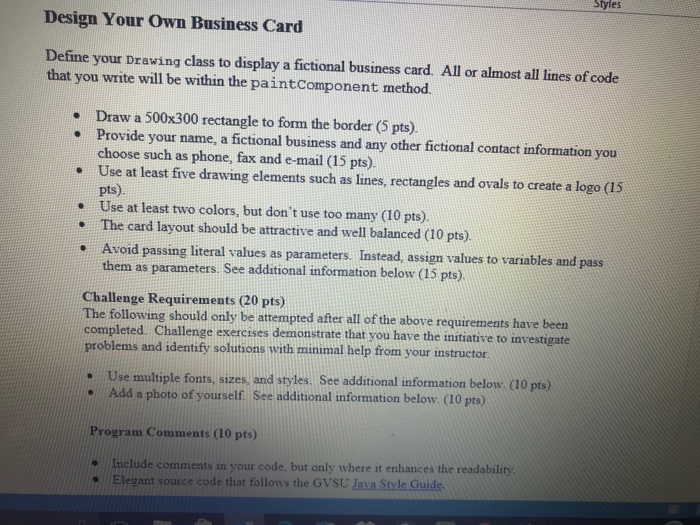
Create a Business Card project 1. Using the BlueJ integrated development environment (IDE), create a Business Card project within your 162 project organizer at location 162 project organizer/4 Semester Proje cts/Project 1/Business Card 2. Download the three files Drawing.java, FrameForDrawing-java, MainClassjava from the Blackboard Assignments > Semester Projects > Project 1 subfolder to your Business Card project subfolder which you just created above. 3. Close your Business Card project and then reopen it. Click the Compile button. 4. You should be able to rearrange the UML diagram of classes to resemble the following
Step by Step Solution
There are 3 Steps involved in it
1 Expert Approved Answer
Step: 1 Unlock

Question Has Been Solved by an Expert!
Get step-by-step solutions from verified subject matter experts
Step: 2 Unlock
Step: 3 Unlock
 Study Help