







Question: Create a command-line application project that connects to an email server using IMAP, and allows the user to read their inbox, display a list
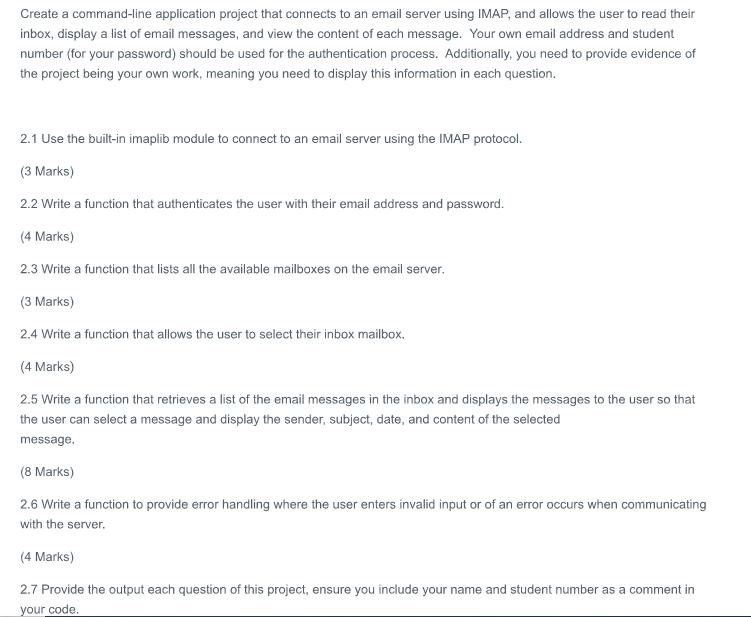
Create a command-line application project that connects to an email server using IMAP, and allows the user to read their inbox, display a list of email messages, and view the content of each message. Your own email address and student number (for your password) should be used for the authentication process. Additionally, you need to provide evidence of the project being your own work, meaning you need to display this information in each question. 2.1 Use the built-in imaplib module to connect to an email server using the IMAP protocol. (3 Marks) 2.2 Write a function that authenticates the user with their email address and password. (4 Marks) 2.3 Write a function that lists all the available mailboxes on the email server. (3 Marks) 2.4 Write a function that allows the user to select their inbox mailbox. (4 Marks) 2.5 Write a function that retrieves a list of the email messages in the inbox and displays the messages to the user so that the user can select a message and display the sender, subject, date, and content of the selected message. (8 Marks) 2.6 Write a function to provide error handling where the user enters invalid input or of an error occurs when communicating with the server. (4 Marks) 2.7 Provide the output each question of this project, ensure you include your name and student number as a comment in your code.
Step by Step Solution
There are 3 Steps involved in it

Get step-by-step solutions from verified subject matter experts
 Study Help