







Question: Create a custom report based on the gryPlanMembrership query. a . Save the report as rptPlanMembership b . Use the PlanID field as a grouping
Create a custom report based on the gryPlanMembrership query.
a Save the report as rptPlanMembership
b Use the PlanID field as a grouping field.
c Select the FeeWaived the first sort and the LastName field as a secondary sort field.
d Hide duplicate values for the Feewaived field.
e Add the PlanDescription field to the Group Header section, and then delete its attached label.
f Put in SubTotals and GrandTotals. Include date and page numbers. Put in an appropriate Title.
g Keep the whole group together on one page. Removed the alternate row color for all sections and remove borders.
h Make formatting and placement as you see fit to make it readable and professional. Add appropriate. embellishments of your choosing.
Labels
Create mailing labels.
a Use the tblMember table as the record source for the mailing labels.
b Use Avery C labels, and use the default font, size, weight, and color.
c For the prototype label, place FirstName, a space, and LastName on the first line; Street on the second line: and City, a comma and a space, State, a space, and Zip on the third line.Create mailing labels.
a Use the thlMember table as the record source for the mailing labels.
b Use Avery C labels, and use the default font, size, weight, and color.
For the prototype label, place FirstName, a space, and LastName on the first line; Street on the second line; and City, a comma and a space, State, a space, and Zip on the third line.
d Name the report rptMemberLabels
Make a backup copy of the database, compact and repair it and close.
Submit to canvas the GopherFinalyourname database.
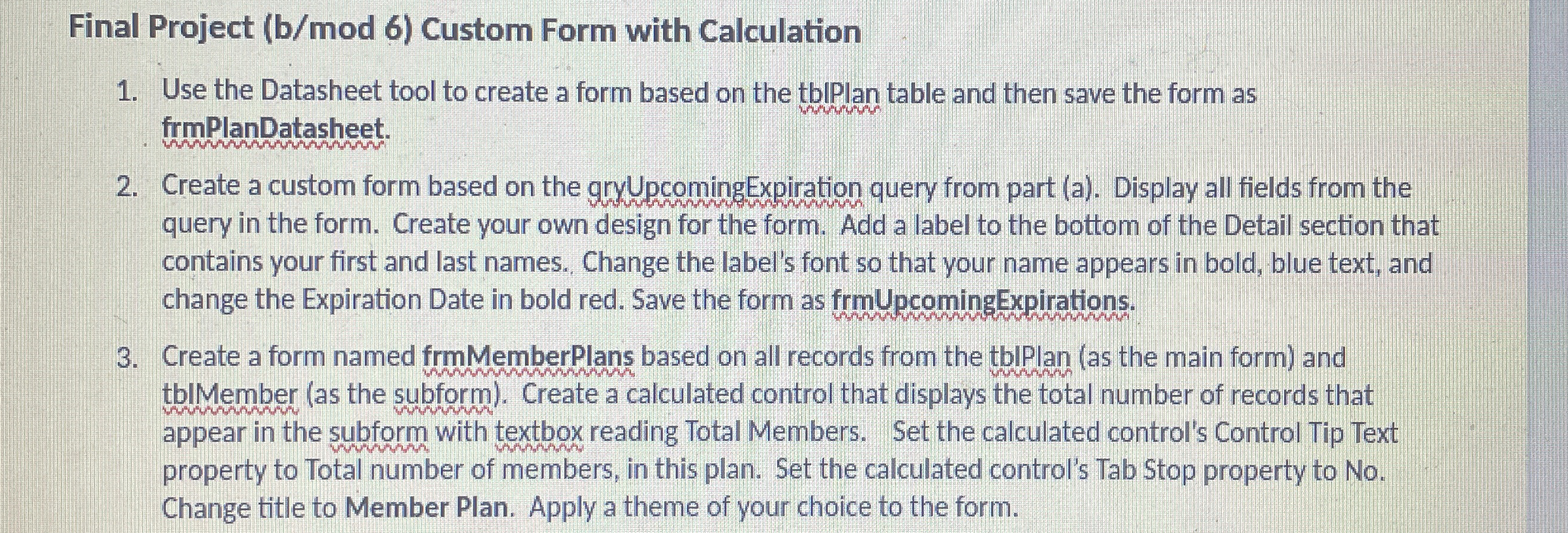
Final Project Custom Form with Calculation
Use the Datasheet tool to create a form based on the tbPlan table and then save the form as frmPlanDatasheet.
Create a custom form based on the gryUpcomingExpiration query from part a Display all fields from the query in the form. Create your own design for the form. Add a label to the bottom of the Detail section that contains your first and last names. Change the label's font so that your name appears in bold, blue text, and change the Expiration Date in bold red. Save the form as frmUpcomingExpirations.
Create a form named frmMemberPlans based on all records from the tblPlan as the main form and thlMember as the subform Create a calculated control that displays the total number of records that appear in the subform with textbox reading Total Members. Set the calculated control's Control Tip Text property to Total number of members, in this plan. Set the calculated control's Tab Stop property to No Change title to Member Plan. Apply a theme of your choice to the form.
Step by Step Solution
There are 3 Steps involved in it
1 Expert Approved Answer
Step: 1 Unlock

Question Has Been Solved by an Expert!
Get step-by-step solutions from verified subject matter experts
Step: 2 Unlock
Step: 3 Unlock
 Study Help