







Question: Create a Data Dictionary containing all attributes identifying the following traits: table, primary key, unique, null, foreign key, data type, domain constraints and referential integrity
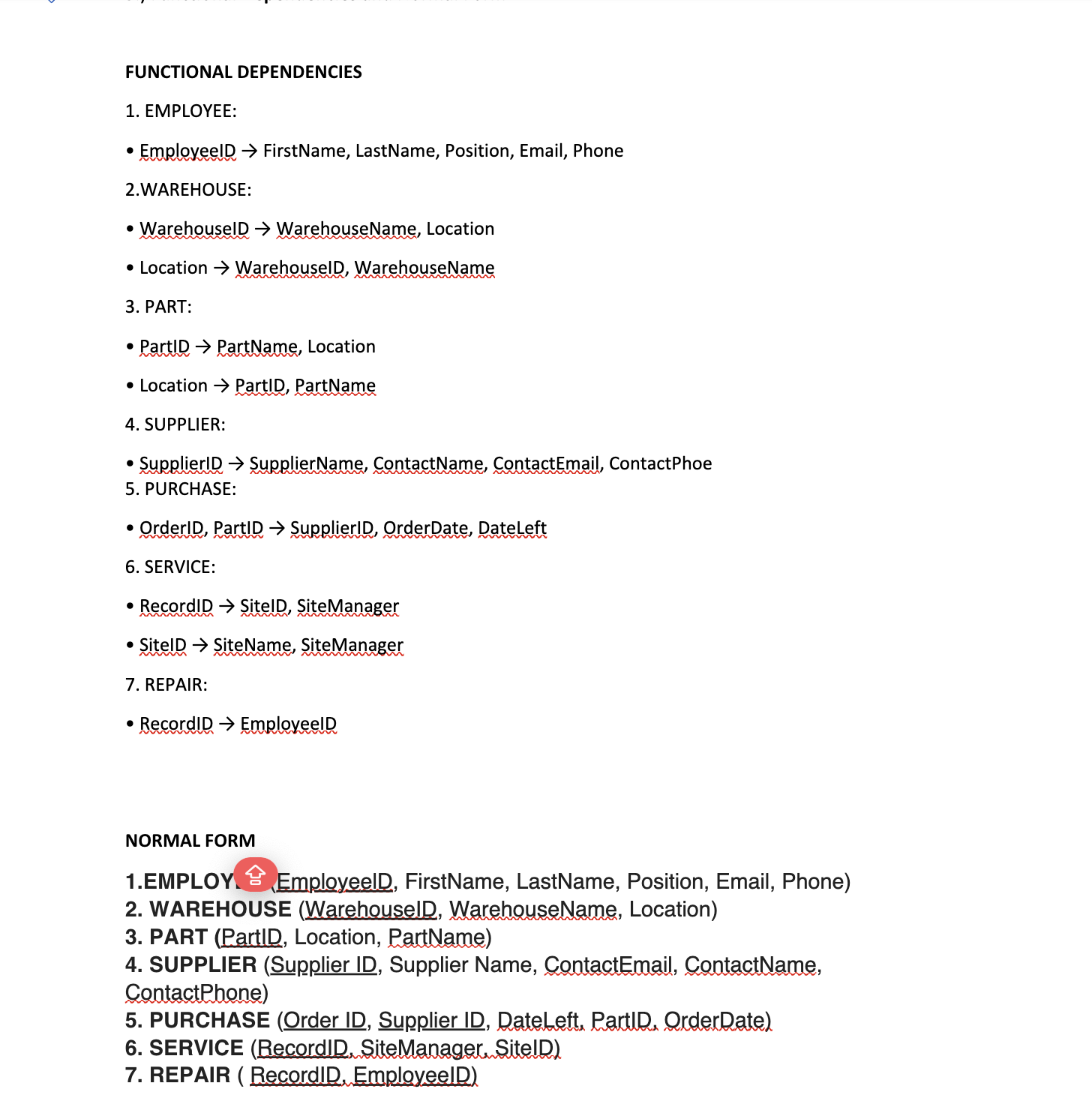
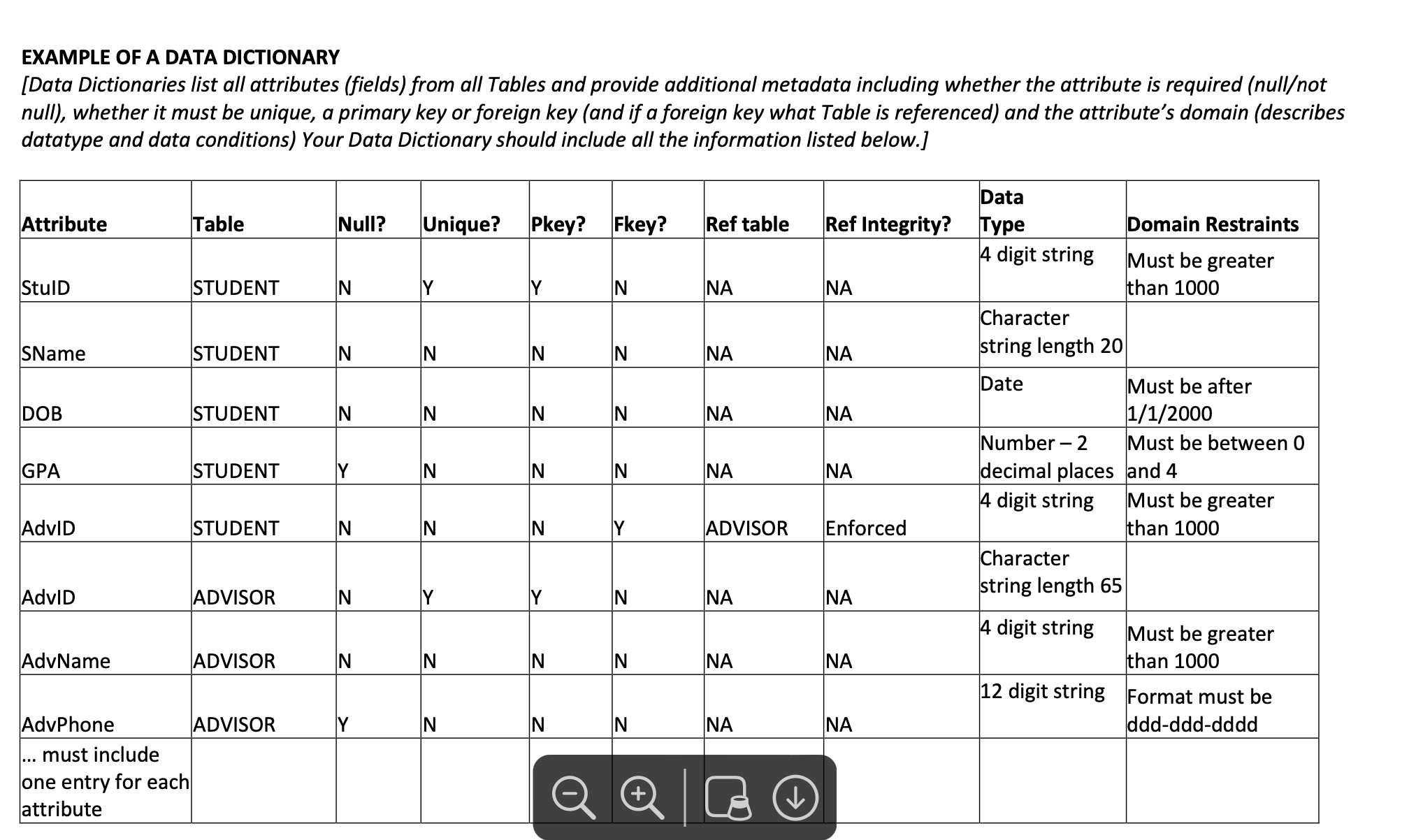
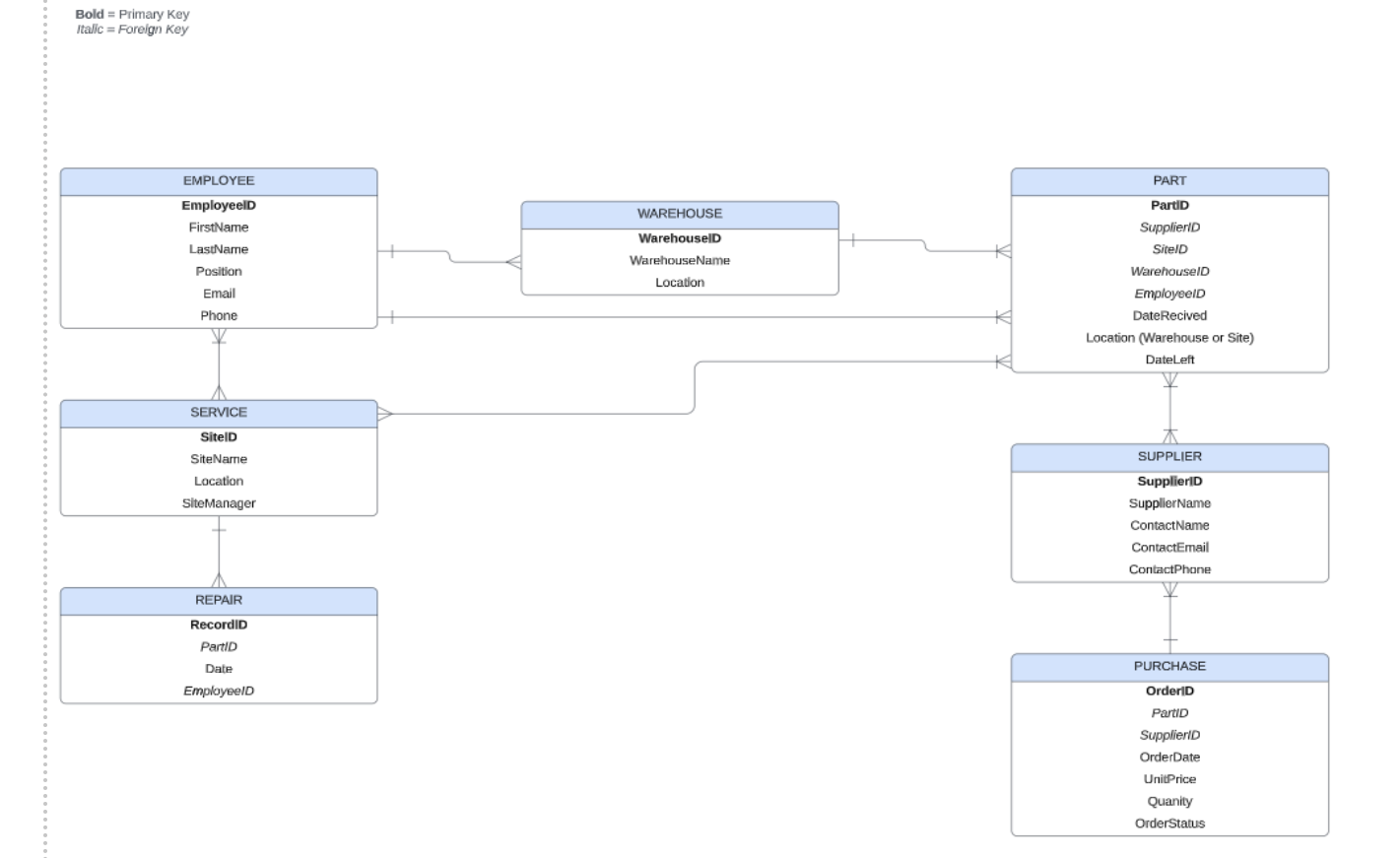 Create a Data Dictionary containing all attributes identifying the following traits: table, primary key, unique, null, foreign key, data type, domain constraints and referential integrity where required. I've included my functional dependencies, Normal Form, Er diagram, & example of Data Dictionary.
FUNCTIONAL DEPENDENCIES 1. EMPLOYEE: - EmployeelD FirstName, LastName, Position, Email, Phone 2.WAREHOUSE: - WarehouselD WarehouseName, Location - Location WarehouselD, WarehouseName 3. PART: - PartID PartName, Location - Location PartID, PartName 4. SUPPLIER: - SupplierlD SupplierName, ContactName, ContactEmail, ContactPhoe 5. PURCHASE: - OrderID, PartID SupplierID, OrderDate, DateLeft 6. SERVICE: - RecordID SitelD, SiteManager - SitelD SiteName, SiteManager 7. REPAIR: - RecordIID EmployeelD NORMAL FORM 1.EMPLOY. EmployeelD, FirstName, LastName, Position, Email, Phone) 2. WAREHOUSE (WarehouselD, WarehouseName, Location) 3. PART (PartID, Location, PartName) 4. SUPPLIER (Supplier ID, Supplier Name, ContactEmail, ContactName, ContactPhone) 5. PURCHASE (Order ID, Supplier ID, DateLeft, PartlD, OrderDate) 6. SERVICE (RecordID, SiteManager, SitelD) 7. REPAIR ( RecordID, EmployeelD) EXAMPLE OF A DATA DICTIONARY [Data Dictionaries list all attributes (fields) from all Tables and provide additional metadata including whether the attribute is required (nullot null), whether it must be unique, a primary key or foreign key (and if a foreign key what Table is referenced) and the attribute's domain (describes datatype and data conditions) Your Data Dictionary should include all the information listed below.] Bold = Primary Key Itall. = Foroign Koy \begin{tabular}{|c|c|c|} \hline EMPLOYEE & & PART \\ \hline EmployeelD & WAREHOUSE & PartiD \\ \hline FirstName & WarehouselD & SupplierlD \\ \hline LastName & WarehouseName & SiteID \\ \hline \multirow{2}{*}{\begin{tabular}{c} Position \\ Email \end{tabular}} & Location & WarehouselD \\ \hline & & EmployeelD \\ \hline Phone & & DateRecived \\ \hline \multirow[t]{3}{*}{} & & Location (Warehouse or Site) \\ \hline & & DateLeft \\ \hline & & W \\ \hline \multicolumn{3}{|l|}{ SERVICE } \\ \hline \multicolumn{3}{|l|}{ SitelD } \\ \hline SiteName & & SUPPLIER \\ \hline Location & & SupplieriD \\ \hline SiteManager & & SupplierName \\ \hline \multirow[t]{3}{*}{t} & & ContactName \\ \hline & & ContactEmail \\ \hline & & ContactPhane \\ \hline \multicolumn{3}{|l|}{ REPAIR } \\ \hline \multicolumn{3}{|l|}{ RecordiD } \\ \hline \multicolumn{3}{|l|}{ PartID } \\ \hline \multirow{2}{*}{\begin{tabular}{c} Date \\ Employeeld \end{tabular}} & & PURCHASE \\ \hline & & OrderiD \\ \hline & & PartiD \\ \hline & & SupplierlD \\ \hline & & OrderDate \\ \hline & & UnitPrice \\ \hline & & Quanity \\ \hline & & OrderStatus \\ \hline \end{tabular}
Step by Step Solution
There are 3 Steps involved in it

Get step-by-step solutions from verified subject matter experts
 Study Help