







Question: - Create a data model using the data on the Customer, Sales, and Employee worksheets - Get the data from the Customer, Sales and Employee
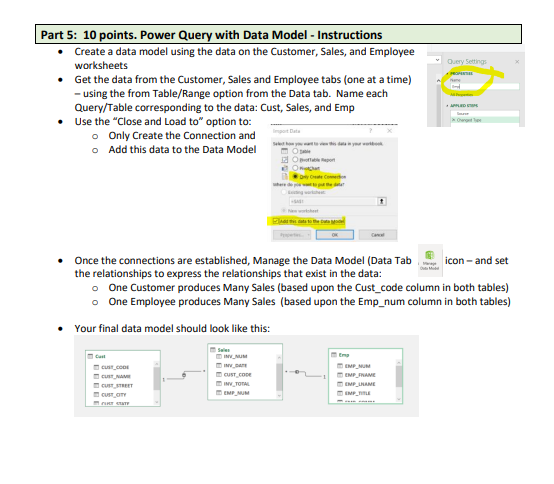
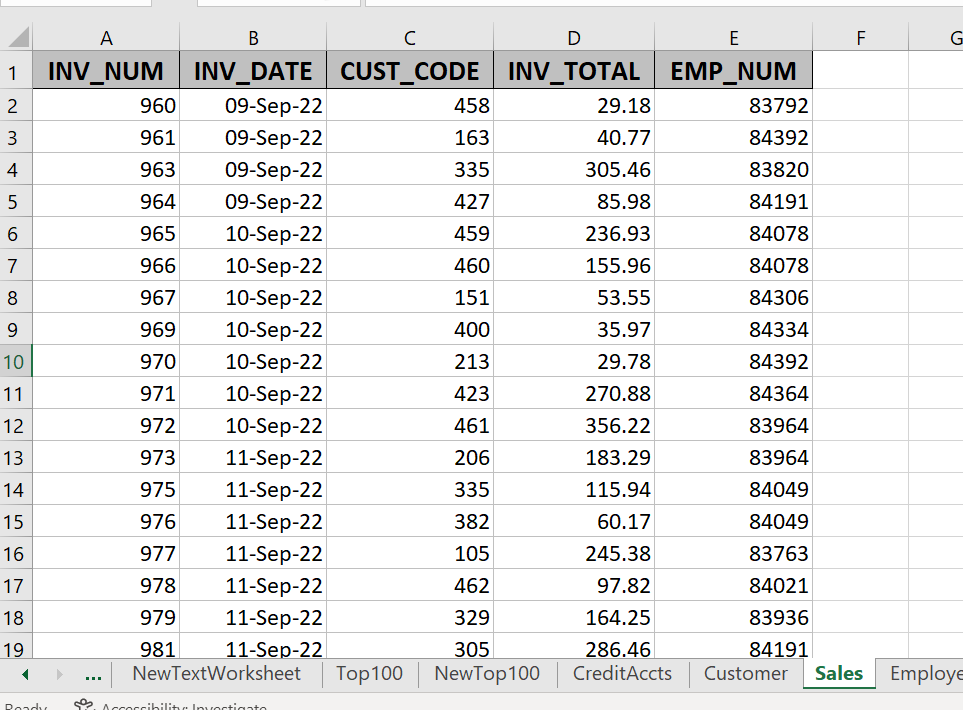
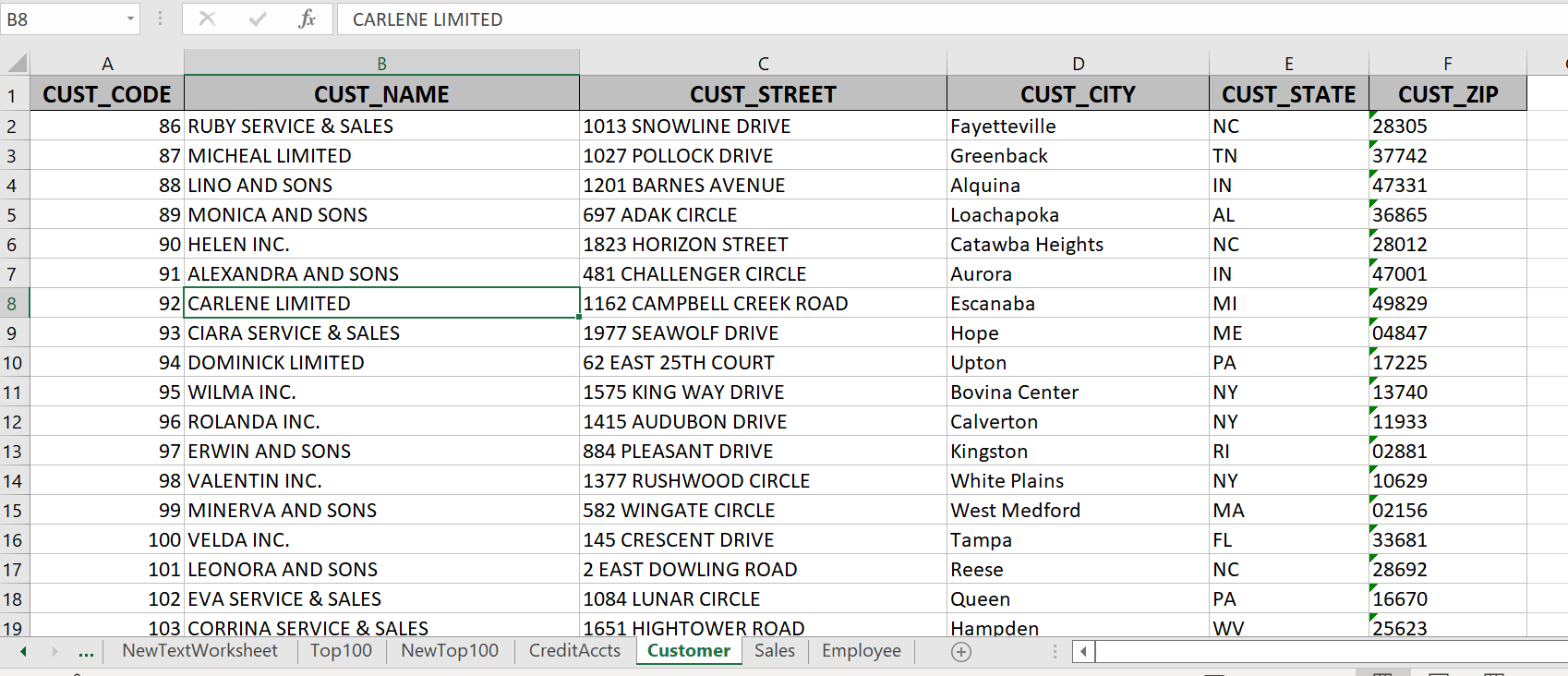
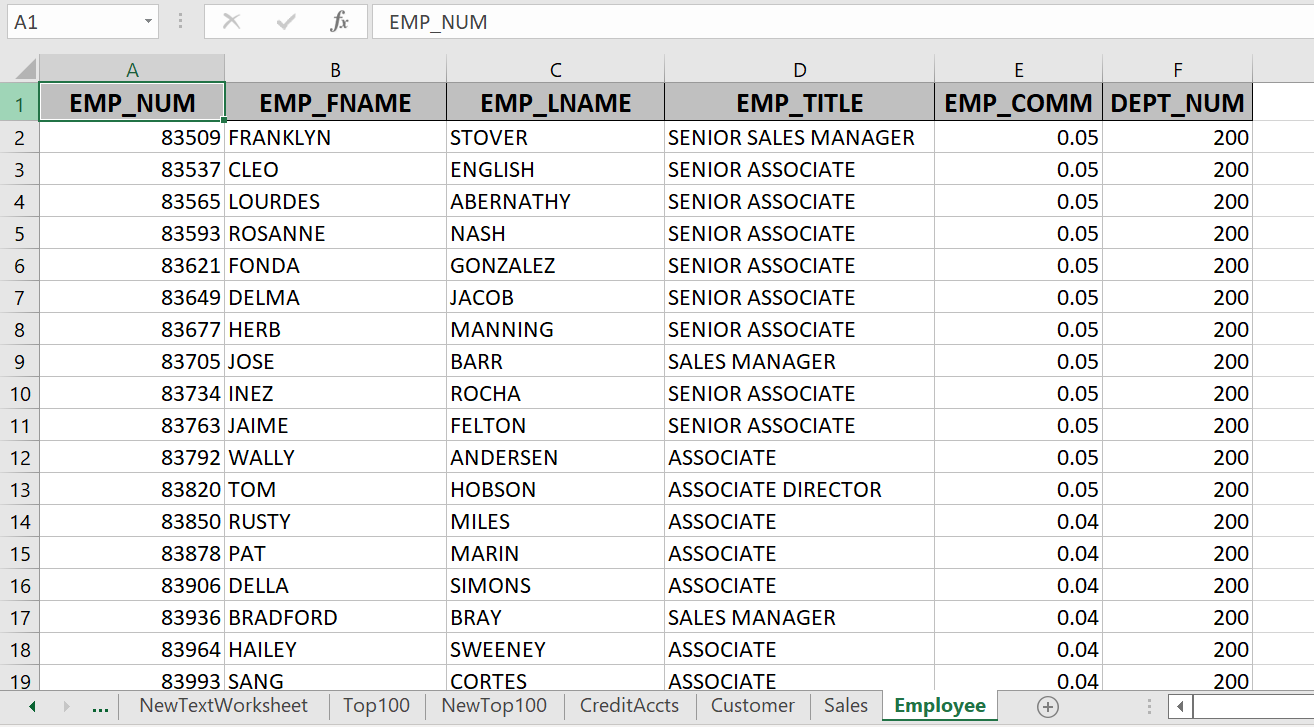
- Create a data model using the data on the Customer, Sales, and Employee worksheets - Get the data from the Customer, Sales and Employee tabs (one at a time) - using the from Table/Range option from the Data tab. Name each Query/Table corresponding to the data: Cust, Sales, and Emp - Use the "Close and Load to" option to: Only Create the Connection and Add this data to the Data Model - Once the connections are established, Manage the Data Model (Data Tab icon-and set the relationships to express the relationships that exist in the data: One Customer produces Many Sales (based upon the Cust_code column in both tables) One Employee produces Many Sales (based upon the Emp_num column in both tables) - Your final data model should look like this
Step by Step Solution
There are 3 Steps involved in it

Get step-by-step solutions from verified subject matter experts
 Study Help