







Question: Create a folder named myfiles in your C: drive. * Create a text file in your newly created myfiles folder named as myfile.txt which contains
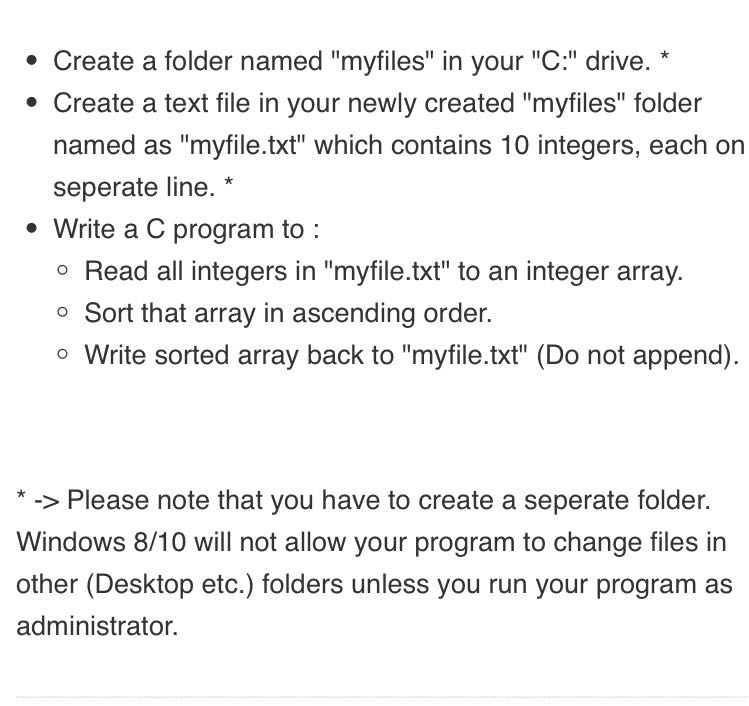
Create a folder named "myfiles" in your "C:" drive. * Create a text file in your newly created "myfiles" folder named as "myfile.txt" which contains 10 integers, each on seperate line. * Write a C program to : o Read all integers in "myfile.txt" to an integer array. o Sort that array in ascending order. o Write sorted array back to "myfile.txt" (Do not append). * -> Please note that you have to create a seperate folder. Windows 8/10 will not allow your program to change files in other (Desktop etc.) folders unless you run your program as administrator
Step by Step Solution
There are 3 Steps involved in it
1 Expert Approved Answer
Step: 1 Unlock

Question Has Been Solved by an Expert!
Get step-by-step solutions from verified subject matter experts
Step: 2 Unlock
Step: 3 Unlock
 Study Help