







Question: Create a frame with one label, one textbox and a button. Using ActionEvent and MouseEvent, 1) when the button is clicked, the button turns from
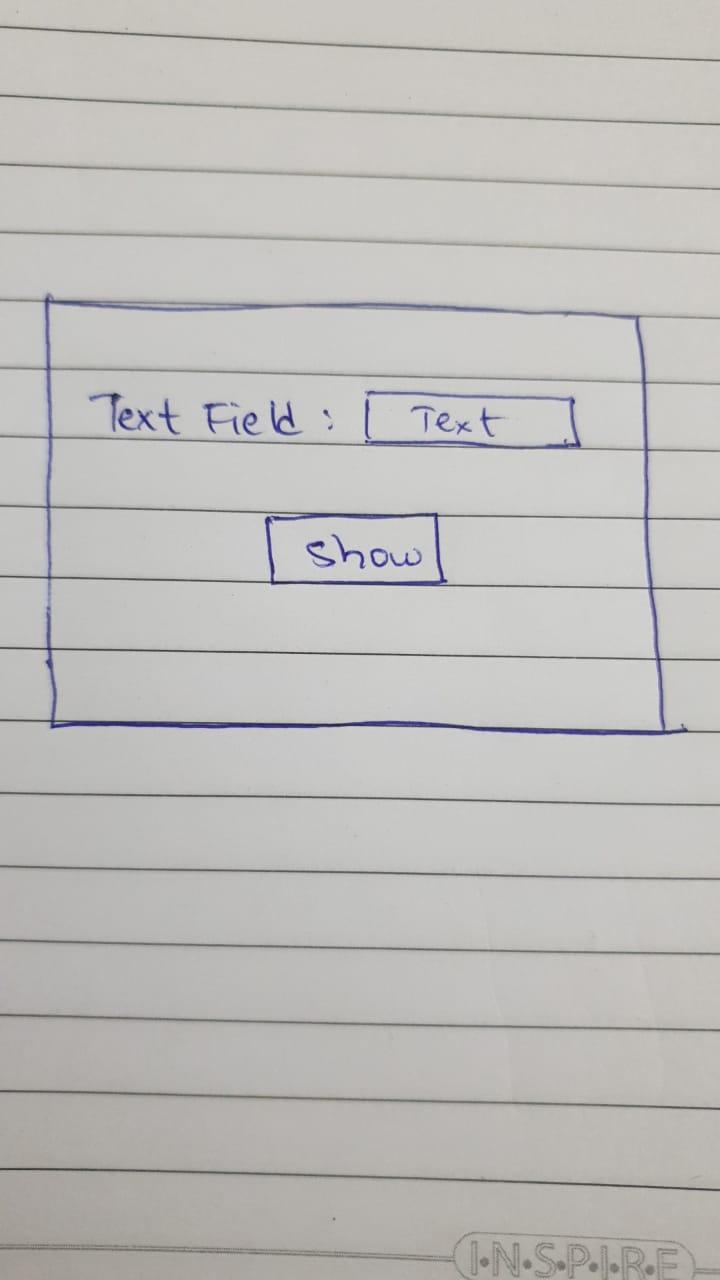
Create a frame with one label, one textbox and a button. Using ActionEvent and MouseEvent,
1) when the button is clicked, the button turns from white to blue.
2) when the textBox is clicked, the text inside the text box turn from black to red.
3) when the frame is clicked on, the frame turns from white to Orange.
4) when the button is pressed again, everything is reversed back to its original state, meaning the button and frame turns white and text turns black.
This question is based on GUI in Java. Please solve it asap and correctly. Please don't use drag and drop method and keep the code as simple as possible.
Text Field: Text show l.N.S.P.I.RE
Step by Step Solution
There are 3 Steps involved in it

Get step-by-step solutions from verified subject matter experts
 Study Help