







Question: Create a function to reset the BMI calculator fields back to default values and call this function when Reset button is clicked. (1 mark) Design
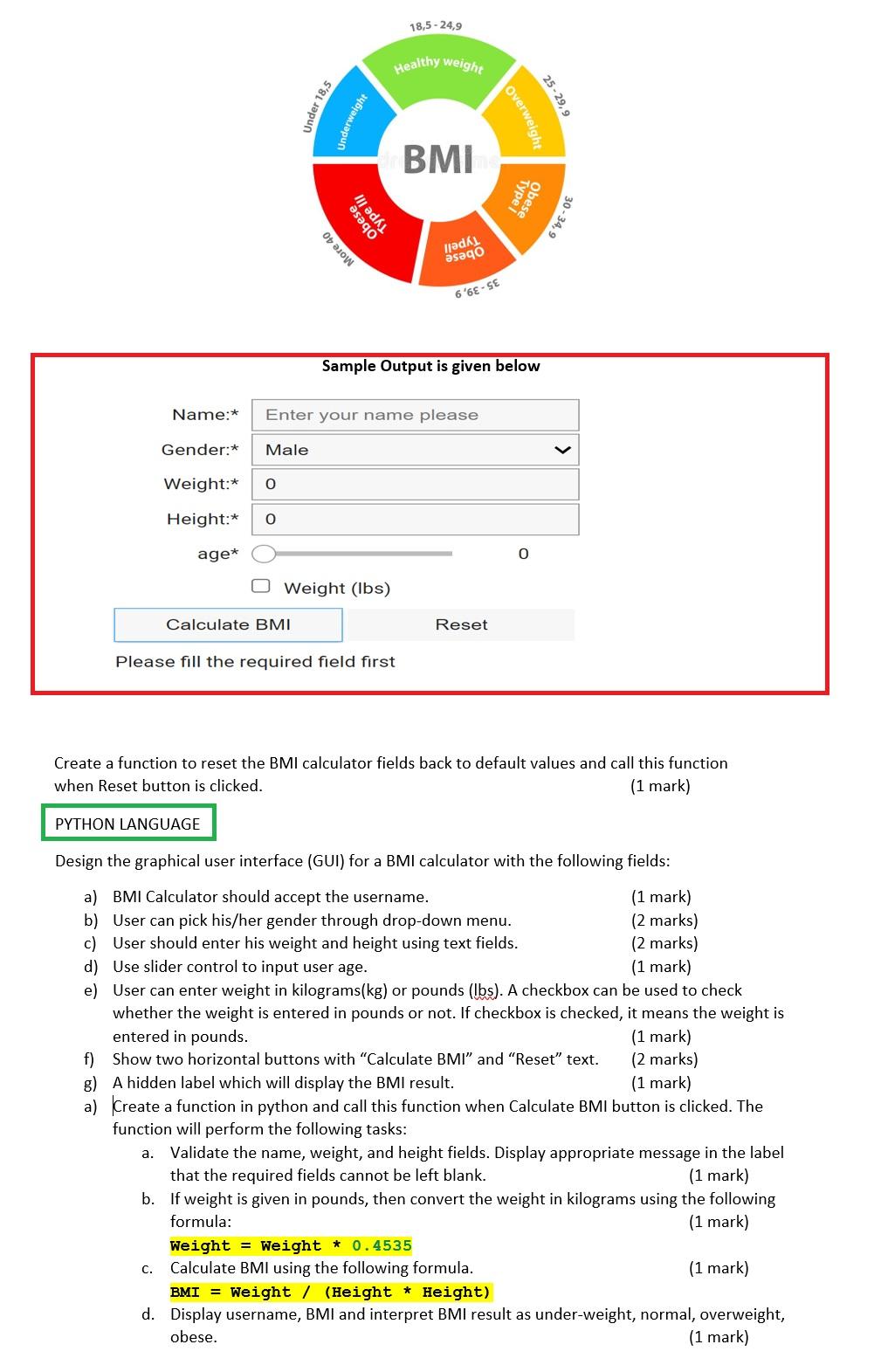
Create a function to reset the BMI calculator fields back to default values and call this function when Reset button is clicked. (1 mark) Design the graphical user interface (GUI) for a BMI calculator with the following fields: a) BMI Calculator should accept the username. b) User can pick his/her gender through drop-down menu. (2 marks) c) User should enter his weight and height using text fields. (2 marks) d) Use slider control to input user age. (1 mark) e) User can enter weight in kilograms (kg) or pounds (lbs). A checkbox can be used to check whether the weight is entered in pounds or not. If checkbox is checked, it means the weight is entered in pounds. (1 mark) f) Show two horizontal buttons with "Calculate BMI" and "Reset" text. (2 marks) g) A hidden label which will display the BMI result. (1 mark) a) Create a function in python and call this function when Calculate BMI button is clicked. The function will perform the following tasks: a. Validate the name, weight, and height fields. Display appropriate message in the label that the required fields cannot be left blank. (1 mark) b. If weight is given in pounds, then convert the weight in kilograms using the following formula: (1 mark) Weight = Weight 0.4535 c. Calculate BMI using the following formula. (1 mark) BMI = weight / (Height * Height) d. Display username, BMI and interpret BMI result as under-weight, normal, overweight, obese. (1 mark)
Step by Step Solution
There are 3 Steps involved in it

Get step-by-step solutions from verified subject matter experts
 Study Help