







Question: Create a GUI for a simple calculator that contains the following elements: Two JTextField's (both start with a 0 as their text) Two JButtons
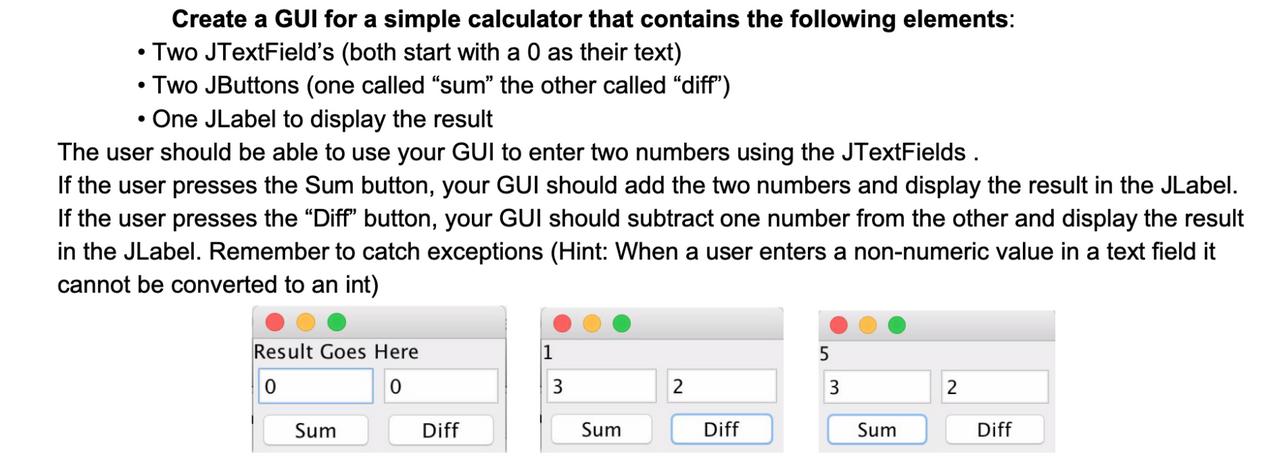
Create a GUI for a simple calculator that contains the following elements: Two JTextField's (both start with a 0 as their text) Two JButtons (one called "sum" the other called "diff") One JLabel to display the result The user should be able to use your GUI to enter two numbers using the JTextFields. If the user presses the Sum button, your GUI should add the two numbers and display the result in the JLabel. If the user presses the "Diff" button, your GUI should subtract one number from the other and display the result in the JLabel. Remember to catch exceptions (Hint: When a user enters a non-numeric value in a text field it cannot be converted to an int) Result Goes Here 5 0 0 3 2 3 2 Sum Diff Sum Diff Sum Diff
Step by Step Solution
3.41 Rating (167 Votes )
There are 3 Steps involved in it
Heres a simple implementation of a GUI calculator in Java using Swing import javaxswing import javaa... View full answer

Get step-by-step solutions from verified subject matter experts
 Study Help