







Question: Create a GUI with these specifications. No functionality required. Part 2 Student Menu 1) AddCourse a) Choose Add Course under Student tab, and add ECE
Create a GUI with these specifications. No functionality required.
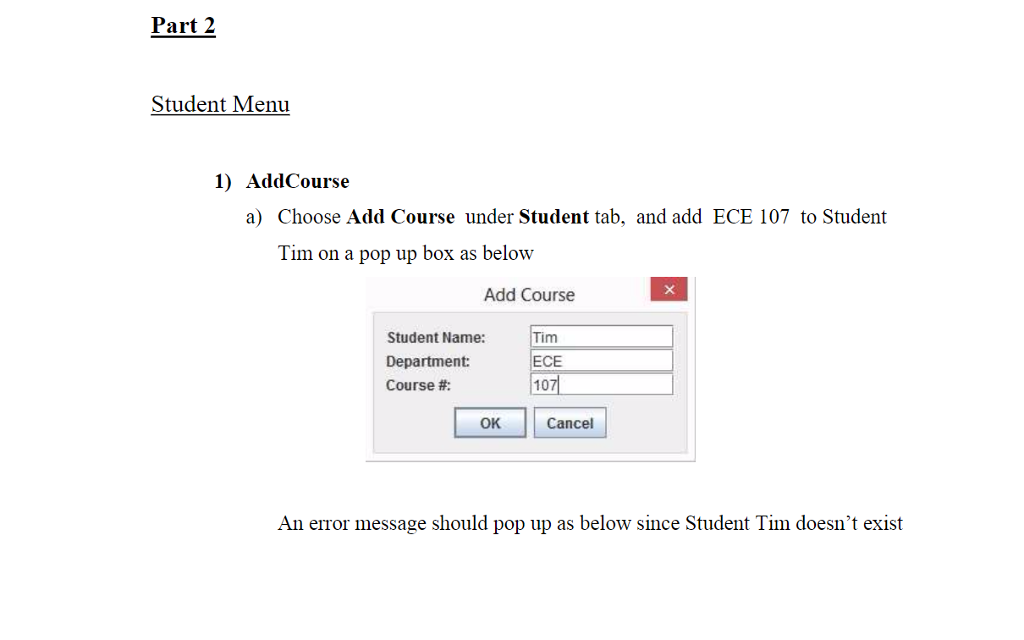
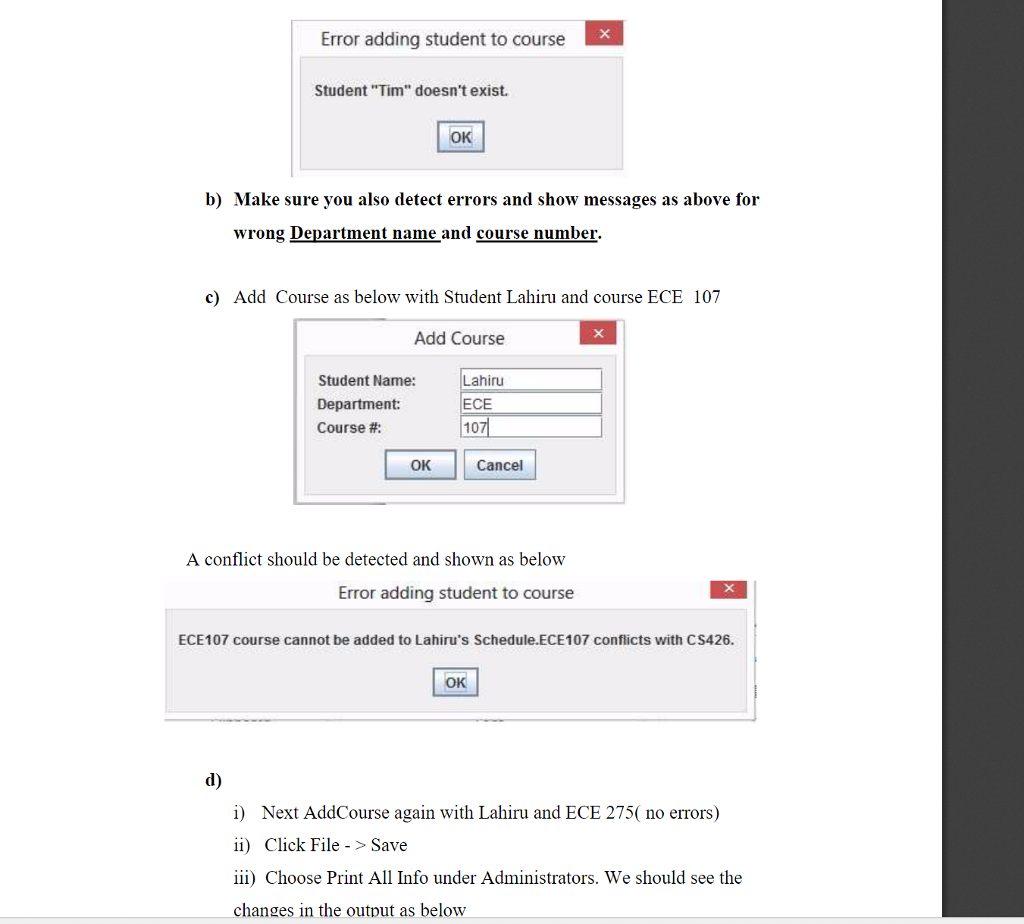
Part 2 Student Menu 1) AddCourse a) Choose Add Course under Student tab, and add ECE 107 to Student Tim on a pop up box as below Add Course Student Name: Department: Course #: Tim ECE 107 OK Cancel An error message should pop up as below since Student Tim doesn't exist
Step by Step Solution
There are 3 Steps involved in it
1 Expert Approved Answer
Step: 1 Unlock

Question Has Been Solved by an Expert!
Get step-by-step solutions from verified subject matter experts
Step: 2 Unlock
Step: 3 Unlock
 Study Help