







Question: Create a Haskell module named Project. This will typically be in a file named Project.hs To define a module in Haskell, put the following code
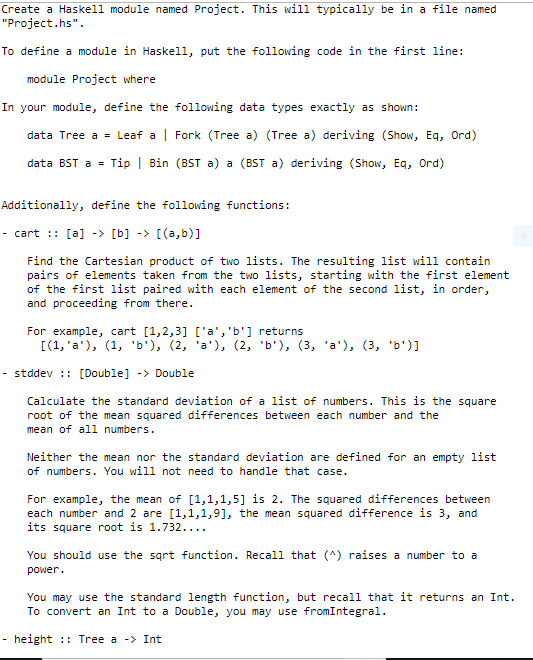
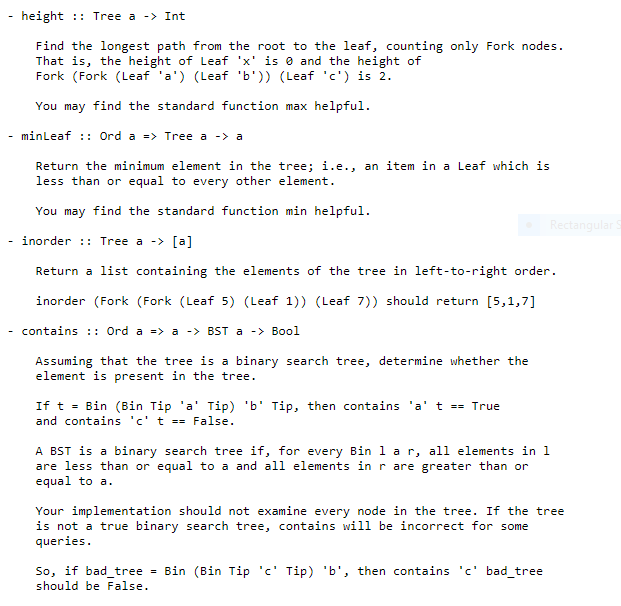
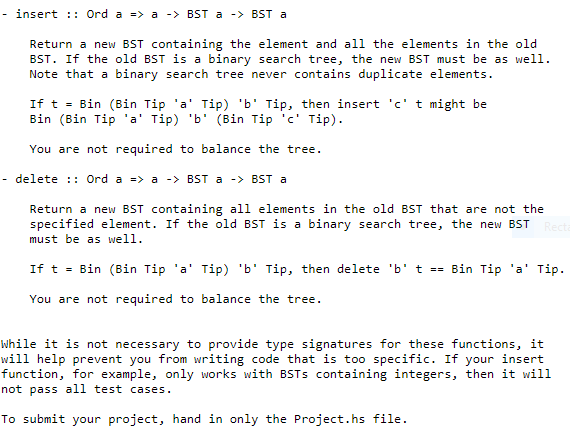
Create a Haskell module named Project. This will typically be in a file named "Project.hs" To define a module in Haskell, put the following code in the first line: module Project where In your module, define the following data types exactly as shown: data Tree a Leaf a | Fork (Tree a) (Tree a) deriving (Show, Eq, Ord) data BST a -Tip Bin (BST a) a (BST a) deriving (Show, Eq, Ord) Additionally, define the following functions: - cart: [a] -> [b]->(a,b)] Find the Cartesian product of two lists. The resulting list will contain pairs of elements taken from the two lists, starting with the first element of the first list paired with each element of the second list, in order, and proceeding from there For example, cart [1,2,3] ['a','b'1 returns - stdde[Double] -> Double Calculate the standard deviation of a list of numbers. This is the square root of the mean squared differences between each number and the mean of all numbers. Neither the mean nor the standard deviation are defined for an empty list of numbers. You will not need to handle that case For example, the mean of [1,1,1,5] is 2. The squared differences between each number and 2 are [1,1,1,9], the mean squared difference is 3, and its square root is 1.732.... You should use the sqrt function. Recall that () raises a number to a power. You may use the standard length function, but recall that it returns an Int To convert an Int to a Double, you may use fromIntegral - height:: Tree a - Int
Step by Step Solution
There are 3 Steps involved in it

Get step-by-step solutions from verified subject matter experts
 Study Help