







Question: create a Java Project using Eclipse, add Lab2 java class. In Lab2 java class add main function. 1. In a documentation comment, write your name
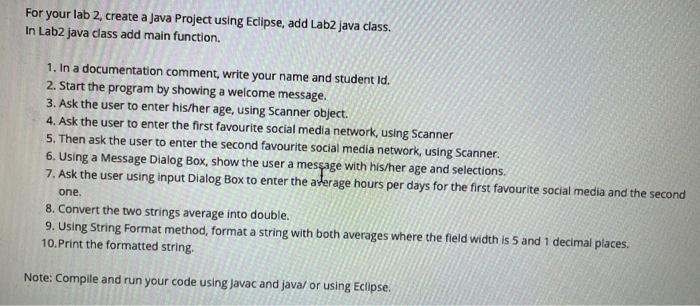
For your lab 2, create a Java Project using Eclipse, add Lab2 java class. In Lab2 java class add main function. 1. In a documentation comment, write your name and student ld. 2. Start the program by showing a welcome message. 3. Ask the user to enter his/her age, using Scanner object. 4. Ask the user to enter the first favourite social media network, using Scanner 5. Then ask the user to enter the second favourite social media network, using Scanner. 6. Using a Message Dialog Box, show the user a message with his/her age and selections. 7. Ask the user using input Dialog Box to enter the arterage hours per days for the first favourite social media and the second one. 8. Convert the two strings average into double. 9. Using String Format method, format a string with both averages where the field width is 5 and 1 decimal places. 10.Print the formatted string. Note: Compile and run your code using Javac and java/or using Eclipse
Step by Step Solution
There are 3 Steps involved in it

Get step-by-step solutions from verified subject matter experts
 Study Help