







Question: Create a JavaScript Graphical User Interface that will generate a hexagonal grid of buttons based on the users input parameters. The hexagonal grid of buttons
Create a JavaScript Graphical User Interface that will generate a hexagonal grid of buttons based on the users input parameters. The hexagonal grid of buttons must be as close to the shape of a circle as possible.
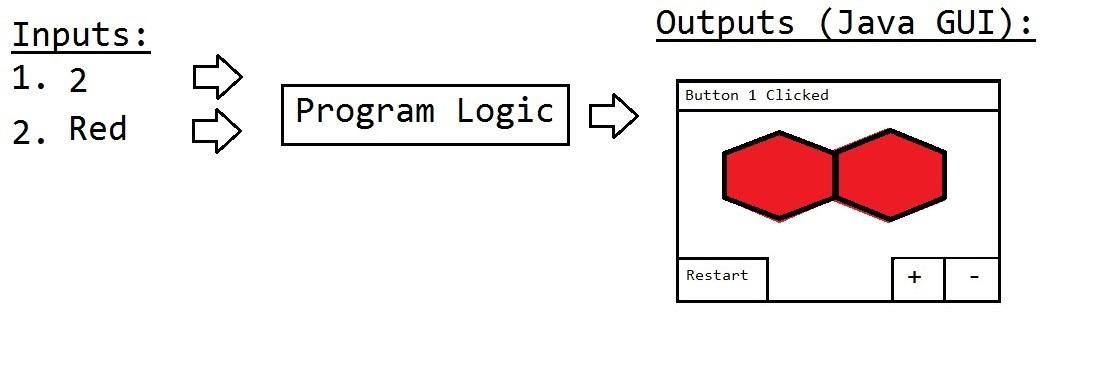
Sample Runs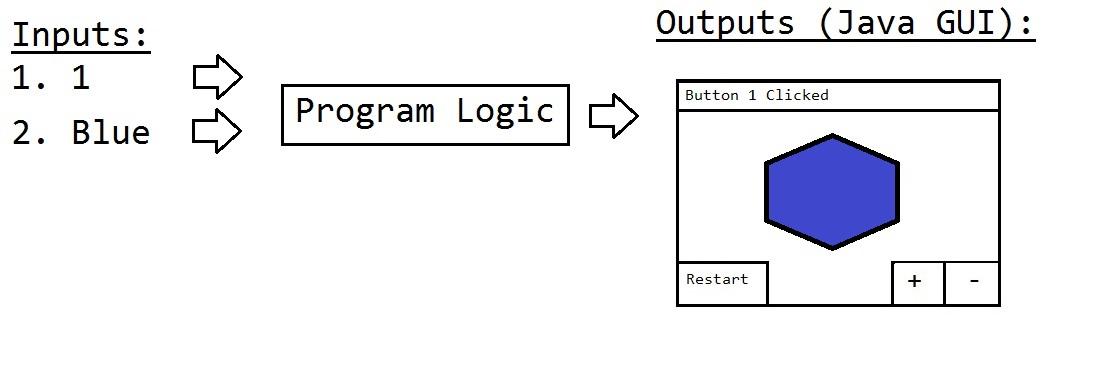
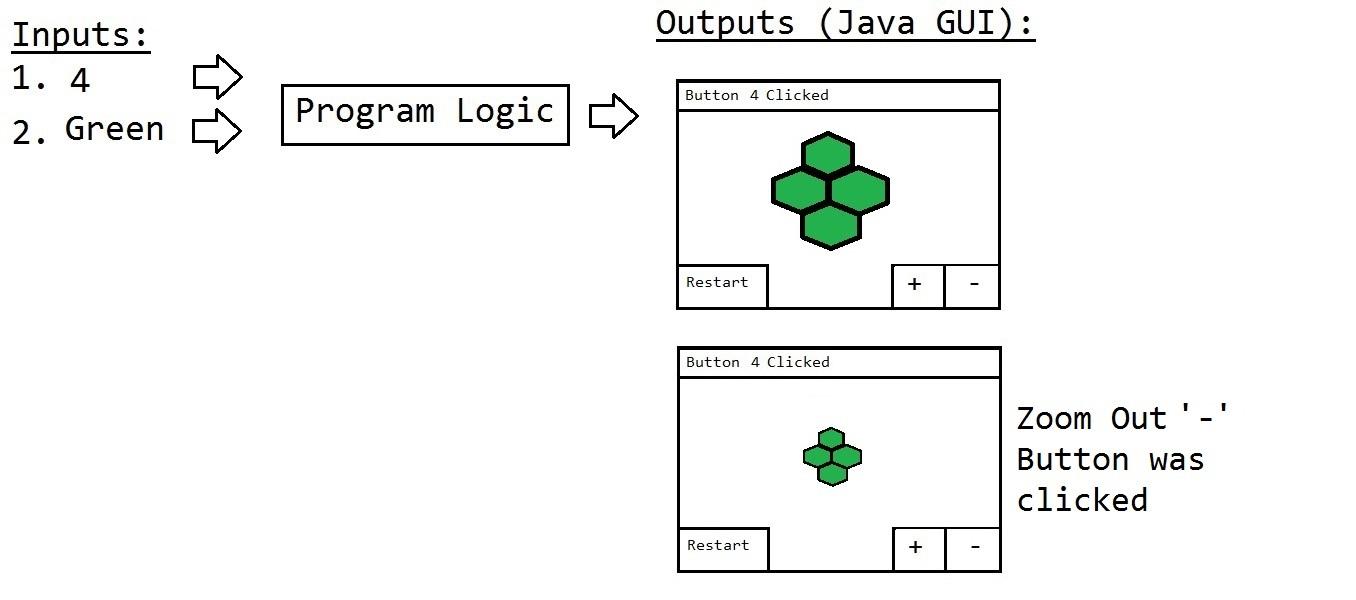
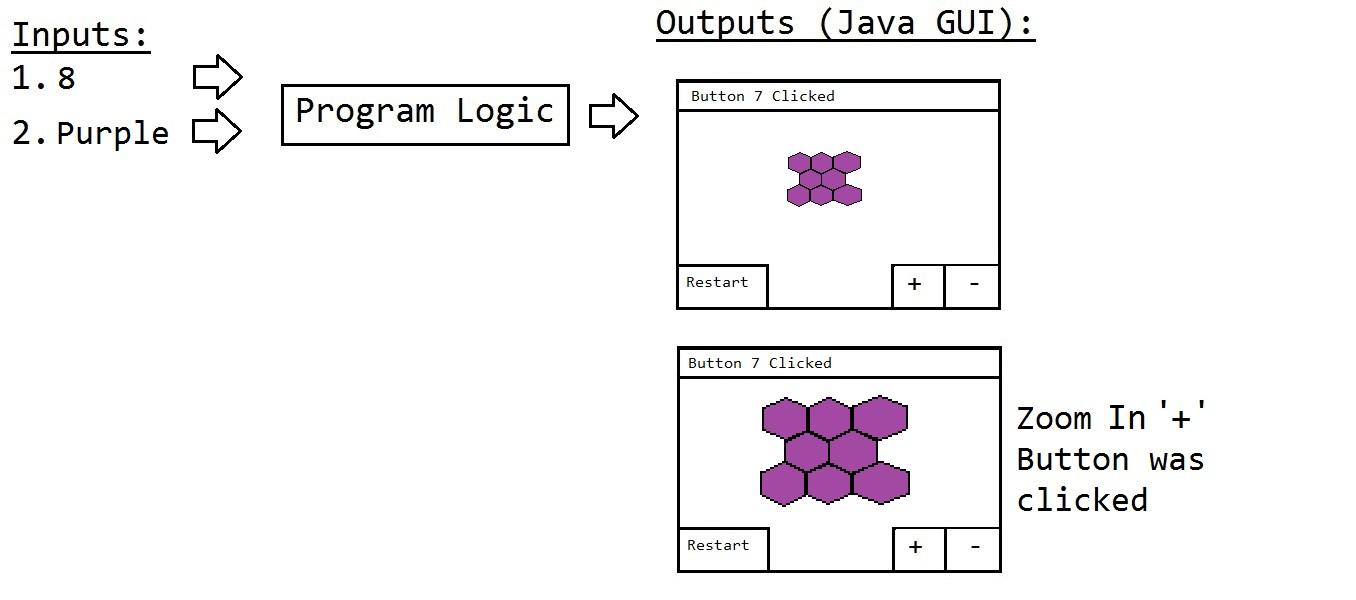
Program requirements:
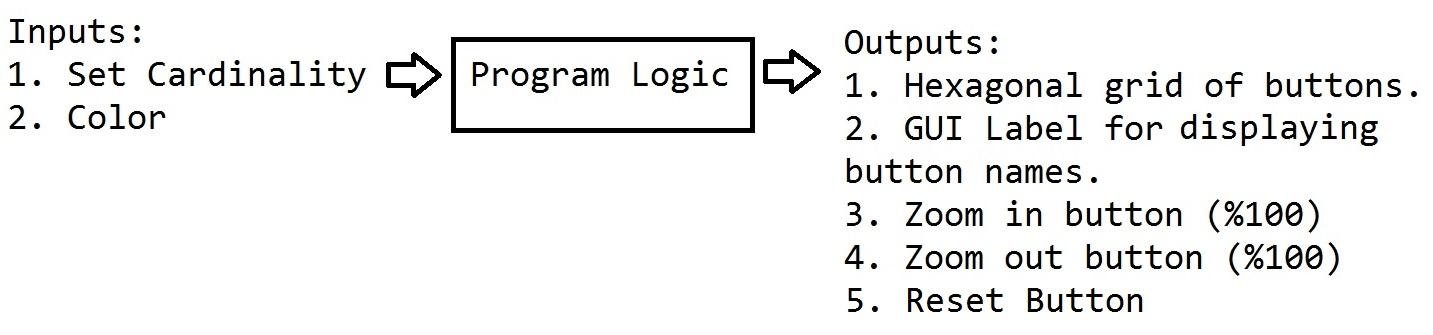
Allow user to input the set cardinality. This defines how many hexagonal buttons will exist in the Graphical User Interface. Use a GUI control to gather this input. Allow any positive integer input.
Allow user to input the color of the hexagon buttons. Use a GUI control gather this input.
After the set cardinality and color has been inputted, generate a hexagonal grid of buttons that has the color that was inputted by the user. The hexagonal grid of buttons will be as close to the shape of a circle as possible.
When a button in the hexagonal grid of buttons is clicked, the unique button name is displayed in a label control within the GUI.
Zoom in button +. When clicked, the hexagonal grid will be 100% bigger in the GUI.
Zoom out button -. When clicked, the hexagonal grid will be 100% smaller in the GUI.
RESTART button. When clicked, the program will remove any existing buttons from the GUI and allow the user to input the set cardinality and color again (requirement 1 and 2).
This program needs to work with any color from the following set: {Red, Green, Blue, Purple, Orange, Yellow}.
This program needs to work with any valid positive integer.
Write a report that describes the algorithm(s) and data structure(s) that you used in order to complete this project. In this report, list the data structures that you used in order to store the data. The report must be at least 300 words long. Save your work using one of the following file formats: PDF, DOC, DOCX. *List the names of everyone that worked on this project at the top of your report*.
Outputs: 1. Hexagonal grid of buttons. 2. GUI Label for displaying button names. 3. Zoom in button (\%100) 4. Zoom out button (\%100) 5. Reset Button Outputs (Java GUI): Outputs (Java GUI): Outputs (Java GUI): Program Logic Zoom Out ' -' Button was clicked Outputs (Java GUI): Program Logic Zoom In '+' Button was clicked
Step by Step Solution
There are 3 Steps involved in it

Get step-by-step solutions from verified subject matter experts
 Study Help