







Question: Create a MATLAB script file named as: Lab1_Problem3.m. Upon running, MATLAB should display a friendly greeting message, welcoming the user, and explaining what the program
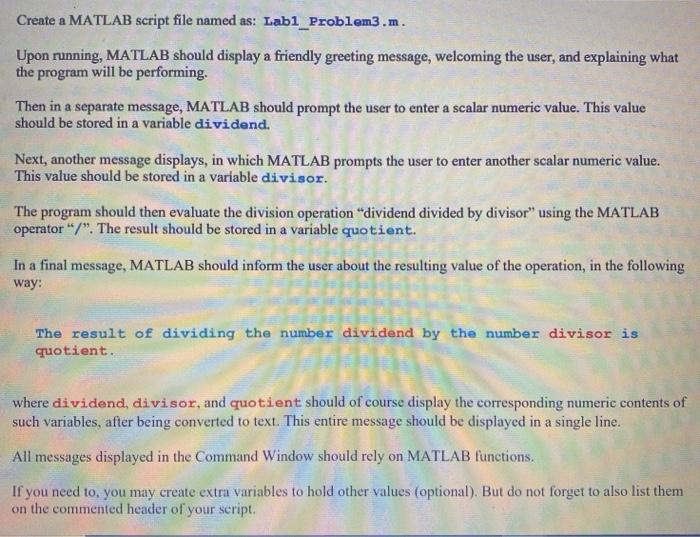
Create a MATLAB script file named as: Lab1_Problem3.m. Upon running, MATLAB should display a friendly greeting message, welcoming the user, and explaining what the program will be performing. Then in a separate message, MATLAB should prompt the user to enter a scalar numeric value. This value should be stored in a variable dividend. Next, another message displays, in which MATLAB prompts the user to enter another scalar numeric value. This value should be stored in a variable divisor. The program should then evaluate the division operation "dividend divided by divisor using the MATLAB operator"/". The result should be stored in a variable quotient. In a final message, MATLAB should inform the user about the resulting value of the operation, in the following way: The result of dividing the number dividend by the number divisor is quotient. where dividend, divisor, and quotient should of course display the corresponding numeric contents of such variables, after being converted to text. This entire message should be displayed in a single line. All messages displayed in the Command Window should rely on MATLAB functions. If you need to, you may create extra variables to hold other values (optional). But do not forget to also list them on the commented header of your script
Step by Step Solution
There are 3 Steps involved in it

Get step-by-step solutions from verified subject matter experts
 Study Help