







Question: create a Mongoose model based on the info given below . The index.html page is given in the same folder as these notes. When you
create a Mongoose model based on the info given below The index.html page is given in the same folder as these notes. When you successfully run index.js and instantiate the model, your database is created. Once the database is created, you need to perfect the addCar route so you can add data using the index.html page. Once you can add data, you need to next write the display data route.
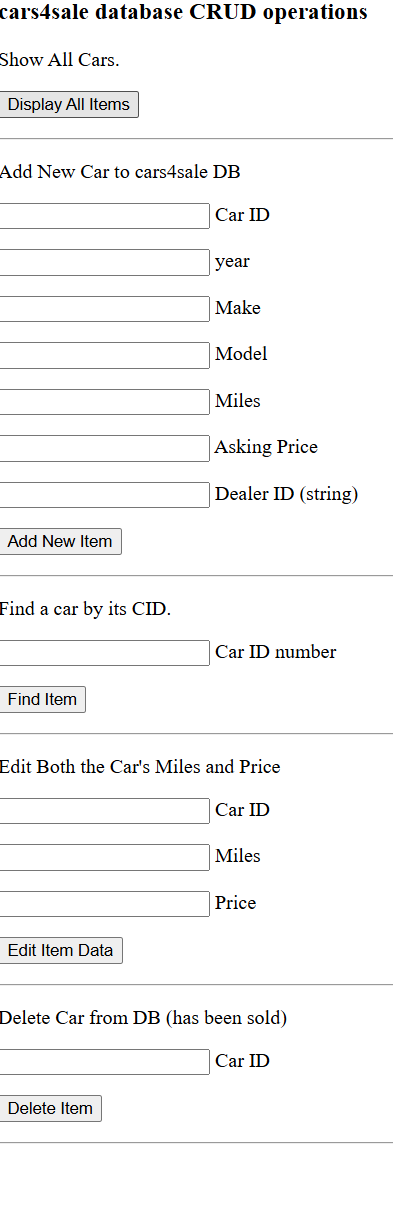
You need to have mongoDB installed and running to develop this program. The database needs to be named carssale. The db name is set up in the connection string in the model used by your program. As you develop this, your project folder needs to have express, bodyparser, and mongoose installed. named Car.js and you will need to require this model in your index.js file. Your Car model needs the following properties for the schema, spelled exactly like this, using the given data types o cid: Number, unique o year: Number o make: String o model: String o miles: Number o price: Number o dealerid: String carssale database CRUD operations
Show All Cars.
Add New Car to carssale DB
Car ID
year
Make
Model
Miles
Asking Price
Dealer ID string
Find a car by its CID.
Car ID number
Edit Both the Car's Miles and Price
Car ID
Miles
Price
Delete Car from DB has been sold
Car ID
Step by Step Solution
There are 3 Steps involved in it
1 Expert Approved Answer
Step: 1 Unlock

Question Has Been Solved by an Expert!
Get step-by-step solutions from verified subject matter experts
Step: 2 Unlock
Step: 3 Unlock
 Study Help