







Question: Create a new ASSEMBLY project using Keil Software Make sure you use the M3 option Make sure you name the folder COSC2440_Lab04_YourFirstName_YourLastName Assign the following
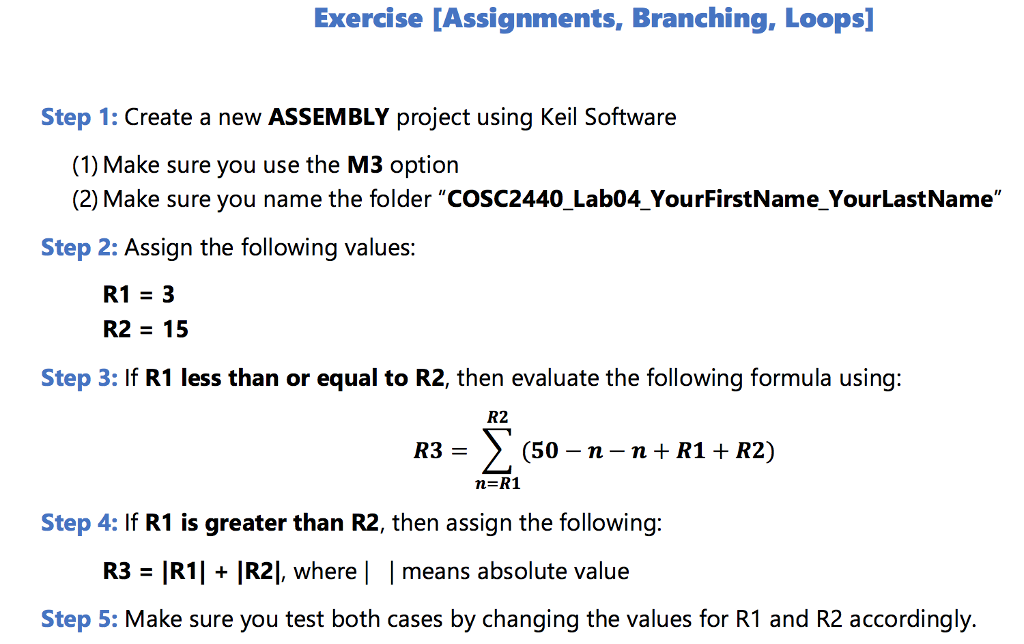
Create a new ASSEMBLY project using Keil Software Make sure you use the M3 option Make sure you name the folder "COSC2440_Lab04_YourFirstName_YourLastName" Assign the following values: R1 = 3 R2 = 15 If R1 less than or equal to R2, then evaluate the following formula using: R3 = sigma (50 - n - n + R1 + R2) If R1 is greater than R2, then assign the following: R3 = |R1| + |R2|, where | | means absolute value Make sure you test both cases by changing the values for R1 and R2 accordingly
Step by Step Solution
There are 3 Steps involved in it
1 Expert Approved Answer
Step: 1 Unlock

Question Has Been Solved by an Expert!
Get step-by-step solutions from verified subject matter experts
Step: 2 Unlock
Step: 3 Unlock
 Study Help