







Question: Create a new class called QutdoorPcoiects, In this class there are 5 attributes. These attributes are: Project Name, Project Estimate, budget, remainin budget, and total
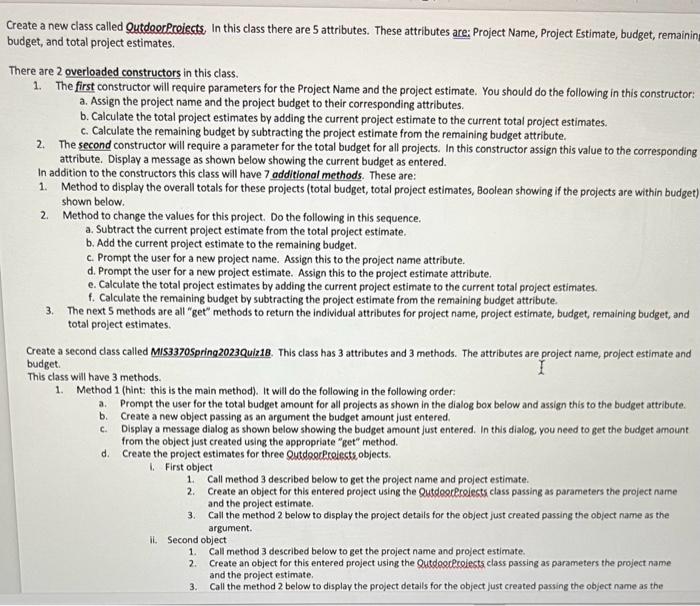
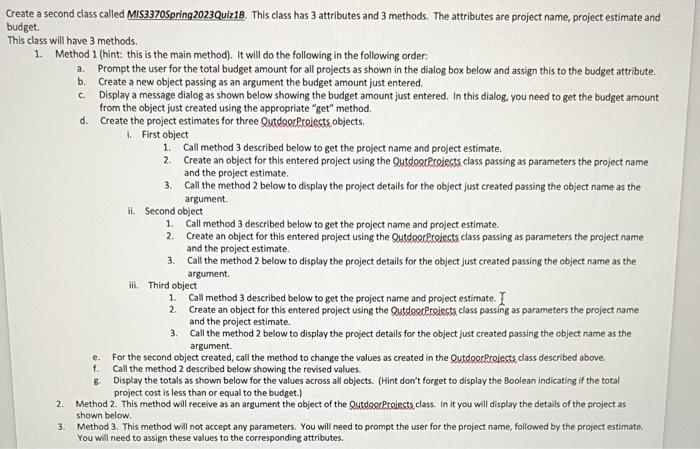
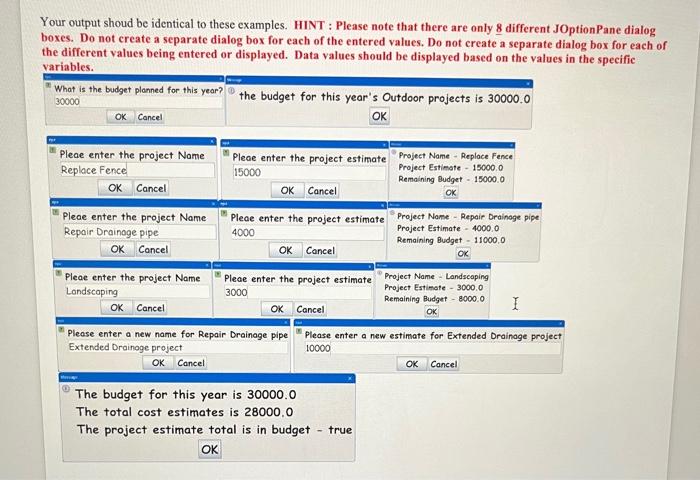
Create a new class called QutdoorPcoiects, In this class there are 5 attributes. These attributes are: Project Name, Project Estimate, budget, remainin budget, and total project estimates. There are 2 overloaded constructors in this class. 1. The first constructor will require parameters for the Project Name and the project estimate. You should do the following in this constructor: a. Assign the project name and the project budget to their corresponding attributes. b. Calculate the total project estimates by adding the current project estimate to the current total project estimates. c. Calculate the remaining budget by subtracting the project estimate from the remaining budget attribute. 2. The second constructor will require a parameter for the total budget for all projects. In this constructor assign this value to the corresponding attribute. Display a message as shown below showing the current budget as entered. In addition to the constructors this class will have 7 additional methods. These are: 1. Method to display the overall totals for these projects (total budget, total project estimates, Boolean showing if the projects are within budget) shown below. 2. Method to change the values for this project. Do the following in this sequence. a. Subtract the current project estimate from the total project estimate. b. Add the current project estimate to the remaining budget. c. Prompt the user for a new project name. Assign this to the project name attribute. d. Prompt the user for a new project estimate. Assign this to the project estimate attribute. e. Calculate the total project estimates by adding the current project estimate to the current total project estimates. f. Calculate the remaining budget by subtracting the project estimate from the remaining budget attribute. 3. The next 5 methods are all "get" methods to return the individual attributes for project name, project estimate, budget, remaining budget, and total project estimates. Greate a second class called MIS3370Spring2023Quiz18. This class has 3 attributes and 3 methods. The attributes are project name, project estimate and budget. This class will have 3 methods. 1. Method 1 (hint: this is the main method). It will do the following in the following order: a. Prompt the user for the total budget amount for all projects as shown in the dialog box below and assign this to the budget attribute. b. Create a new object passing as an argument the budget amount just entered. c. Display a message dialog as shown below showing the budget amount just entered. In this dialog you need to get the budget amount from the object just created using the appropriate "get" method. d. Create the project estimates for three Qutd orR Relints objects. 1. First object 1. Call method 3 described below to get the project name and project estimate. 2. Create an object for this entered project using the QutdoorRrelects class passing as parameters the project name and the project estimate. 3. Call the method 2 below to display the project details for the object just created passing the object name as the argument. ii. Second object 1. Call method 3 described below to get the project name and project estimate. 2. Create an object for this entered project using the Qutdoocecelects class passing as parameters the project name and the project estimate. 3. Call the method 2 below to display the project detalls for the object just created passing the object name as the ond class called MIS3370Spring2023Quiz18. This class has 3 attributes and 3 methods. The attributes are project name, project estimate and II have 3 methods. Method 1 (hint: this is the main method). It will do the following in the following order: a. Prompt the user for the total budget amount for all projects as shown in the dialog box below and assign this to the budget attribute. b. Create a new object passing as an argument the budget amount just entered. c. Display a message dialog as shown below showing the budget amount just entered. In this dialog, you need to get the budget amount from the object just created using the appropriate "get" method. d. Create the project estimates for three QutdoorProigcts objects. 1. First object 1. Call method 3 described below to get the project name and project estimate. 2. Create an object for this entered project using the QutdoorProiects class passing as parameters the project name and the project estimate. 3. Call the method 2 below to display the project details for the object just created passing the object name as the argument. ii. Second object 1. Call method 3 described below to get the project name and project estimate. 2. Create an object for this entered project using the QutdoorProiects class passing as parameters the project name and the project estimate. 3. Call the method 2 below to display the project details for the object just created passing the object name as the argument. ii. Third object 1. Call method 3 described below to get the project name and project estimate. I 2. Create an object for this entered project using the QutdootProlects class passing as parameters the project name and the project estimate. 3. Call the method 2 below to display the project details for the object just created passing the object name as the argument. e. For the second object created, call the method to change the values as created in the QytdoorRrolects class described above. f. Call the method 2 described below showing the revised values. 8. Display the totals as shown below for the values across all objects. (Hint don't forget to display the Boolean indicating if the total project cost is less than or equal to the budget.) 2. Method 2. This method will receive as an argument the object of the QutdgerPcoiects class. In it you will display the details of the project as shown below. 3. Method 3. This method will not accept any parameters. You will need to prompt the user for the project name, followed by the project estimate. You will need to assign these values to the corresponding attributes. Your output shoud be identical to these examples. HINT : Please note that there are only 8 different JOptionPane dialog boxes. Do not create a separate dialog box for each of the entered values. Do not ereate a ennarata dial og box for each of the specific
Step by Step Solution
There are 3 Steps involved in it

Get step-by-step solutions from verified subject matter experts
 Study Help