







Question: Create a new Java project. The application uses an input dialog box. a. Create a class named Purchase. Each Purchase contains an invoice number, amount
Create a new Java project.
The application uses an input dialog box.
a. Create a class named Purchase. Each Purchase contains an invoice number, amount of sale, and amount of sales tax. Include set methods for the invoice number and sale amount. Within the set() method for the sale amount, calculate the sales tax as 5% of the sale amount. Also, include a display method that displays a purchases details. Save the file as Purchase.java.
b. Create an application that declares a Purchase object and prompts the user for purchase details. When you prompt for an invoice number, do not let the user proceed until a number between 1,000 and 8,000 has been entered. When you prompt for a sale amount, do not proceed until the user has entered a nonnegative value. After a valid Purchase object has been created, display the objects invoice number, sale amount, and sales tax. Save the file as CreatePurchase.java.
Sample Output:
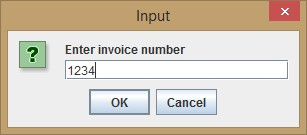
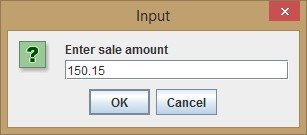
Invoice #1234, Amount of sale: $150.15, Tax: $7.51
- If the user enters invalid invoice number:
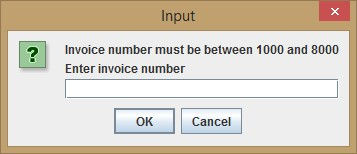
- Also, create a dialog box for an invalid amount.
Input Enter invoice number 1234 OK Cancel
Step by Step Solution
There are 3 Steps involved in it

Get step-by-step solutions from verified subject matter experts
 Study Help