







Question: Create a new package named program4 in Eclipse (the project name can be 112 or whatever you have), and put all the classes in this
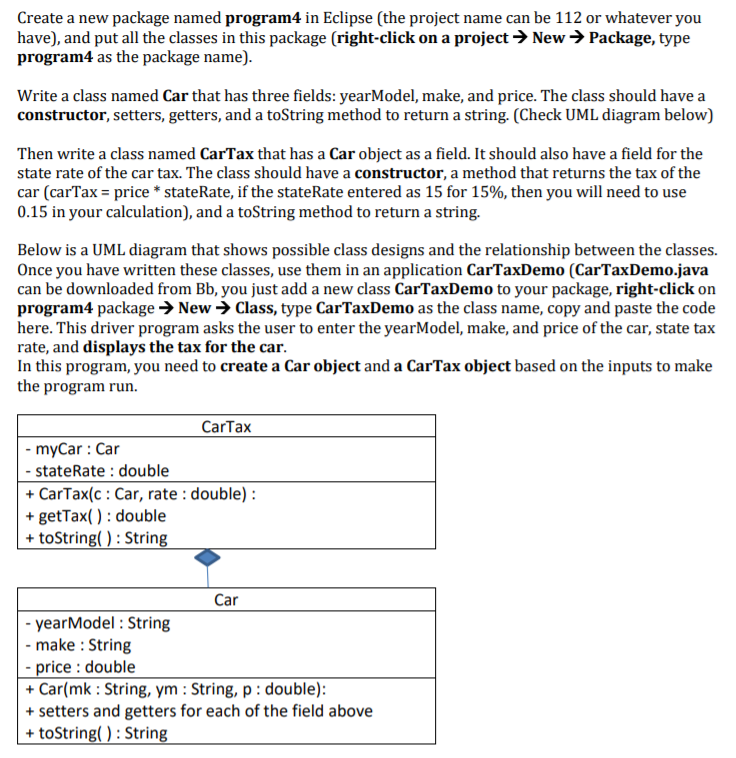
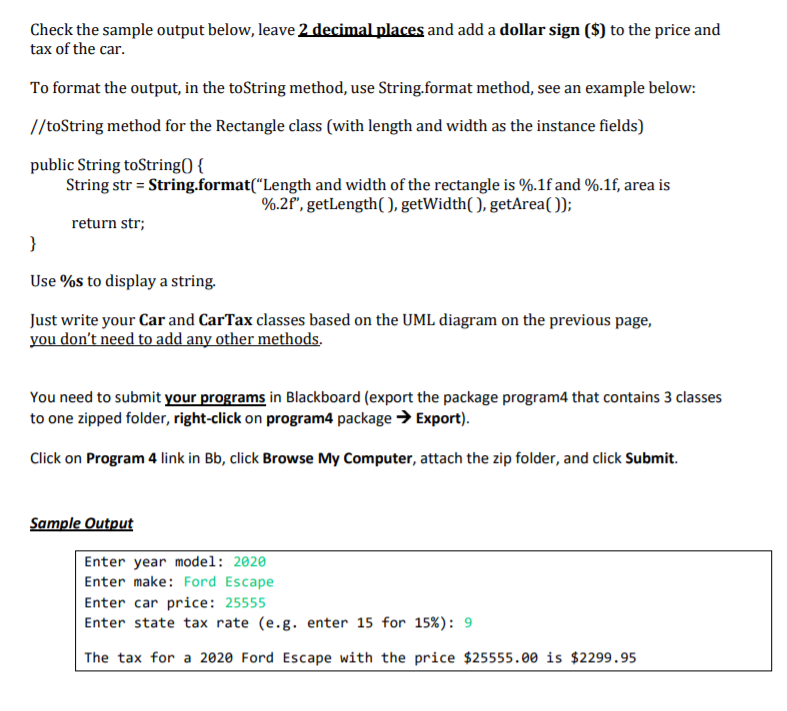
Create a new package named program4 in Eclipse (the project name can be 112 or whatever you have), and put all the classes in this package (right-click on a project New Package, type program4 as the package name). Write a class named Car that has three fields: yearModel, make, and price. The class should have a constructor, setters, getters, and a toString method to return a string. (Check UML diagram below) Then write a class named CarTax that has a Car object as a field. It should also have a field for the state rate of the car tax. The class should have a constructor, a method that returns the tax of the car (carTax = price * stateRate, if the stateRate entered as 15 for 15%, then you will need to use 0.15 in your calculation), and a toString method to return a string. Below is a UML diagram that shows possible class designs and the relationship between the classes. Once you have written these classes, use them in an application CarTaxDemo (CarTaxDemo.java can be downloaded from Bb, you just add a new class CarTaxDemo to your package, right-click on program4 package New Class, type CarTaxDemo as the class name, copy and paste the code here. This driver program asks the user to enter the yearModel, make, and price of the car, state tax rate, and displays the tax for the car. In this program, you need to create a Car object and a CarTax object based on the inputs to make the program run. CarTax - myCar : Car - state Rate : double + CarTax(c : Car, rate : double): + getTax( ) : double + toString(): String Car - yearModel : String - make : String - price : double + Car(mk : String, ym : String, p: double): + setters and getters for each of the field above + toString(): String Check the sample output below, leave 2 decimal places and add a dollar sign ($) to the price and tax of the car. To format the output, in the toString method, use String.format method, see an example below: //toString method for the Rectangle class (with length and width as the instance fields) public String toString({ String str = String.format("Length and width of the rectangle is %.1f and %.1f, area is %.2f",getLength( ), getWidth(), getArea()); return str; } Use %s to display a string. Just write your Car and CarTax classes based on the UML diagram on the previous page, you don't need to add any other methods. You need to submit your programs in Blackboard (export the package program4 that contains 3 classes to one zipped folder, right-click on program4 package Export). Click on Program 4 link in Bb, click Browse My Computer, attach the zip folder, and click Submit. Sample Output Enter year model: 2020 Enter make: Ford Escape Enter car price: 25555 Enter state tax rate (e.g. enter 15 for 15%): 9 The tax for a 2020 Ford Escape with the price $25555.00 is $2299.95
Step by Step Solution
There are 3 Steps involved in it

Get step-by-step solutions from verified subject matter experts
 Study Help