







Question: Create a new Project (Lab8) 1) Create a program that will load a file of unformatted measurement values and re-write them to an output file
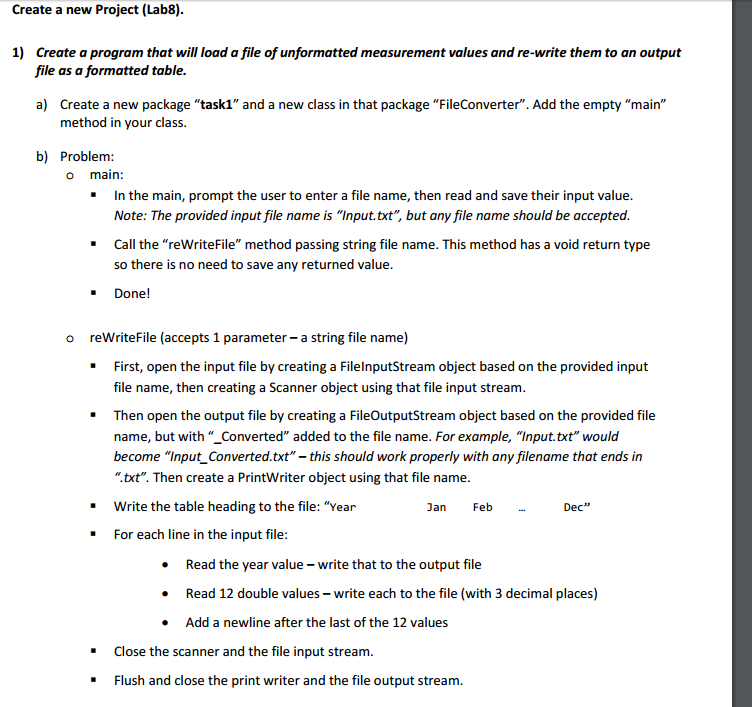
Create a new Project (Lab8) 1) Create a program that will load a file of unformatted measurement values and re-write them to an output file as a formatted table a) Create a new package "task1" and a new class in that package "FileConverter". Add the empty "main" method in your class. b) Problem: o main: In the main, prompt the user to enter a file name, then read and save their input value Note: The provided input file name is "Input.txt", but any file name should be accepted Call the "reWriteFile" method passing string file name. This method has a void return type so there is no need to save any returned value Done! o reWriteFile (accepts 1 parameter - a string file name) First, open the input file by creating a FilelnputStream object based on the provided input file name, then creating a Scanner object using that file input stream " " Then open the output file by creating a FileOutputStream object based on the provided file name, but with "_Converted" added to the file name. For example, "Input.txt" would become "Input Converted.txt"-this should work properly with any filename that ends in ".txt". Then create a PrintWriter object using that file name Write the table heading to the file: "Year For each line in the input file Jan Feb Dec " . Read the year value write that to the output file . Read 12 double values write each to the file (with 3 decimal places) Add a newline after the last of the 12 values - Close the scanner and the file input stream. Flush and close the print writer and the file output stream
Step by Step Solution
There are 3 Steps involved in it

Get step-by-step solutions from verified subject matter experts
 Study Help