







Question: Create a PivotTable. a . Select cell A 5 and click the Table Name box [ Table tab, Properties group ] . b . Name
Create a PivotTable.
a Select cell A and click the Table Name box Table tab, Properties group
b Name the table tblHours.
c Click the Summarize with PivotTable button Table tab, Tools group The range is identified as tbHours
d Verify that New Worksheet is selected and click OK
e Name the sheet PivotTable.
Manage fields in a PivotTable.
a
Show the ProductService and Billable fields in the PivotTable.
b
Drag the Billable field from the Field Name area below the Sum of Billable field in the Values area so
that it appears twice in the report layout and the pane.
c
Select cell C and open the Value Field Settings dialog box. NOTE: You can select any cell in column C
within the PivotTable data in order to complete the following steps to modify the PivotTable column
settings.
d Type Average Hours as the Custom Name, choose Average as the calculation, and set the Number
Format to Number with two decimal places.
e
Select cell B and open the Value Field Settings dialog box. Set its Custom Name to Tchal Hours and
the number format to Number with two decimal places.
f
Apply Dark Gray, Pivot Style Dark with banded rows and columns.
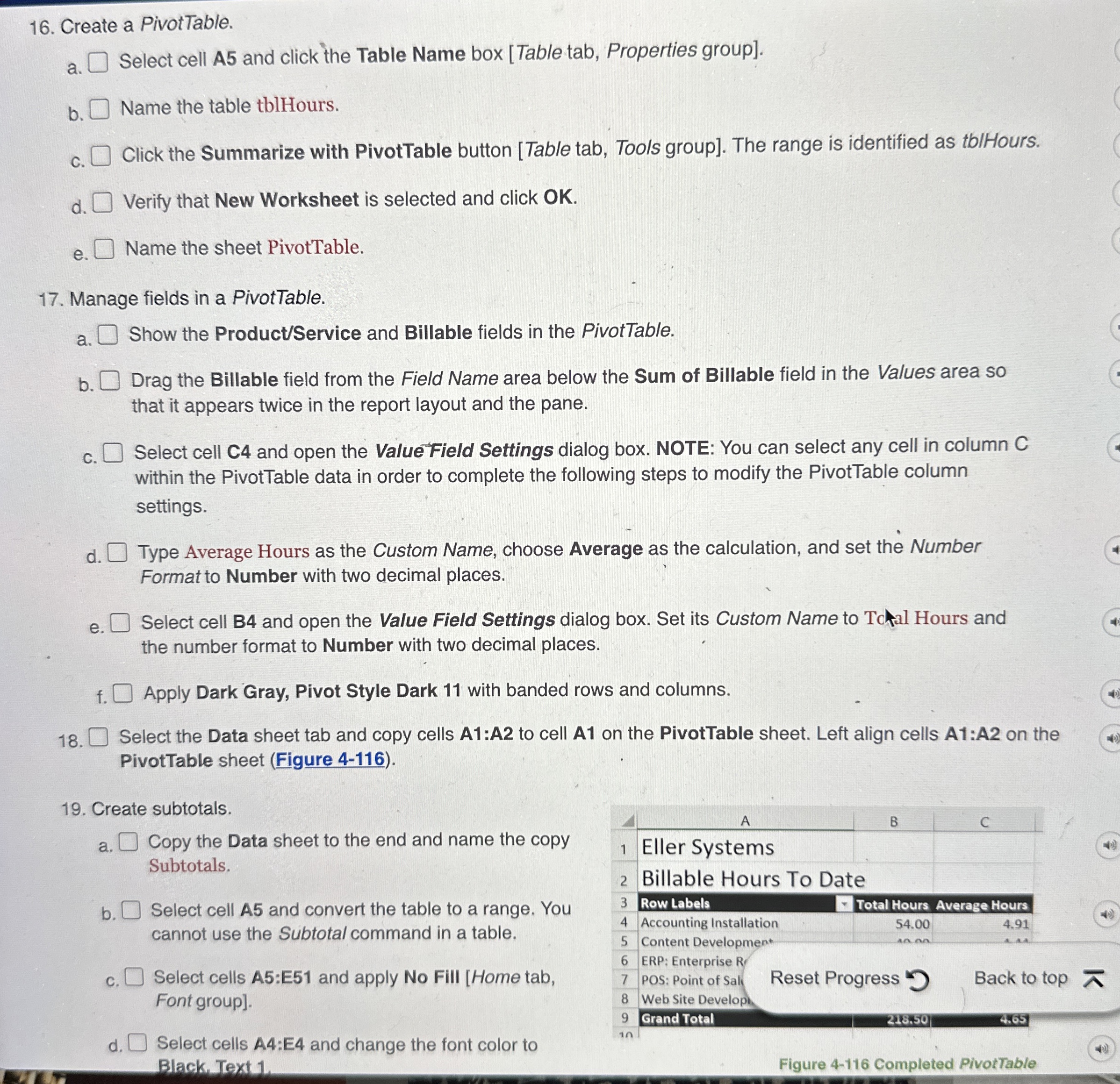
Select the Data sheet tab and copy cells A:A to cell A on the PivotTable sheet. Left align cells A:A on the
PivotTable sheet Figure
Create subtotals.
a
Copy the Data sheet to the end and name the copy
Subtotals.
b
Select cell A and convert the table to a range. You
cannot use the Subtotal command in a table.
c
Select cells A:E and apply No Fill Home tab,
Font group
d Select cells A:E and change the font color to
Black. Text
Step by Step Solution
There are 3 Steps involved in it
1 Expert Approved Answer
Step: 1 Unlock

Question Has Been Solved by an Expert!
Get step-by-step solutions from verified subject matter experts
Step: 2 Unlock
Step: 3 Unlock
 Study Help