







Question: Create a power automate flow - Smart Audit Customer & SMART Audit Equipments are dataverse tables. Trigger: Smart Audit Customer is added or modified -
Create a power automate flow
Smart Audit Customer & SMART Audit Equipments are dataverse tables.
Trigger: Smart Audit Customer is added or modified filter Customer lookup contains data
Action: Create andor update equipment records.
When a D customer Customers V is related to a smart audit customer Customer lookup create Smart Audit Equipment records for all active assets in DLifecycle State Active
If on create, then create new records for all equipment.
If on update, then some equipment records might already exist and then we need to patch the D Equipment lookup column and all fields other than serial number. Match on the serial number.
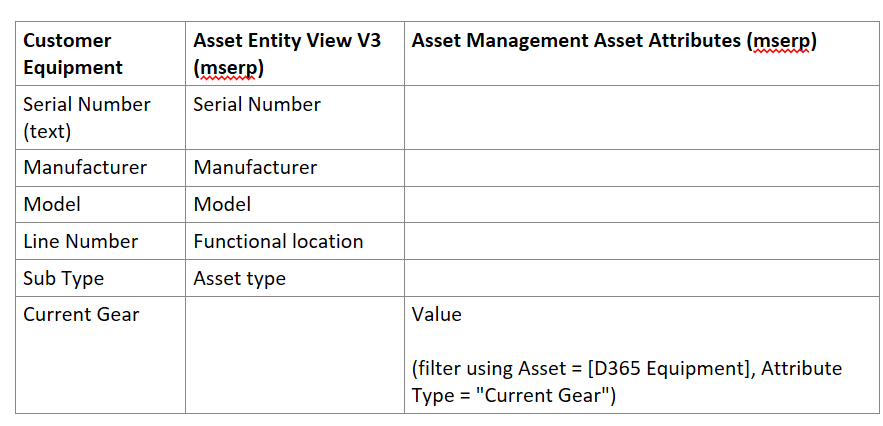
First populate values from Asset. Second populate Current Gear from Asset Attributes.
Customer Equipment Asset Entity View Vmserp Asset Management Asset Attributes mserp
Serial Number text Serial Number
Manufacturer Manufacturer
Model Model
Line Number Functional location
Sub Type Asset type
Current Gear Value
filter using Asset D Equipment Attribute Type "Current Gear"
In SMART Audit Customers, arbcustomer is the lookup column to Customer V table.
In SMART Audit Equipment, arbserialno is the lookup column to Assets entity view v table.
Please give step by step actions and screenshotsimages for the same.
Step by Step Solution
There are 3 Steps involved in it
1 Expert Approved Answer
Step: 1 Unlock

Question Has Been Solved by an Expert!
Get step-by-step solutions from verified subject matter experts
Step: 2 Unlock
Step: 3 Unlock
 Study Help