







Question: Create a program for employee management that allows the user to add, search, remove an employee, as well as to display all employees. Requirements Create
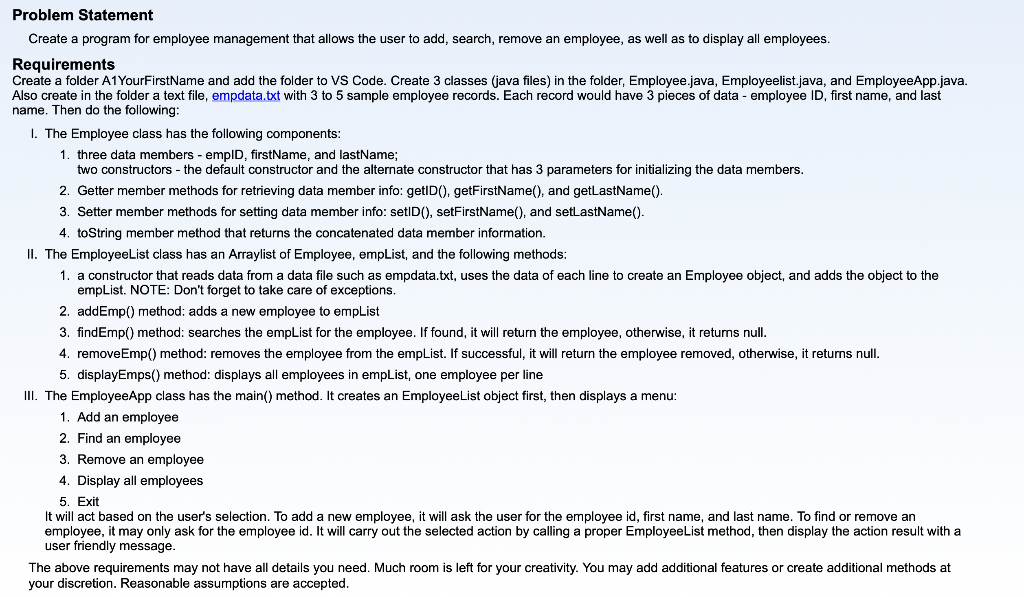
Create a program for employee management that allows the user to add, search, remove an employee, as well as to display all employees. Requirements Create a folder A1YourFirstName and add the folder to VS Code. Create 3 classes (java files) in the folder, Employee.java, Employeelist.java, and EmployeeApp.java. Also create in the folder a text file, empdata.txt with 3 to 5 sample employee records. Each record would have 3 pieces of data - employee ID, first name, and last name. Then do the following: I. The Employee class has the following components: 1. three data members - empID, firstName, and lastName; two constructors - the default constructor and the alternate constructor that has 3 parameters for initializing the data members. 2. Getter member methods for retrieving data member info: getID(), getFirstName(), and getLastName(). 3. Setter member methods for setting data member info: setID(), setFirstName(), and setLastName(). 4. toString member method that returns the concatenated data member information. II. The EmployeeList class has an Arraylist of Employee, empList, and the following methods: 1. a constructor that reads data from a data file such as empdata.txt, uses the data of each line to create an Employee object, and adds the object to the empList. NOTE: Don't forget to take care of exceptions. 2. addEmp() method: adds a new employee to empList 3. findEmp() method: searches the empList for the employee. If found, it will return the employee, otherwise, it returns null. 4. removeEmp() method: removes the employee from the empList. If successful, it will return the employee removed, otherwise, it returns null. 5. displayEmps() method: displays all employees in empList, one employee per line III. The EmployeeApp class has the main() method. It creates an EmployeeList object first, then displays a menu: 1. Add an employee 2. Find an employee 3. Remove an employee 4. Display all employees 5. Exit It will act based on the user's selection. To add a new employee, it will ask the user for the employee id, first name, and last name. To find or remove an employee, it may only ask for the employee id. It will carry out the selected action by calling a proper EmployeeList method, then display the action result with a user friendly message. The above requirements may not have all details you need. Much room is left for your creativity. You may add additional features or create additional methods at your discretion. Reasonable assumptions are accepted
Step by Step Solution
There are 3 Steps involved in it

Get step-by-step solutions from verified subject matter experts
 Study Help