







Question: Create a program in jave (Netbeans) that simulates an ATM with below requirements: Create a class called Account that contains: An int data field
Create a program in jave (Netbeans) that simulates an ATM with below requirements:
Create a class called Account that contains:
• An int data field named id that stores the accounts unique identification number.
• A double data field named balance that stores the current balance of the account.
• A Date data field named dateCreated that stores the date on which the account was created.
• A constructor that creates an account with the specified id and initial balance.
• Methods that return the values of all data fields.
• Methods that set the values of the id and balance data fields.
• A method named withdraw that withdraws a specified amount from the Account.
• A method named deposit that deposits a specified amount into the account.
• A method named printStatement that print the user statement.
Create a GUI to simulate how an ATM works in real life. You GUI should be designed as per below requirements.
Window 1
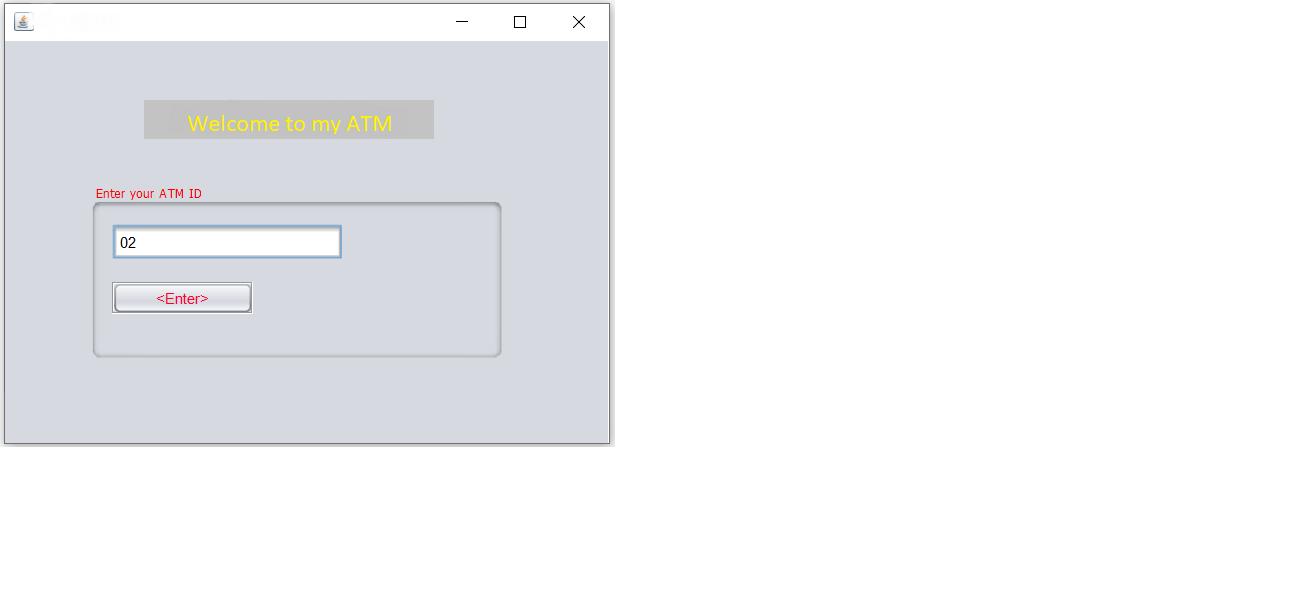
Should have a welcome message, a textbox to receive AN EXISTING ID of the user and a button to access the data base. All users ID should be saved in a data base (Don’t use access). Once the Id is verified then the program will give the user access to the main menu window.
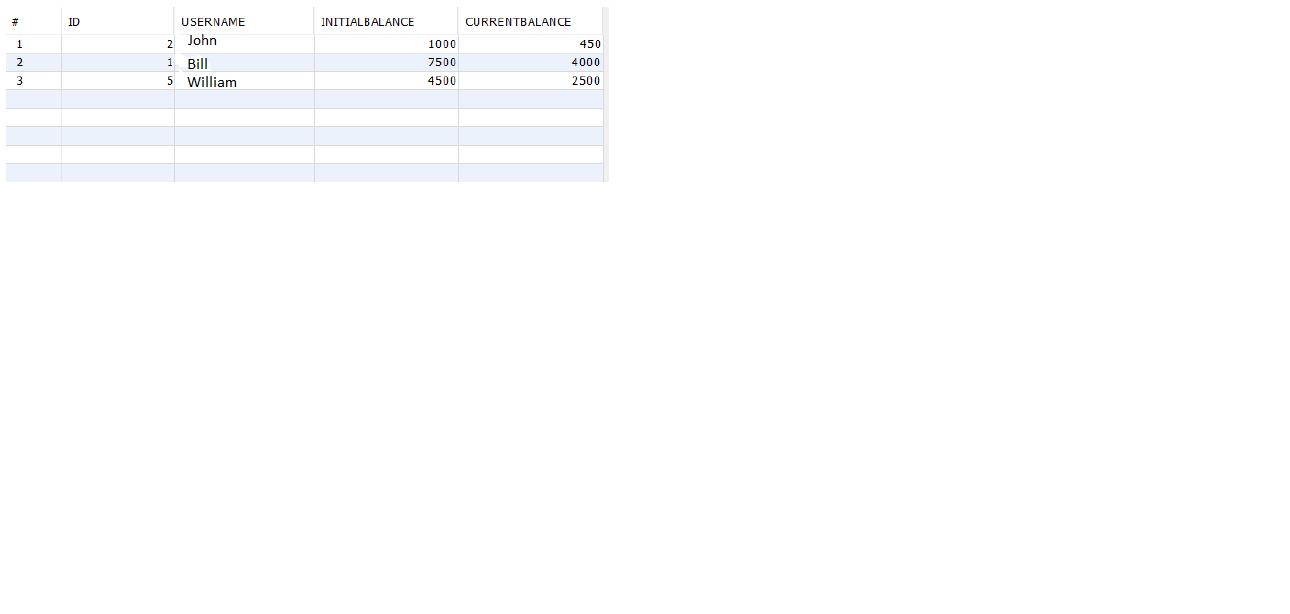
 Your database should have the following columns.
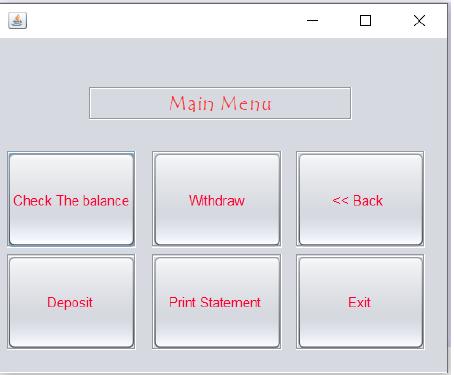
 Window 2Should have a heading stating “Main Menu” and six options as shown below.
Option 1:
Check Balance: This will allow the user to view the current balance. Use JOptionPane to display the balance from the data base.
Option 2:
Withdraw: This will provide another window (Do not use JOptionPane) with a textbox to enter the amount of money the user wants to withdraw. The ATM will not allow the user to withdraw an amount greater than the current balance.
Option 3
Deposit: This will provide another window (Do not use JOptionPane) to allow the user to deposit no amount greater than 10.000 should be deposited on the ATM. In a case the user wants to deposit an amount greater than 10.000 a message box should be displayed Stating “No amount greater than 10.000 will be deposited. Please contact the bank”.
Option 4
Print: this option should print the current balance, the name of the user, and the current date.
Option 5
Exit: This option should terminate the program.
Option 6
Back: This option will take back the user to the welcome window
Welcome to my ATM Enter vour ATM ID 02
Step by Step Solution
3.29 Rating (158 Votes )
There are 3 Steps involved in it
Step 1 Actually class diagram in the Unified Modeling Language UML is ... View full answer

Get step-by-step solutions from verified subject matter experts
 Study Help