







Question: Create a program that uses a Log class to open a file called LogFile.txt, writes messages, and closes the file.The constructor takes the log filename
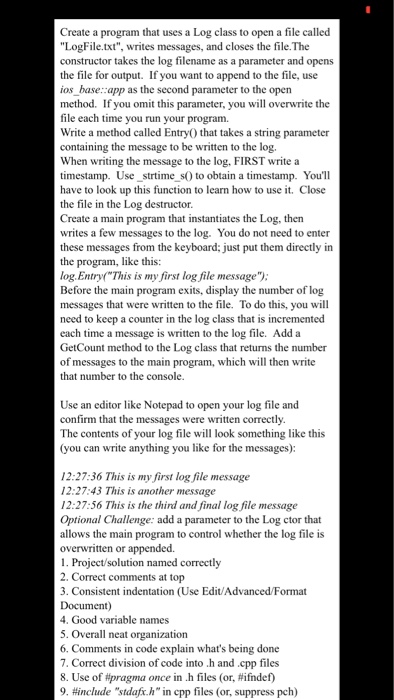
Create a program that uses a Log class to open a file called "LogFile.txt", writes messages, and closes the file.The constructor takes the log filename as a parameter and opens the file for output. ios base::app as the second parameter to the open method. If you omit this parameter, you will overwrite the file each time you run your program. Write a method called EntryO that takes a string parameter containing the message to be written to the log. When writing the message to the log. FIRST write a timestamp. Use strtime s0 to obtain a timestamp. You'll have to look up this function to learn how to use it. Close the file in the Log destructor Create a main program that instantiates the Log, then writes a few messages to the log. You do not need to enter these messages from the keyboard: just put them directly in the program, like this: log.Entryf"This is my first log file message" Before the main program exits, di messages that were written to the file. To do this, you will need to keep a counter in the log class that is incremented each time a message is written to the log file. Add a GetCount method to the Log class that returns the number of messages to the main program, which will then write that number to the console If you want to append to the file, use display the number of log Use an editor like Notepad to open your log file and confirm that the messages were written correctly The contents of your log file will look something like this (you can write anything you like for the messages): 12:27:36 This is my first log file message 12:27:43 This is another message 12:27:56 This is the thind and final log file message Optional Challenge: add a parameter to the Log ctor that allows the main program to control whether the log file is overwritten or appended. 1. Project/solution named correctly 2. Correct comments at top 3. Consistent indentation (Use Edit/Advanced/Format Document 4. Good variable names 5. Overall neat organization 6. Comments in code explain what's being done 7. Correct division of code into .h and cpp files 8. Use of pragma once in .h files (or, #ifndef) 9. #include "stdaft.h "in cpp files (or, suppress pch)
Step by Step Solution
There are 3 Steps involved in it

Get step-by-step solutions from verified subject matter experts
 Study Help