







Question: Create a Project le based on a personal project that you must complete within the next few months or year this must be an original
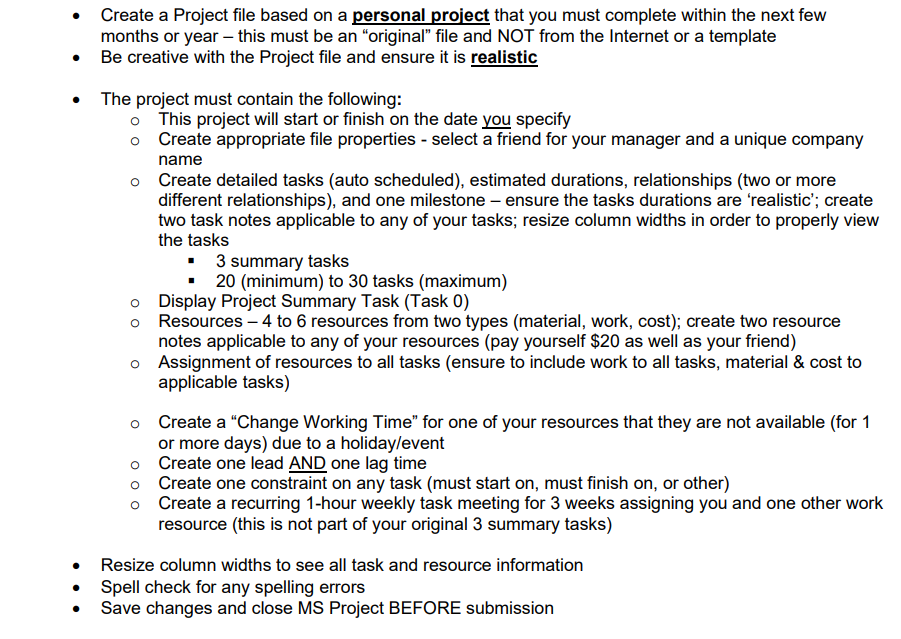
Create a Project le based on a personal project that you must complete within the next few months or year this must be an \"original" file and NOT from the Internet or a template Be creative with the Project le and ensure it is realistic The project must contain the following: 0 O 0 00 This project will start or nish on the date M specify Create appropriate le properties - select a friend for your manager and a unique company name Create detailed tasks (auto scheduled), estimated durations, relationships (two or more different relationships). and one milestone ensure the tasks durations are 'realistic'; create two task notes applicable to any of your tasks; resize column widths in order to properly View the tasks - 3 summary tasks - 20 (minimum) to 30 tasks (maximum) Display Project Summary Task (Task 0) Resources 4 to 6 resources from two types (material, wolk, cost); create two resource notes applicable to any of your resources (pay yourself $20 as well as your friend) Assignment of resources to all tasks (ensure to include work to all tasks. material & cost to applicable tasks) Create a "Change Working Time" for one of your resources that they are not available (for 1 or more days) due to a holidayfeyent Create one lead one lag time Create one constraint on any task (must start on, must nish on, or other) Create a recurring 1-hour weekly task meeting for 3 weeks assigning you and one other work resource (this is not part of your original 3 summary tasks) Resize column widths to see a" task and resource information Spell check for any spelling errors Save changes and close MS Project BEFORE submission
Step by Step Solution
There are 3 Steps involved in it

Get step-by-step solutions from verified subject matter experts
 Study Help