







Question: create a project Using javascript, jquery, html, css Term Project E Commence App Project Technical Specification: A Business or Personal (group) website with images, animations
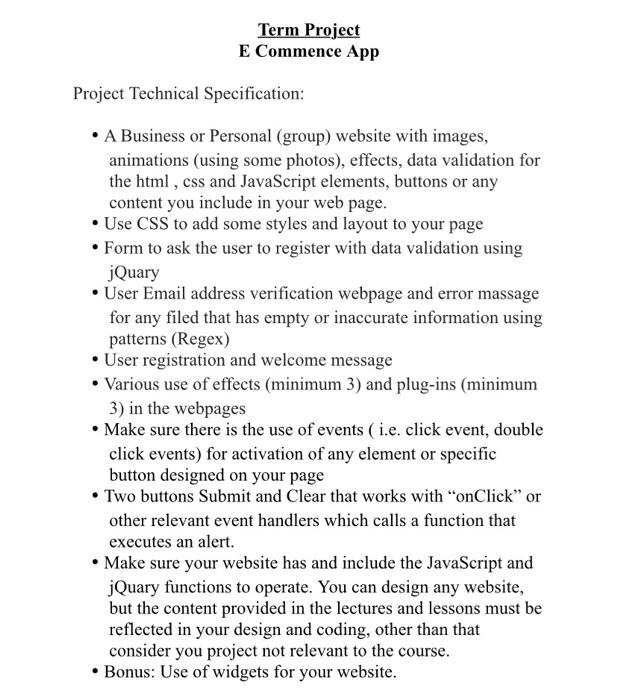
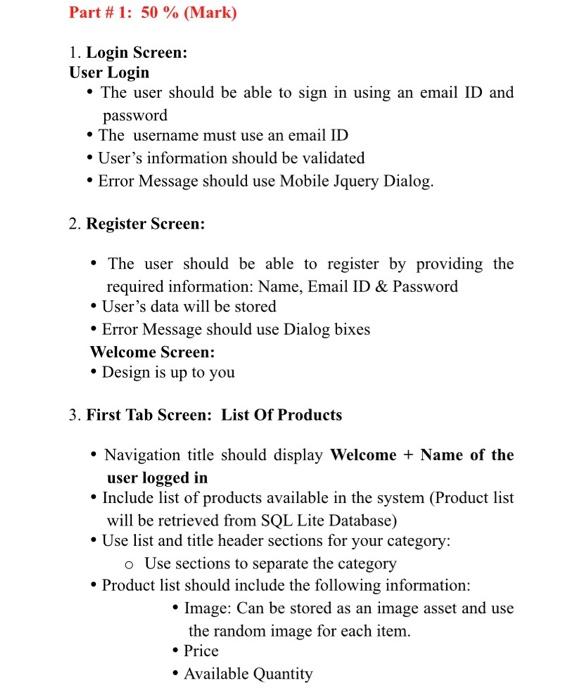
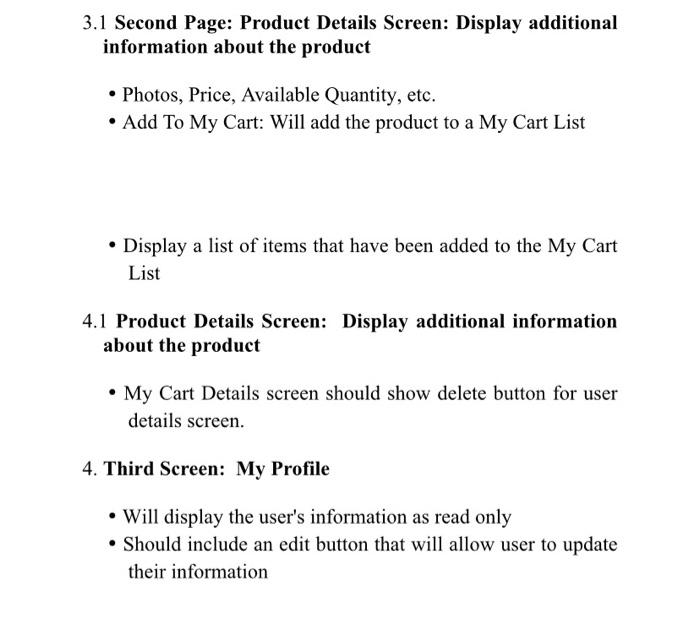
Term Project E Commence App Project Technical Specification: A Business or Personal (group) website with images, animations (using some photos), effects, data validation for the html, css and JavaScript elements, buttons or any content you include in your web page. Use CSS to add some styles and layout to your page Form to ask the user to register with data validation using jQuary User Email address verification webpage and error massage for any filed that has empty or inaccurate information using patterns (Regex) User registration and welcome message Various use of effects (minimum 3) and plug-ins (minimum 3) in the webpages Make sure there is the use of events ( i.e. click event, double click events) for activation of any element or specific button designed on your page Two buttons Submit and Clear that works with "onClick" or other relevant event handlers which calls a function that executes an alert. Make sure your website has and include the JavaScript and jQuary functions to operate. You can design any website, but the content provided in the lectures and lessons must be reflected in your design and coding, other than that consider you project not relevant to the course. Bonus: Use of widgets for your website. Part # 1: 50 % (Mark) 1. Login Screen: User Login The user should be able to sign in using an email ID and password The username must use an email ID User's information should be validated Error Message should use Mobile Jquery Dialog. 2. Register Screen: The user should be able to register by providing the required information: Name, Email ID & Password User's data will be stored Error Message should use Dialog bixes Welcome Screen: Design is up to you 3. First Tab Screen: List Of Products Navigation title should display Welcome + Name of the user logged in Include list of products available in the system (Product list will be retrieved from SQL Lite Database) Use list and title header sections for your category: o Use sections to separate the category Product list should include the following information: Image: Can be stored as an image asset and use the random image for each item. Price Available Quantity 3.1 Second Page: Product Details Screen: Display additional information about the product Photos, Price, Available Quantity, etc. Add To My Cart: Will add the product to a My Cart List Display a list of items that have been added to the My Cart List 4.1 Product Details Screen: Display additional information about the product My Cart Details screen should show delete button for user details screen. 4. Third Screen: My Profile Will display the user's information as read only Should include an edit button that will allow user to update their information Term Project E Commence App Project Technical Specification: A Business or Personal (group) website with images, animations (using some photos), effects, data validation for the html, css and JavaScript elements, buttons or any content you include in your web page. Use CSS to add some styles and layout to your page Form to ask the user to register with data validation using jQuary User Email address verification webpage and error massage for any filed that has empty or inaccurate information using patterns (Regex) User registration and welcome message Various use of effects (minimum 3) and plug-ins (minimum 3) in the webpages Make sure there is the use of events ( i.e. click event, double click events) for activation of any element or specific button designed on your page Two buttons Submit and Clear that works with "onClick" or other relevant event handlers which calls a function that executes an alert. Make sure your website has and include the JavaScript and jQuary functions to operate. You can design any website, but the content provided in the lectures and lessons must be reflected in your design and coding, other than that consider you project not relevant to the course. Bonus: Use of widgets for your website. Part # 1: 50 % (Mark) 1. Login Screen: User Login The user should be able to sign in using an email ID and password The username must use an email ID User's information should be validated Error Message should use Mobile Jquery Dialog. 2. Register Screen: The user should be able to register by providing the required information: Name, Email ID & Password User's data will be stored Error Message should use Dialog bixes Welcome Screen: Design is up to you 3. First Tab Screen: List Of Products Navigation title should display Welcome + Name of the user logged in Include list of products available in the system (Product list will be retrieved from SQL Lite Database) Use list and title header sections for your category: o Use sections to separate the category Product list should include the following information: Image: Can be stored as an image asset and use the random image for each item. Price Available Quantity 3.1 Second Page: Product Details Screen: Display additional information about the product Photos, Price, Available Quantity, etc. Add To My Cart: Will add the product to a My Cart List Display a list of items that have been added to the My Cart List 4.1 Product Details Screen: Display additional information about the product My Cart Details screen should show delete button for user details screen. 4. Third Screen: My Profile Will display the user's information as read only Should include an edit button that will allow user to update their information
Step by Step Solution
There are 3 Steps involved in it

Get step-by-step solutions from verified subject matter experts
 Study Help