







Question: Create a python code for a calculator to Create four text boxes. Read the A , B , C and D values from these from
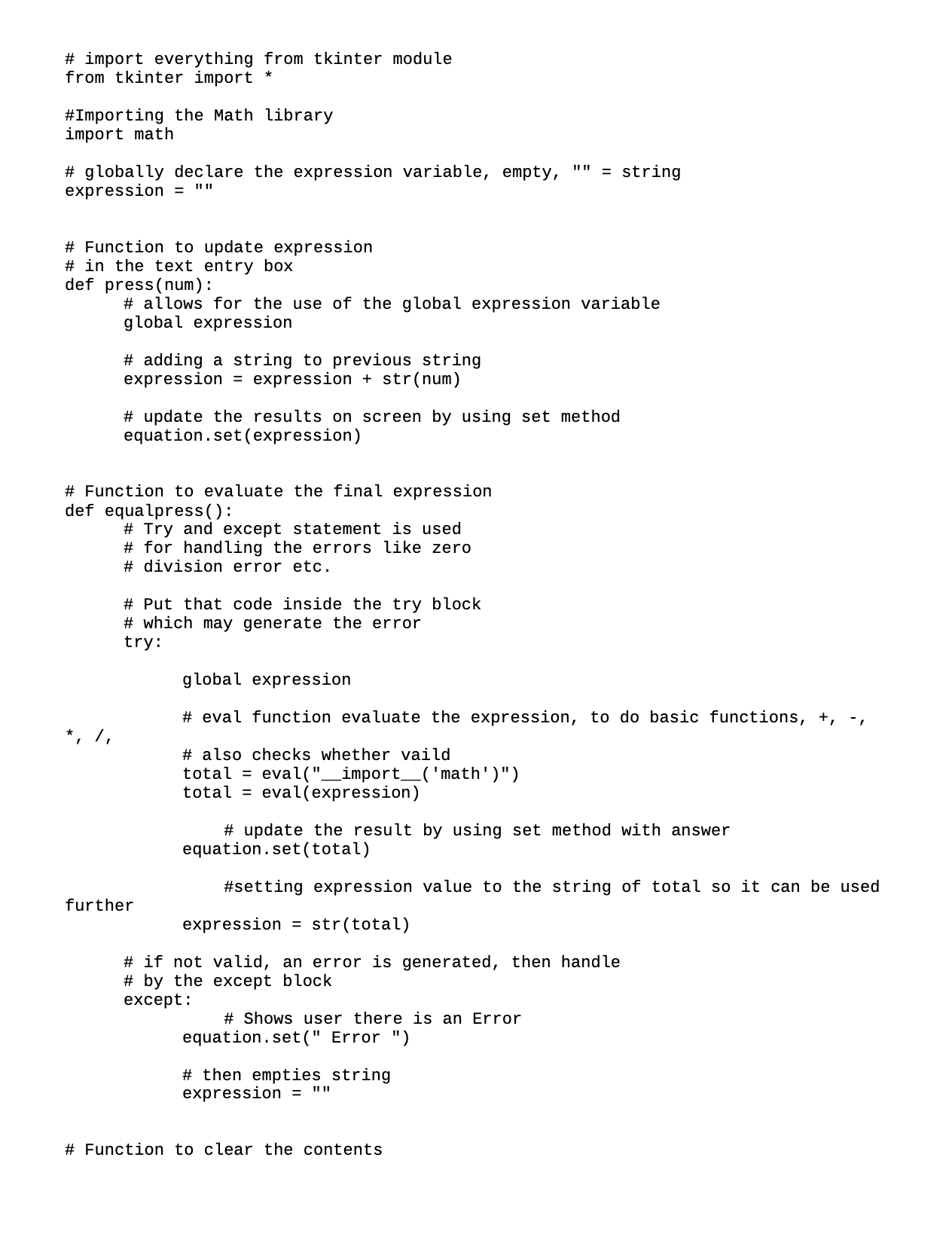
Create a python code for a calculator to Create four text boxes. Read the A B C and D values from these from tkinter import
#Importing the Math library
import mathexpression in the text entry box
def pressnum:global expressionexpression expression strnumequationsetexpressiondef equalpress:for handling the errors like zeroPut that code inside the try blocktry:
global expressiontotal evalimportmath
total evalexpressionequationsettotal
#setting expression value to the string of total so it can be used
further
expression strtotalby the except block
except:equation.set Error expression def clear:
global expressionexpression equationset#The following function "def sqrt isn't used and is not needed in this version
It was used in the old versiondef sqrt:global expressionmust convert to interger to use in equation
expression math.sqrtintexpressiontruncate decimals
equation.setintexpressionused further
expression strexpressionProgram code
if :gui Tkguiconfigurebackground"light blue"guititleCalculatorguigeometryxwe create an instance of this class
equation StringVarexpressionfield Entrygui textvariableequationcertain number of columns & rows # sets the size of the text box, span across columns & span length
expressionfield.gridcolumnspan ipadx
# sets the initial text of the text box
equation.setEnter Your Expression'
####### names sqrt: sqrt 'power': pow
# create a Button, with text in it font color, background color,
# Uses Lambda commands for each number or expression OR commands for a
defined function above
# Height & Length for the size of the button
# Then places the Button on the grid in a certain row & column: Rows start at
and Columns at
button Buttongui text fg'black', bg'pink', commandlambda:
press height width
buttongridrow column
button Buttongui text fg'black', bg'pink', commandlambda:
press height width
buttongridrow column
button Buttongui text fg'black', bg'pink', commandlambda:
press height width
buttongridrow column
button Buttongui text fg'black', bg'pink', commandlambda:
press height width
buttongridrow column
button Buttongui text fg'black', bg'pink', commandlambda:
press height width
buttongridrow column
button Buttongui text fg'black', bg'pink', commandlambda:
press height width
buttongridrow column
button Buttongui text fg'black', bg'pink', commandlambda:
press height width
buttongridrow column
button Buttongui text fg'black', bg'pink', commandlambda:
press height width
buttongridrow column
button Buttongui text fg'black', bg'pink', commandlambda:
press height width
buttongridrow column
button Buttongui text fg'black', bg'pink', commandlambda:
press height width
buttongridrow column
plus Buttongui text fg'black', bg'yellow', commandlambda:
press height width
plus.gridrow column
minus Buttongui text fg'black', bg'yellow', commandlambda: press height width
minus.gridrow column
multiply Buttongui text fg'black', bg'yellow', commandlambda:
press height width
multiply.gridrow column
divide Buttongui text fg'black', bg'yellow', commandlambda:
press height width
divide.gridrow column
equal Buttongui text fg'black', bg'light green',
commandequalpress, height width
equal.gridrow column
clear Buttongui text'Clear', fg'black', bg'red', commandclear,
height width
clear.gridrow column
sqrt Buttongui text V fg'black', bg'white', commandlambda:
pressmathsqrt height width
sqrtgridrow column
dec Buttongui text fg'black', bg'orange', commandlambda:
press height width
dec.gridrow column
paranthesis Buttongui text fg'black', bg'white', commandlambda:
press height width
paranthesis.gridrow columnStarts the GUI
gui.mainloop
text boxes. Calculate the addition of those numbers:
A B C D
Where A B and C are the inputs to be read from the text boxes.
Step by Step Solution
There are 3 Steps involved in it
1 Expert Approved Answer
Step: 1 Unlock

Question Has Been Solved by an Expert!
Get step-by-step solutions from verified subject matter experts
Step: 2 Unlock
Step: 3 Unlock
 Study Help