







Question: Create a query from the Winery, Wine, Classification and Category. The query will display; Winery Name, Wine ID , Category Name, Class Description, Quantity on
Create a query from the Winery, Wine, Classification and Category.
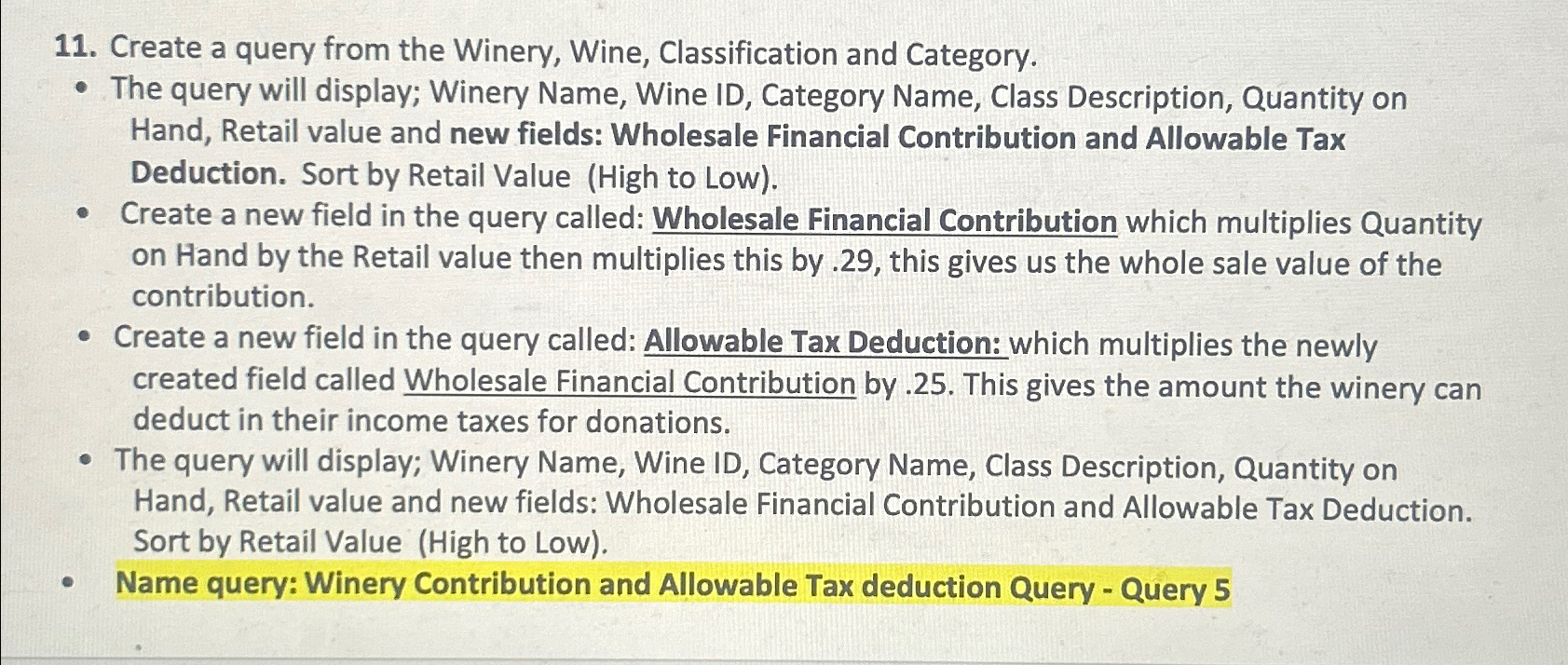
The query will display; Winery Name, Wine ID Category Name, Class Description, Quantity on Hand, Retail value and new fields: Wholesale Financial Contribution and Allowable Tax Deduction. Sort by Retail Value High to Low
Create a new field in the query called: Wholesale Financial Contribution which multiplies Quantity on Hand by the Retail value then multiplies this by this gives us the whole sale value of the contribution.
Create a new field in the query called: Allowable Tax Deduction: which multiplies the newly created field called Wholesale Financial Contribution by This gives the amount the winery can deduct in their income taxes for donations.
The query will display; Winery Name, Wine ID Category Name, Class Description, Quantity on Hand, Retail value and new fields: Wholesale Financial Contribution and Allowable Tax Deduction. Sort by Retail Value High to Low
Name query: Winery Contribution and Allowable Tax deduction Query Query
Step by Step Solution
There are 3 Steps involved in it
1 Expert Approved Answer
Step: 1 Unlock

Question Has Been Solved by an Expert!
Get step-by-step solutions from verified subject matter experts
Step: 2 Unlock
Step: 3 Unlock
 Study Help