







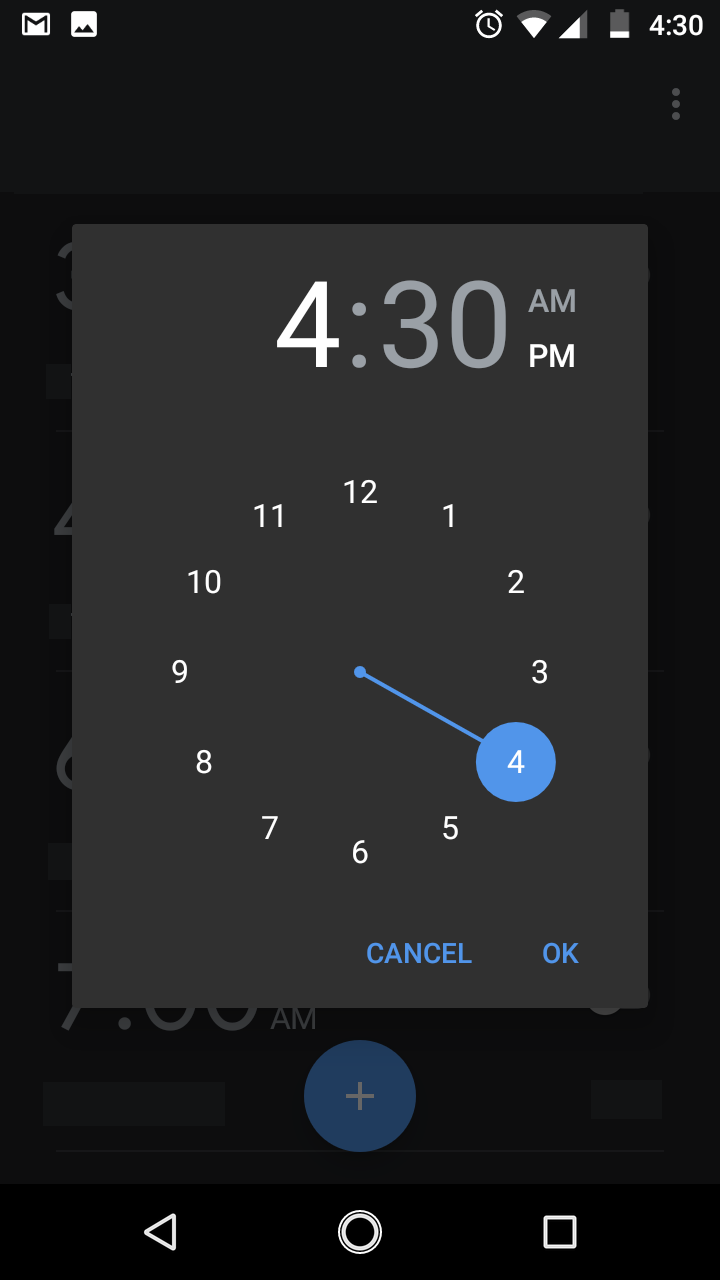
Question: Create a simple alarm app just like the attachments. The main activity should look like Alarm1.png. Click the +button, it will look at picture 1.
Create a simple alarm app just like the attachments.
The main activity should look like Alarm1.png. Click the "+"button, it will look at picture 1. Pick a time, then show itup in the main activity.
On the right top, there is a menu. Click it, it should contain"New Alarm". Select "New Alarm" from the menu, it should also lookat Picture2
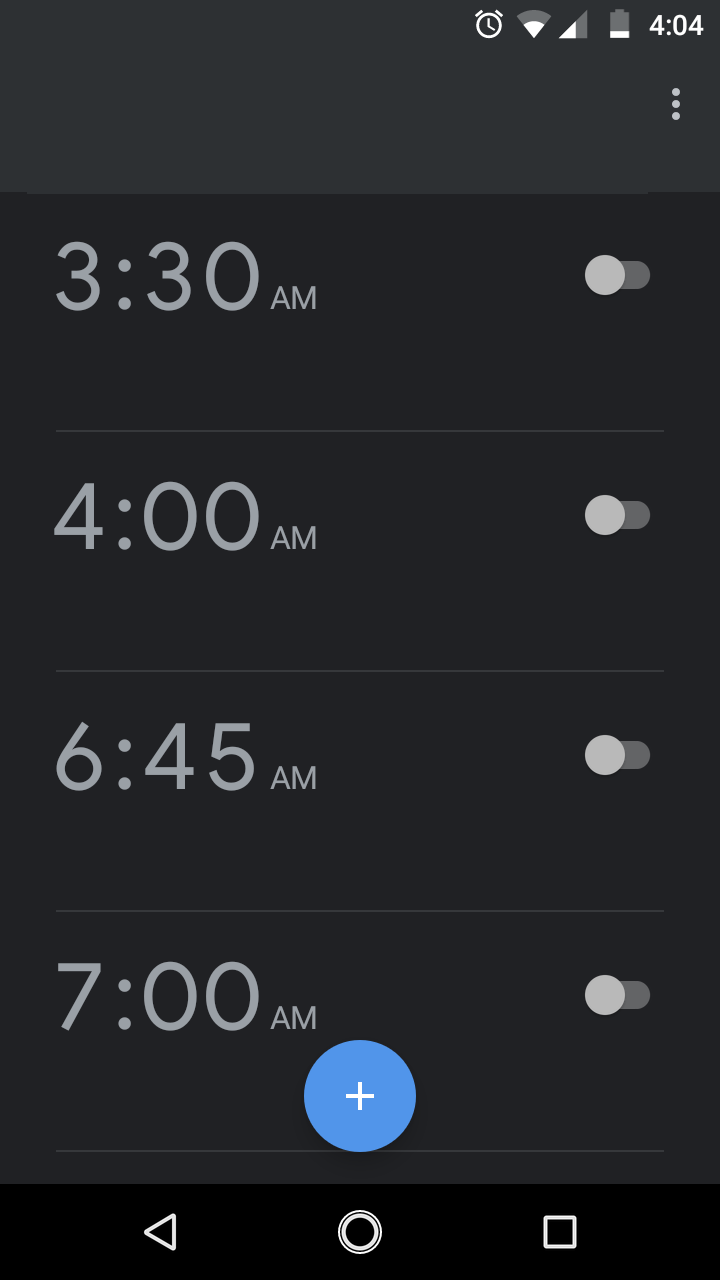
3:30 AM 4:00 AM 6:45 AM 7:00 AM + O 4:04
Step by Step Solution
There are 3 Steps involved in it
1 Expert Approved Answer
Step: 1 Unlock

Question Has Been Solved by an Expert!
Get step-by-step solutions from verified subject matter experts
Step: 2 Unlock
Step: 3 Unlock
 Study Help