







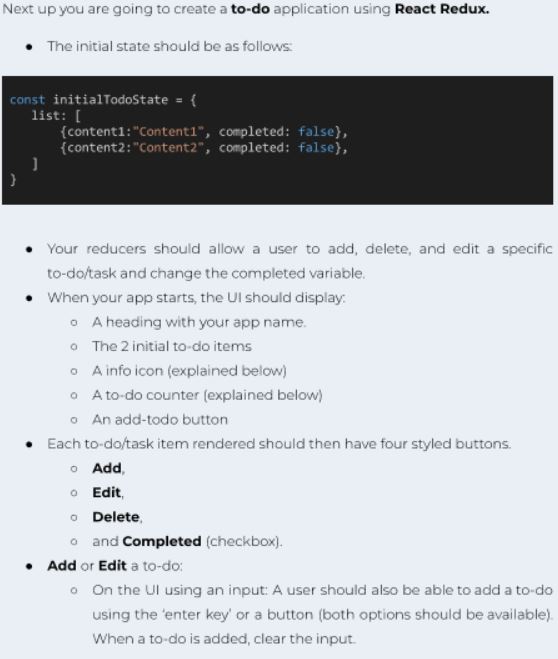
Question: create a to - do list app using react redux Your reducers should allow a user to add, delete, and edit a specific to -
create a todo list app using react redux Your reducers should allow a user to add, delete, and edit a specific
todotask and change the completed variable.
When your app starts, the UI should display:
A heading with your app name.
The initial todo items
A info icon explained below
A todo counter explained below
An addtodo button
Each todotask item rendered should then have four styled buttons.
Add,
Edit,
Delete,
and Completed checkbox
Add or Edit a todo:
On the UI using an input: A user should also be able to add a todo
using the 'enter key' or a button both options should be available
When a todo is added, clear the input. To Edit: you must use a modal or a custom HTML popup to edit a
todo Use any HTML or React Ul library modalpopup for this.
When the user edits a todo fill in the input with the selected
todo's text.
If a user tries to add a todo with no value. Show a warning message
in the popup.
Do not use any browser methods like prompt or alert.
On your Ul you must have an info icon. When clicked. A popup will display
above all other content in the centre of the page with user instructions
dont forget to add a close button
On your UI you must have an element to display the number of todo
items in your global state, ie a todo counter.
When a todo is added or deleted, this number should also update.
The counter should be in a fixed position on the UI meaning if the
user scrolls down to other todos, the counter should still be visible
When a todo is checked true the todo should be faded out.
A user should not be able to edit completed todos.
Your App UI content must be centred and attractively styled. You can use
custom CSS or any React UI library for styling.
Step by Step Solution
There are 3 Steps involved in it
1 Expert Approved Answer
Step: 1 Unlock

Question Has Been Solved by an Expert!
Get step-by-step solutions from verified subject matter experts
Step: 2 Unlock
Step: 3 Unlock
 Study Help